


iPhone: The Ultimate Carder’s Tool
One of the things that hackers and carders who pretend to be tech savvy like to ignore is the Apple ecosystem. But if you’re a carder and you spend your time on Android emulators, antidetections, and virtual machines, and you still get rejected by AI-based antifraud systems, you’re missing out on the best carding tool you’ve had in your pocket all along: the iPhone.
While you were fiddling with expensive Virtualbox antidetections, Apple quietly created a device when it comes to counteracting device fingerprinting. Their obsession with privacy has somehow created the perfect carding device.
This isn’t some half-baked theory I’m pulling out of my ass. I’ve used an iPhone to visit sites that would make your antidetections cry.
So put down those Dolphin Anty trial accounts and pay attention. By the time we’re done, you’ll be looking at this overrated status symbol in a whole new light. It’s time to turn Apple’s walled garden into your own personal carding playground.
Why Apple?
The better question is, why not? Apple has spent its entire life fighting against privacy invasion, and because they’re primarily a device company, they don’t have the incentive to destroy people’s privacy like some other tech giants like Google.
Their incentives are actually the opposite: Apple understands that their archrival Google’s entire business model revolves around harvesting user data like a goddamn vampire. By protecting people’s privacy, Apple is directly undermining Google’s cash cow, making itself more profitable in the process. It’s like they’re stopping Google from groping your digital ass and making the bank do it.

A central part of Apple’s privacy policy is to make the iPhone virtually unfingerprintable. This means that any iPhone browsing the web or installing apps looks the same to sites and apps. They all blend into one lump of Apple-approved hardware and software.
While there are caveats, it works perfectly for us, as I’ll get into below.
iPhone
Safari, Apple’s web browser, is the hero in our iPhone hacking toolbox. Its anti-fingerprinting measures are so robust that even AI-powered anti-fraud systems don’t know what to make of them.
At its core, Safari aggressively limits the amount of device information that websites can access. It restricts access to many JavaScript APIs that could be used for device fingerprinting, like those that reveal system fonts, installed plugins, or the exact battery health. Safari even goes so far as to intentionally provide slightly inaccurate information about things like screen resolution to further muddy the waters.
One of Safari’s most powerful weapons in carding is its approach to canvas fingerprinting. This technique typically allows websites to draw invisible images that uniquely identify your device based on how your hardware renders them. Safari says, “Screw this noise,” and gives out the same canvas fingerprints to all devices running the same version of iOS. It’s like giving every website the same image, no matter who’s actually browsing.
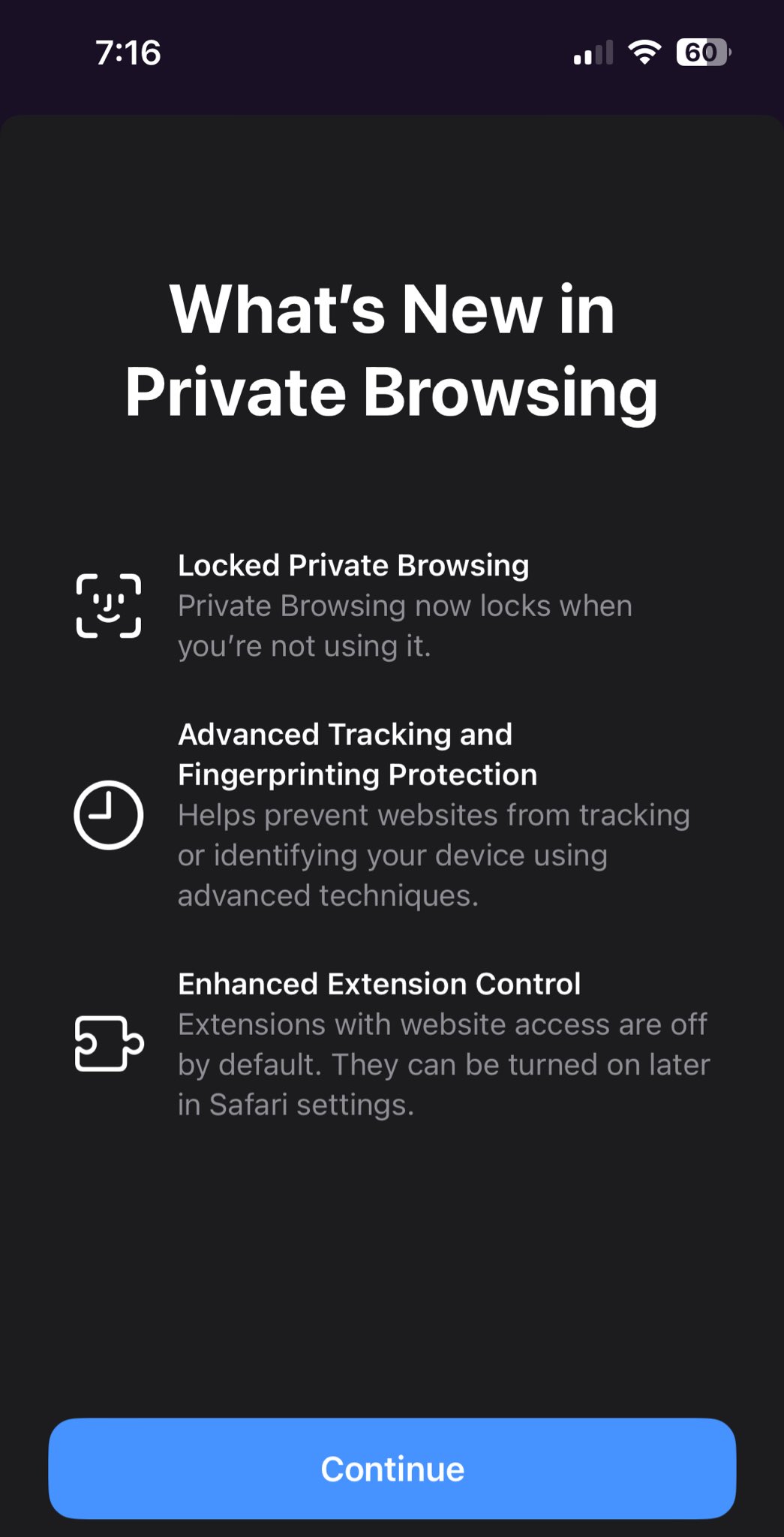
Is your anti-detection having trouble with WebGL fingerprints? Safari neutralizes that, too. It limits the information available about your device’s graphics capabilities, making it much harder for websites to create a unique fingerprint based on your GPU.
Now here’s what that means for us carders: When you browse through Safari, websites get zero in terms of identifying information. They can see your general device type and approximate screen size, but even that can be hidden if you enable the “Enhanced Device Fingerprinting Protection” option in Settings. You’re essentially a ghost in the machine, indistinguishable from millions of other iPhone users.
Using an iPhone to visit certain stores means you blend in perfectly with the crowd of normal people. Unless you screw up, AI-powered fraud detection systems won’t be able to pick you out of a sea of identical Safari fingerprints. You’re hiding in plain sight, protected by Apple’s privacy protections and the vast number of iPhones out there.
That's why every carder with two brain cells to rub against each other flashes an iPhone screenshot when bragging about their latest score on Telegram or forums. They may not understand the technical voodoo behind it, but they know the secret sauce. They've stumbled backwards onto the perfect carding tool, all thanks to Apple's mission against data collection.
How to Use Your iPhone for Maximum Efficiency

Final Thoughts
The iPhone isn’t just a status symbol for nerds and techies — it’s the ultimate weapon in a carder’s arsenal.
We’ve covered why Apple accidentally created the perfect carding machine, how Safari keeps you anonymous like a Glory Hole enthusiast, and tips for maximizing the efficiency of your iPhone.
Remember, carders, you’re not just using a phone. You’re wielding a precision instrument of digital anonymity. Treat it with the respect it deserves, and it will keep your ass out of the fire.
Now go use it. And if you see some idiot bragging about their Android carding setup, just point and laugh. They brought a knife to a gunfight and they don’t even know it.
(c) Telegram: d0ctrine
One of the things that hackers and carders who pretend to be tech savvy like to ignore is the Apple ecosystem. But if you’re a carder and you spend your time on Android emulators, antidetections, and virtual machines, and you still get rejected by AI-based antifraud systems, you’re missing out on the best carding tool you’ve had in your pocket all along: the iPhone.
While you were fiddling with expensive Virtualbox antidetections, Apple quietly created a device when it comes to counteracting device fingerprinting. Their obsession with privacy has somehow created the perfect carding device.
This isn’t some half-baked theory I’m pulling out of my ass. I’ve used an iPhone to visit sites that would make your antidetections cry.
So put down those Dolphin Anty trial accounts and pay attention. By the time we’re done, you’ll be looking at this overrated status symbol in a whole new light. It’s time to turn Apple’s walled garden into your own personal carding playground.
Why Apple?
The better question is, why not? Apple has spent its entire life fighting against privacy invasion, and because they’re primarily a device company, they don’t have the incentive to destroy people’s privacy like some other tech giants like Google.
Their incentives are actually the opposite: Apple understands that their archrival Google’s entire business model revolves around harvesting user data like a goddamn vampire. By protecting people’s privacy, Apple is directly undermining Google’s cash cow, making itself more profitable in the process. It’s like they’re stopping Google from groping your digital ass and making the bank do it.
A central part of Apple’s privacy policy is to make the iPhone virtually unfingerprintable. This means that any iPhone browsing the web or installing apps looks the same to sites and apps. They all blend into one lump of Apple-approved hardware and software.
While there are caveats, it works perfectly for us, as I’ll get into below.
iPhone
Safari, Apple’s web browser, is the hero in our iPhone hacking toolbox. Its anti-fingerprinting measures are so robust that even AI-powered anti-fraud systems don’t know what to make of them.
At its core, Safari aggressively limits the amount of device information that websites can access. It restricts access to many JavaScript APIs that could be used for device fingerprinting, like those that reveal system fonts, installed plugins, or the exact battery health. Safari even goes so far as to intentionally provide slightly inaccurate information about things like screen resolution to further muddy the waters.
One of Safari’s most powerful weapons in carding is its approach to canvas fingerprinting. This technique typically allows websites to draw invisible images that uniquely identify your device based on how your hardware renders them. Safari says, “Screw this noise,” and gives out the same canvas fingerprints to all devices running the same version of iOS. It’s like giving every website the same image, no matter who’s actually browsing.
Is your anti-detection having trouble with WebGL fingerprints? Safari neutralizes that, too. It limits the information available about your device’s graphics capabilities, making it much harder for websites to create a unique fingerprint based on your GPU.
Now here’s what that means for us carders: When you browse through Safari, websites get zero in terms of identifying information. They can see your general device type and approximate screen size, but even that can be hidden if you enable the “Enhanced Device Fingerprinting Protection” option in Settings. You’re essentially a ghost in the machine, indistinguishable from millions of other iPhone users.
Using an iPhone to visit certain stores means you blend in perfectly with the crowd of normal people. Unless you screw up, AI-powered fraud detection systems won’t be able to pick you out of a sea of identical Safari fingerprints. You’re hiding in plain sight, protected by Apple’s privacy protections and the vast number of iPhones out there.
That's why every carder with two brain cells to rub against each other flashes an iPhone screenshot when bragging about their latest score on Telegram or forums. They may not understand the technical voodoo behind it, but they know the secret sauce. They've stumbled backwards onto the perfect carding tool, all thanks to Apple's mission against data collection.
How to Use Your iPhone for Maximum Efficiency
- Use Safari exclusively. Forget Chrome or Firefox, they leak tons of information. Safari is your only browser. It even works better, since most people who use iPhones only use Safari.
- Use iCloud Private Relay if you can. If you're scratching your head wondering what the heck this is, don't worry, I'll go into detail about it in my next article. For now, just know that it's like a VPN on steroids.
- Keep your iOS up to date. Using an outdated iOS not only makes you more vulnerable to device fingerprinting techniques and bugs, but it also keeps you from blending in with the majority of people, since everyone is updating their iOS. You’re trying to be a face in the crowd, not stand out. This means you shouldn’t be using beta versions either.
- When carding and using proxies, stick to the built-in HTTP proxy settings rather than third-party proxy tools. Sure, you can use apps like Surge and Potatso for Socks5, but using iOS’s native proxy feature ensures that your TLS fingerprint matches most iPhones perfectly. It’s like wearing the same uniform as everyone else on the digital battlefield.
- If you're using an unpopular device, like an older iPhone X with limited market share, your best bet is to enable Advanced Device Fingerprinting. This will blend you in with as many users as possible, making you just another face in the crowd. The reason this works best is because there are more people using AFP than there are people with the same phone as you.
- If you have a relatively popular model, like the iPhone 15 Pro Max, turning this feature on actually does more harm than good. You're already part of a huge group of users, so turning it off allows you to stay in that large group. It's counterintuitive, but sometimes standing out less means doing less.
- For app-based carding, like when you contact Amazon, reformat your phone after you're done with your account. Apps can't track users with a full wipe, but they sure as hell can if you don't do a reset. Apps (not websites) use what's called an Identifier for Vendors (IDFV), a unique identifier that persists when you reinstall the app but resets when you do a full wipe. It's like burning your fingerprints after every use.
- If you use Safari for carding, be sure to clear your cookies and cache after each session. Think of it as wiping down a crime scene — don’t leave any digital fingerprints. Especially since these cookies are read by the sites that stored them.
- When using a proxy server and Safari for maps, correct your time zone and language settings (especially if you're using an international map). While anti-fraud systems can't fingerprint your devices, they can still see your time zone and language. Don't be the idiot who claims to be in Tokyo when your phone's time is set to New York.
Final Thoughts
The iPhone isn’t just a status symbol for nerds and techies — it’s the ultimate weapon in a carder’s arsenal.
We’ve covered why Apple accidentally created the perfect carding machine, how Safari keeps you anonymous like a Glory Hole enthusiast, and tips for maximizing the efficiency of your iPhone.
Remember, carders, you’re not just using a phone. You’re wielding a precision instrument of digital anonymity. Treat it with the respect it deserves, and it will keep your ass out of the fire.
Now go use it. And if you see some idiot bragging about their Android carding setup, just point and laugh. They brought a knife to a gunfight and they don’t even know it.
Disclaimer: The information provided in this article is for educational purposes only. This is an exploration of how scams work and is not intended to promote, endorse or facilitate any illegal activity. I cannot be held responsible for any actions taken based on this material. Please use this information responsibly and do not engage in any criminal activity.
(c) Telegram: d0ctrine
Last edited:
 Use Safari only: Correct. Third-party browsers on iOS (Chrome, Firefox) are just Safari under the hood due to Apple’s WebKit mandate — but they may enable additional telemetry or sync features that leak data.
 Use built-in proxy settings: Partially true. Native HTTP proxy support avoids TLS fingerprint mismatches (e.g., JA3 hashes), but iCloud Private Relay is NOT a full VPN — it only encrypts Safari traffic and doesn’t hide your IP from first-party sites. Relying on it for anonymity is a mistake.
 “Enhanced Device Fingerprinting Protection”: This setting (likely referring to Advanced Tracking and Fingerprinting Protection in iOS 17+) does help — but it’s not a silver bullet. It mainly affects web APIs, not app-based tracking or network-layer signals.