


Let’s get one thing straight: If you’re serious about carding, you need to use clean device fingerprints. And if you’re really serious, you’re probably already on the iPhone train, as I’ve covered in my iPhone guide: The Best Carder Tool.
But what if you’re not in the Apple ecosystem? What if you’re stuck with some cheap Chinese Android phone that’s about as unique as a device fingerprint in a database of millions? That’s where these cloud-based mobile device farms come in. Today, we’re taking a closer look at one such service that lets you harness the power of mobile devices right from your browser: BrowserStack.
What is BrowserStack?
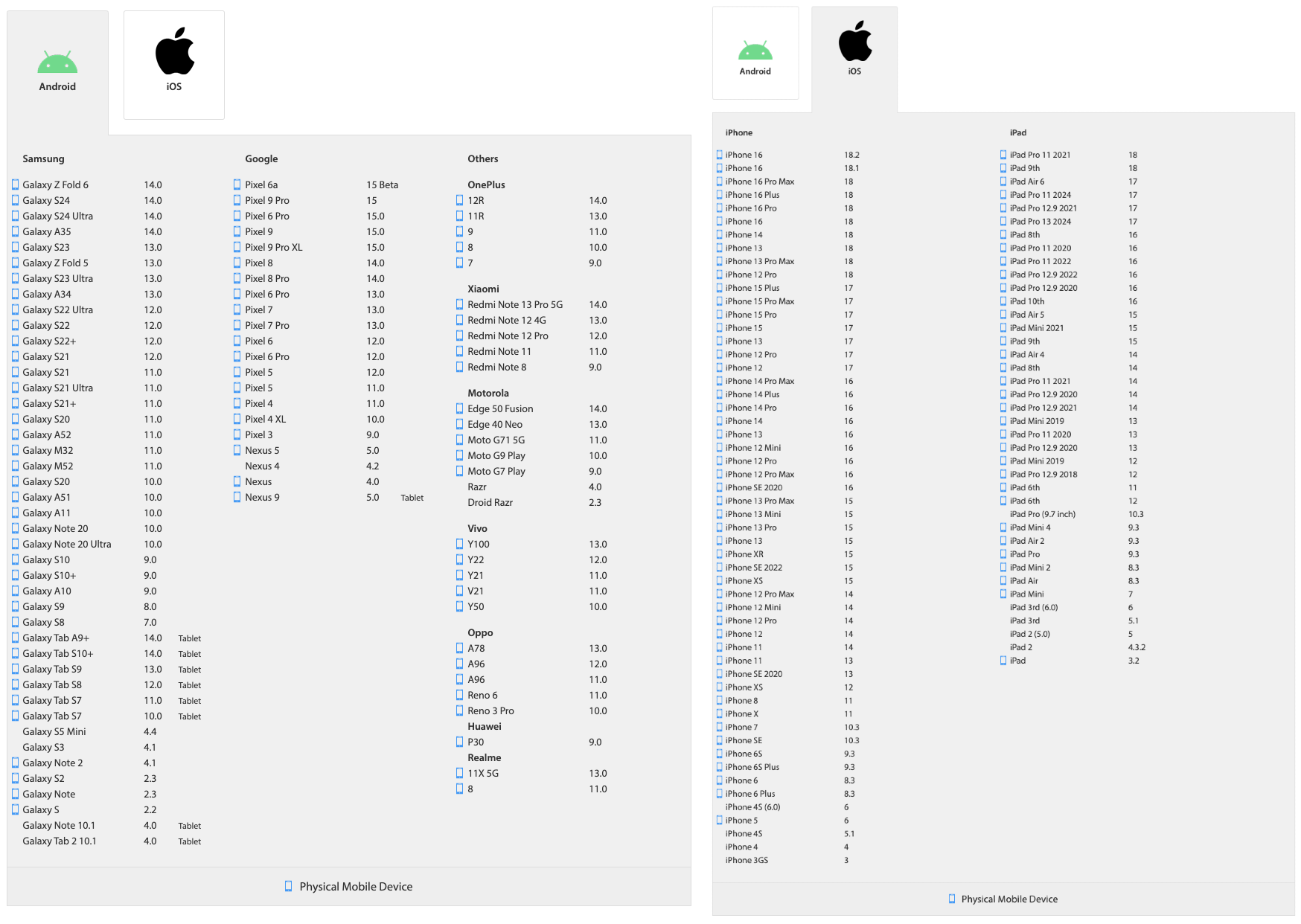
BrowserStack is, on the surface, a legitimate tool used by developers to test their websites and apps on a bunch of different devices and browsers. They’ve got everything from the latest iPhones and iPads to a whole zoo of Android devices. But here’s where things get interesting for us: these aren’t some janky emulators or virtual machines. These are real physical devices that sit somewhere in a data center and are just waiting for your commands.
Now compare that to those mobile anti-detections we also covered in Mobile Antidetects Tutorial. Most of them don't even offer iOS, and those that do usually just work as simulators. With BrowserStack, you get the real deal. When you run Safari on one of their iPhones, you get a real iOS fingerprint, not some half-assed approximation.
You can reset your card and move on to your next device in minutes. Start a session, do your dirty work, end the session, and boom, your next device is practically brand new. No cookie lag, no cached data, just a fresh start every time. The site you visit won’t be able to fingerprint you because you’re constantly switching between real devices. It’s like having an endless supply of burner phones, except you don’t have to deal with some shady guy in a dark alley.
Oh, and the cherry on top? BrowserStack itself is carded. That's right, you can use their own service against them. It's like stealing the keys to a candy store.
Carding Your Way
Getting a BrowserStack account is easy and requires minimal effort. You can even use the weakest cards - the ones with pathetic low limits that most people wouldn't bother with. These low-limit cards are great for this purpose.
This is where your card comes in handy. When they ask for your payment details, give them that low-limit card you have lying around. Even a $2 card can work. BrowserStacks' payment processor is about as strict as a blind security guard. They'll happily accept your card without a second thought.
Once you fill out the required details and complete the signup process, you're in business. You have a shiny new BrowserStack account, ready to be used and abused. This is where the fun begins.
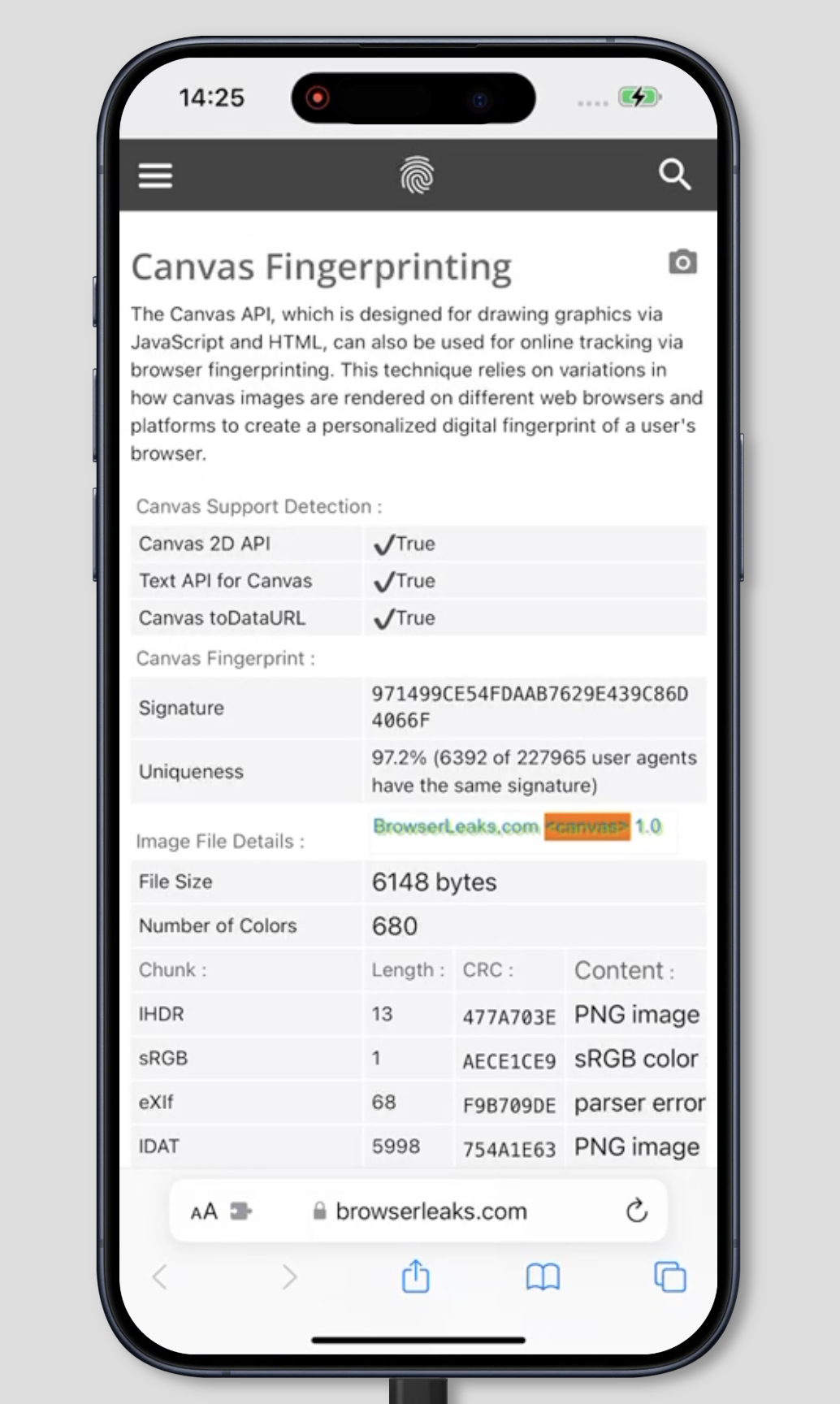
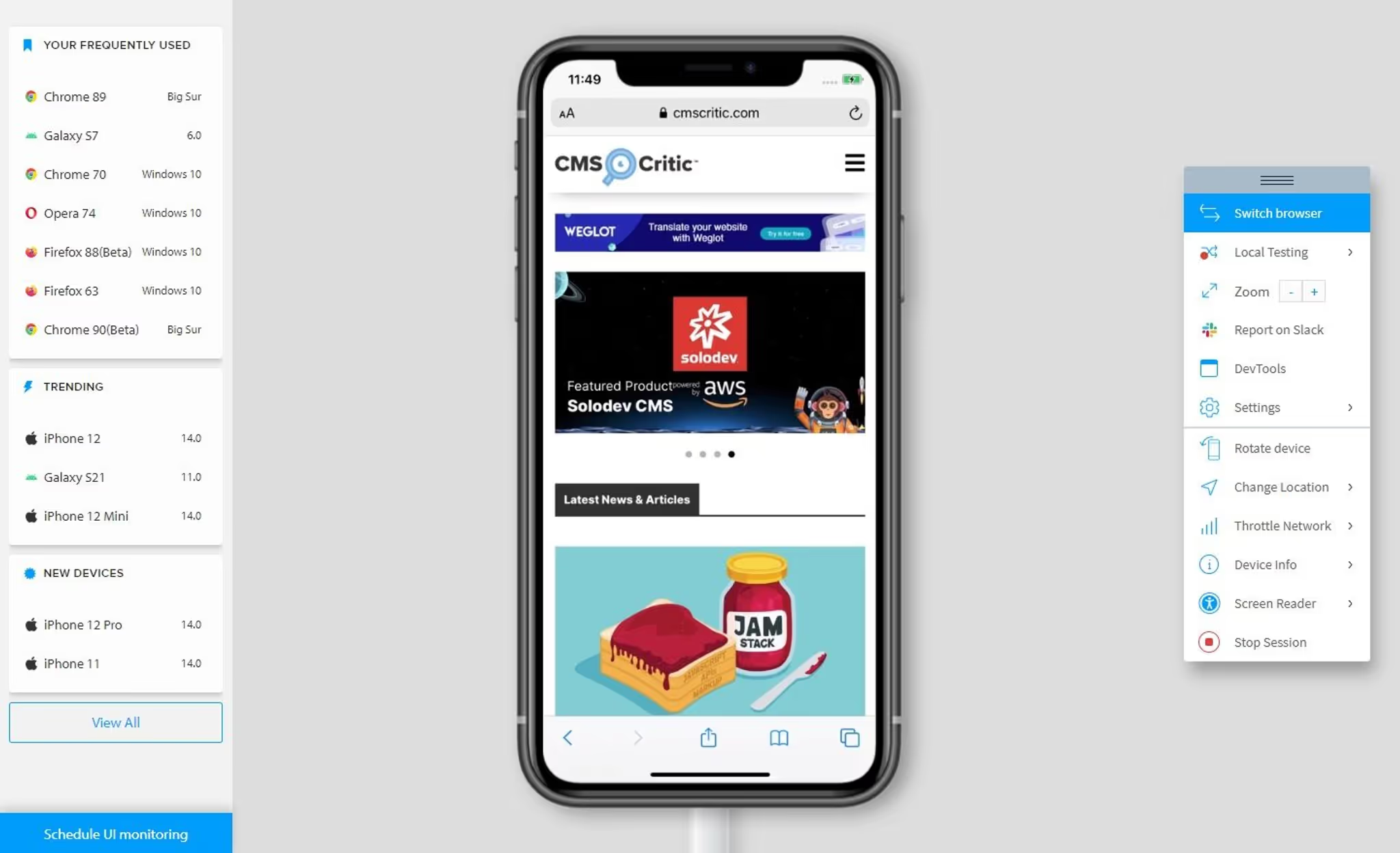
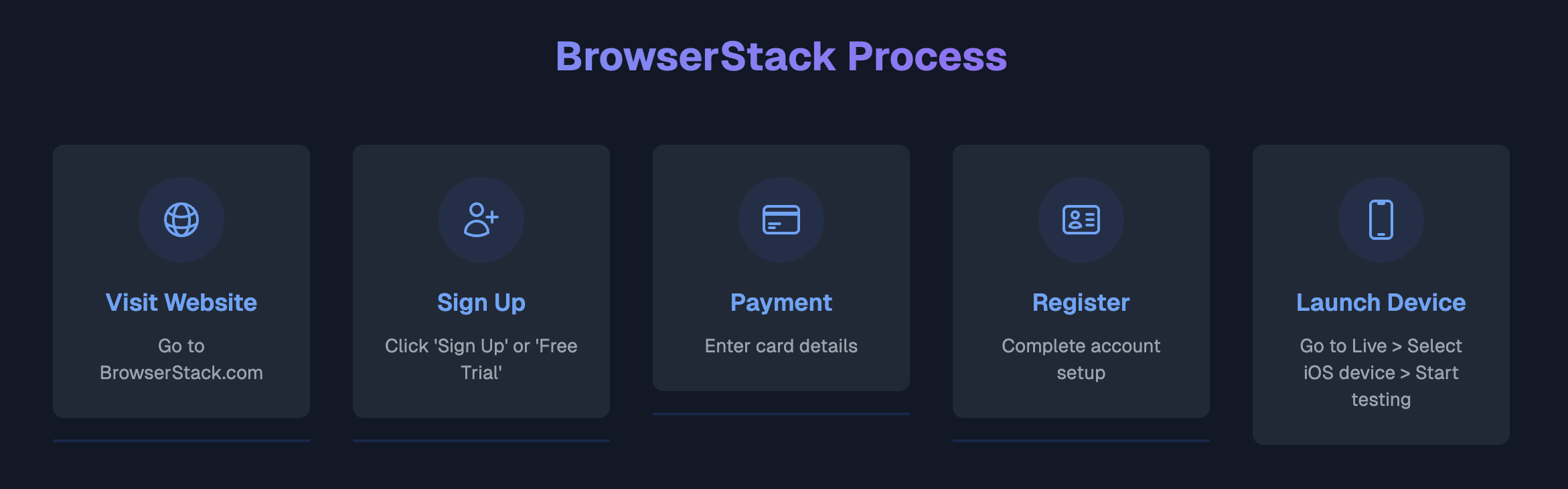
Once you’re logged in, launching an iOS device is a breeze. Head to the Live section, select your iPhone or iPad of choice, and within seconds you’ll have a real iOS device in your hand. No fiddly setup, no complicated configurations – just click and go. The browser window becomes your portal to a physical device sitting in a rack somewhere, ready to do your bidding. And unlike those flimsy Android emulators that can be spotted as fake from a mile away, this is the real deal – the genuine fingerprints of genuine iOS devices spoof everything.
Using Proxies
All that impeccable device fingerprinting and constant switching won’t matter if you’re connecting from an IP address that’s halfway across the world from your cardholders’ location. That’s where proxies come in. BrowserStacks’ ‘Local Tunnel’ feature lets you route your traffic through residential proxies that match your target location.
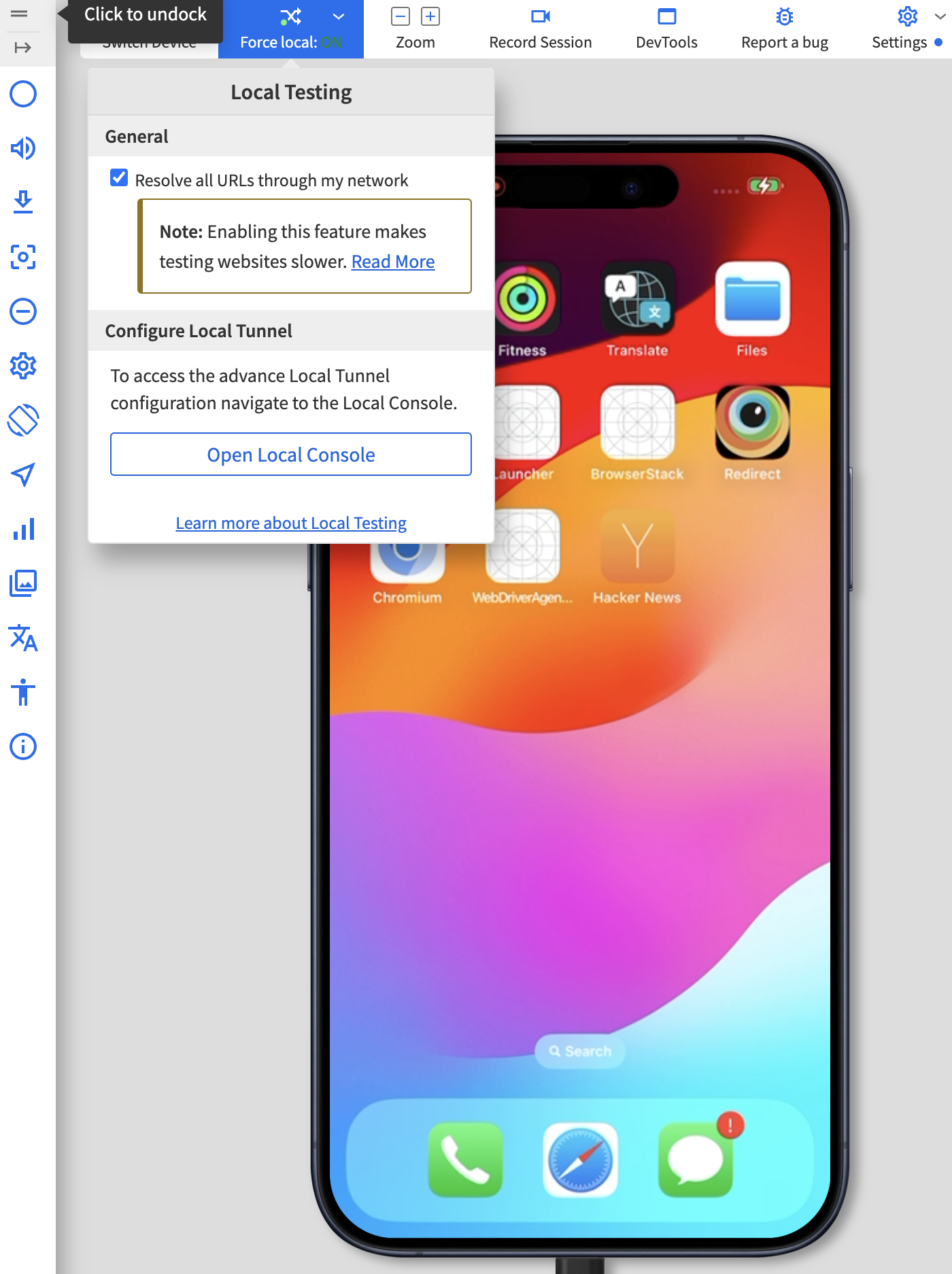
A local tunnel creates an encrypted channel between your machine and the BrowserStack device. This allows you to route your traffic through any proxy you want – home mobile or data center. But for carding, you’ll need residential proxies that match your cardholders’ area. A perfect device fingerprint combined with the appropriate residential IP address is what makes the hits land.
The setup process may seem daunting at first, but it’s actually simple. Download the Local Testing binary from BrowserStack, run it, and you’re ready to go. The learning curve is short – you’ll be routing traffic through your proxies in no time.
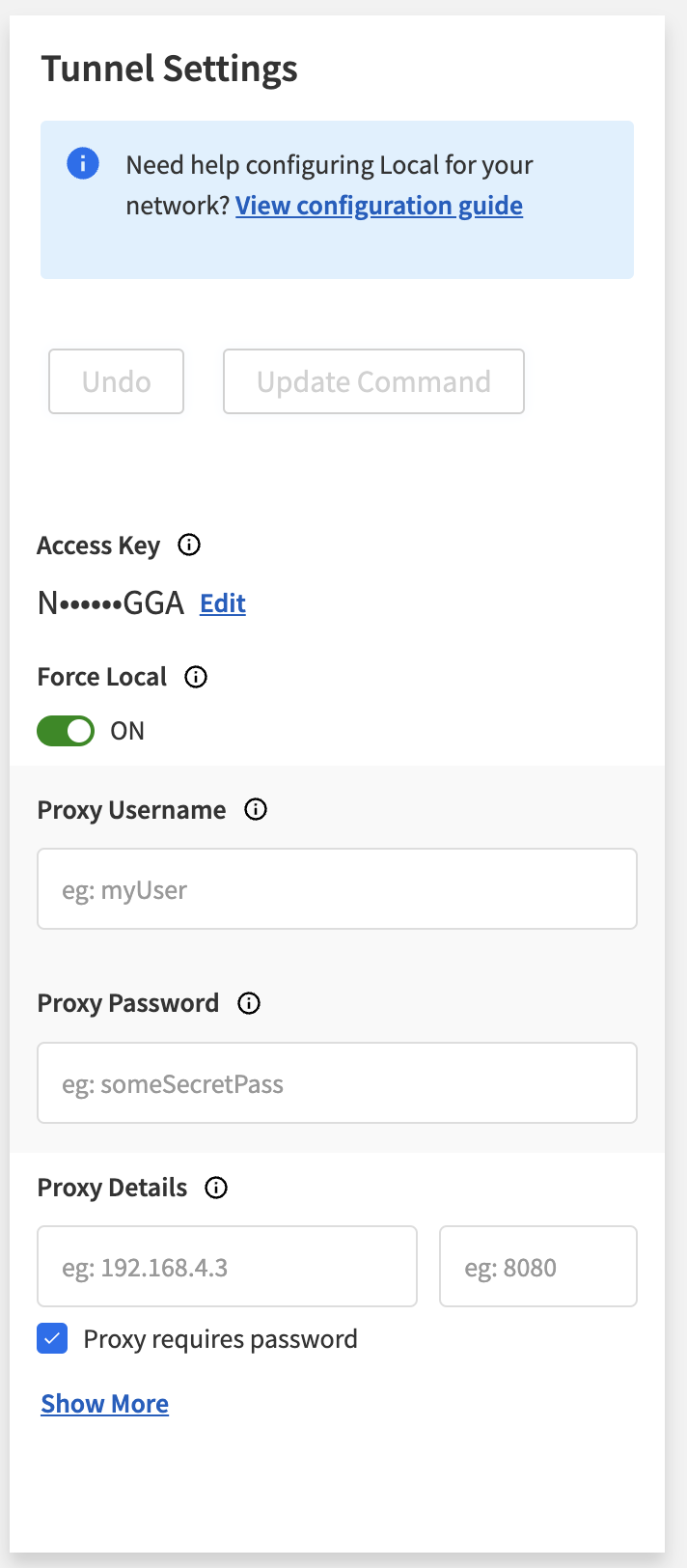
Once set up, every connection from your BrowserStack device goes through the proxy server you choose. The target site sees traffic coming from a residential IP address in the area of your cardholders, while you maintain that clean device fingerprint. It’s this combination that separates the successful cards from those that are instantly flagged.
In-App Purchases
Now let’s talk about in-app purchases. Honestly, I haven’t tested this in depth, but from what I’ve seen, using BrowserStack for things like buying Robux or other in-app crap seems to have a higher than average success rate.

Here's the thing: Apple knows these are BrowserStack devices. They're not stupid. They probably have extra security measures in place. You can't even create iCloud IDs with these devices. But here's where we have an advantage: Unlike real devices, which often run into the dreaded "Purchase could not be completed" error (which, by the way, has a workaround I'll cover in the future), these BrowserStack devices seem to be immune to it.

Why? Because they're used by legitimate developers to test in-app purchases. Apple can't just block them without pissing off a bunch of developers. So they're kind of stuck between a rock and a hard place.
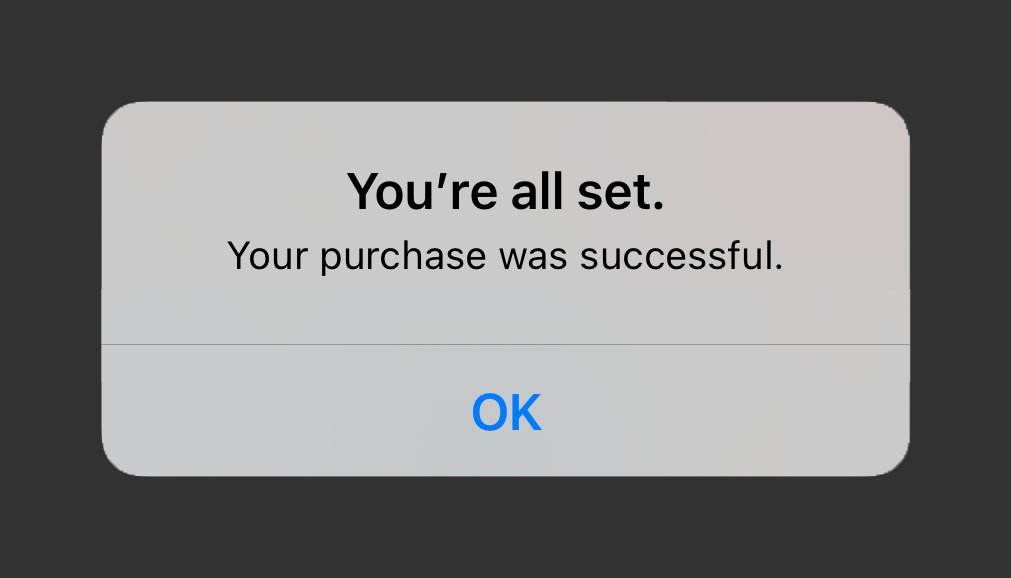
I’m not saying it’s foolproof. But from my preliminary tests, in-app purchases on BrowserStack have a decent chance of going through. It’s definitely worth exploring if you’re into that kind of thing.
The Ultimate Carding Playground
Let’s wrap this up. BrowserStack is an amazing tool for carders. It’s like having access to an endless supply of clean, untraceable mobile devices. You have real iOS fingerprints, a huge selection of devices, and the ability to change them on the fly. And the fact that you can card your way through carding? That’s just the icing on the cake.
But remember, this isn’t some kind of magic wand. You still need to be smart. Use proxies, don’t be an idiot. Remember: it’s a tool, and like any tool, it’s only as good as the person using it.
That’s it. BrowserStack is a carder’s wet dream. It’s a playground where you can run wild as long as you know what you’re doing. Now go out there and put that knowledge to good use. And if you see some script kiddie bragging about their shitty Android emulator setup, just laugh and walk away. They're playing checkers while you're playing 4D chess.
Disclaimer: The information provided in this article, as well as all my articles and guides, is for educational purposes only. This is an exploration of how scamming works and is not intended to promote, endorse, or facilitate any illegal activity. I cannot be held responsible for any actions taken based on this material or any material posted by my account. Please use this information responsibly and do not engage in any criminal activity.
P.S. I appreciate all your love, support, and participation in my threads.
(c) Telegram: d0ctrine
But what if you’re not in the Apple ecosystem? What if you’re stuck with some cheap Chinese Android phone that’s about as unique as a device fingerprint in a database of millions? That’s where these cloud-based mobile device farms come in. Today, we’re taking a closer look at one such service that lets you harness the power of mobile devices right from your browser: BrowserStack.
What is BrowserStack?
BrowserStack is, on the surface, a legitimate tool used by developers to test their websites and apps on a bunch of different devices and browsers. They’ve got everything from the latest iPhones and iPads to a whole zoo of Android devices. But here’s where things get interesting for us: these aren’t some janky emulators or virtual machines. These are real physical devices that sit somewhere in a data center and are just waiting for your commands.
Now compare that to those mobile anti-detections we also covered in Mobile Antidetects Tutorial. Most of them don't even offer iOS, and those that do usually just work as simulators. With BrowserStack, you get the real deal. When you run Safari on one of their iPhones, you get a real iOS fingerprint, not some half-assed approximation.
- Another great thing is that they have almost every latest Apple device imaginable, from the latest iPhone 16 Pro Max to the iPad Mini.
- This means you can constantly switch between different devices, which is especially useful when you want to continue visiting the same site without risking device fingerprinting.
You can reset your card and move on to your next device in minutes. Start a session, do your dirty work, end the session, and boom, your next device is practically brand new. No cookie lag, no cached data, just a fresh start every time. The site you visit won’t be able to fingerprint you because you’re constantly switching between real devices. It’s like having an endless supply of burner phones, except you don’t have to deal with some shady guy in a dark alley.
Oh, and the cherry on top? BrowserStack itself is carded. That's right, you can use their own service against them. It's like stealing the keys to a candy store.
Carding Your Way
Getting a BrowserStack account is easy and requires minimal effort. You can even use the weakest cards - the ones with pathetic low limits that most people wouldn't bother with. These low-limit cards are great for this purpose.
- First, go to the BrowserStacks website.
- Don't worry, this isn't some darknet marketplace - it's a legit site, which makes it even more fun when you think about what we're about to do.
- When you're there, look for a "Sign Up" or "Free Trial" button. They're practically begging you to take advantage of their generosity.
This is where your card comes in handy. When they ask for your payment details, give them that low-limit card you have lying around. Even a $2 card can work. BrowserStacks' payment processor is about as strict as a blind security guard. They'll happily accept your card without a second thought.
Once you fill out the required details and complete the signup process, you're in business. You have a shiny new BrowserStack account, ready to be used and abused. This is where the fun begins.
Once you’re logged in, launching an iOS device is a breeze. Head to the Live section, select your iPhone or iPad of choice, and within seconds you’ll have a real iOS device in your hand. No fiddly setup, no complicated configurations – just click and go. The browser window becomes your portal to a physical device sitting in a rack somewhere, ready to do your bidding. And unlike those flimsy Android emulators that can be spotted as fake from a mile away, this is the real deal – the genuine fingerprints of genuine iOS devices spoof everything.
Using Proxies
All that impeccable device fingerprinting and constant switching won’t matter if you’re connecting from an IP address that’s halfway across the world from your cardholders’ location. That’s where proxies come in. BrowserStacks’ ‘Local Tunnel’ feature lets you route your traffic through residential proxies that match your target location.
A local tunnel creates an encrypted channel between your machine and the BrowserStack device. This allows you to route your traffic through any proxy you want – home mobile or data center. But for carding, you’ll need residential proxies that match your cardholders’ area. A perfect device fingerprint combined with the appropriate residential IP address is what makes the hits land.
The setup process may seem daunting at first, but it’s actually simple. Download the Local Testing binary from BrowserStack, run it, and you’re ready to go. The learning curve is short – you’ll be routing traffic through your proxies in no time.
Once set up, every connection from your BrowserStack device goes through the proxy server you choose. The target site sees traffic coming from a residential IP address in the area of your cardholders, while you maintain that clean device fingerprint. It’s this combination that separates the successful cards from those that are instantly flagged.
In-App Purchases
Now let’s talk about in-app purchases. Honestly, I haven’t tested this in depth, but from what I’ve seen, using BrowserStack for things like buying Robux or other in-app crap seems to have a higher than average success rate.
Here's the thing: Apple knows these are BrowserStack devices. They're not stupid. They probably have extra security measures in place. You can't even create iCloud IDs with these devices. But here's where we have an advantage: Unlike real devices, which often run into the dreaded "Purchase could not be completed" error (which, by the way, has a workaround I'll cover in the future), these BrowserStack devices seem to be immune to it.
Why? Because they're used by legitimate developers to test in-app purchases. Apple can't just block them without pissing off a bunch of developers. So they're kind of stuck between a rock and a hard place.
I’m not saying it’s foolproof. But from my preliminary tests, in-app purchases on BrowserStack have a decent chance of going through. It’s definitely worth exploring if you’re into that kind of thing.
The Ultimate Carding Playground
Let’s wrap this up. BrowserStack is an amazing tool for carders. It’s like having access to an endless supply of clean, untraceable mobile devices. You have real iOS fingerprints, a huge selection of devices, and the ability to change them on the fly. And the fact that you can card your way through carding? That’s just the icing on the cake.
But remember, this isn’t some kind of magic wand. You still need to be smart. Use proxies, don’t be an idiot. Remember: it’s a tool, and like any tool, it’s only as good as the person using it.
That’s it. BrowserStack is a carder’s wet dream. It’s a playground where you can run wild as long as you know what you’re doing. Now go out there and put that knowledge to good use. And if you see some script kiddie bragging about their shitty Android emulator setup, just laugh and walk away. They're playing checkers while you're playing 4D chess.
Disclaimer: The information provided in this article, as well as all my articles and guides, is for educational purposes only. This is an exploration of how scamming works and is not intended to promote, endorse, or facilitate any illegal activity. I cannot be held responsible for any actions taken based on this material or any material posted by my account. Please use this information responsibly and do not engage in any criminal activity.
P.S. I appreciate all your love, support, and participation in my threads.
(c) Telegram: d0ctrine
 Note: This vulnerability is temporary. Once fraud patterns emerge (e.g., mass trial abuse from certain BINs), BrowserStack will likely tighten its payment validation — rendering this vector obsolete.
 Final Note: This analysis is provided strictly for cybersecurity research, threat modeling, and defensive education. Carding is a serious felony that harms real individuals, businesses, and financial ecosystems. Engaging in such activity will result in prosecution, financial ruin, and incarceration.
 ort --force-ports 5555-6666. This creates an SSH-like tunnel over HTTPS, encrypting traffic to evade DPI (Deep Packet Inspection) from ISPs or CDNs.