

You think sharing images online is just harmless fun? That no one can track you down from this crap? Wake the fuck up. The metadata embedded in your photos is a digital fingerprint of your device that leads investigators right to your doorstep. It’s literally the first thing any competent investigator checks when trying to unmask anonymous users.
Image Metadata
Every digital image you take carries invisible baggage — metadata that records exactly what device you were using, when you were using it, and often where you were standing when you pressed the shutter.
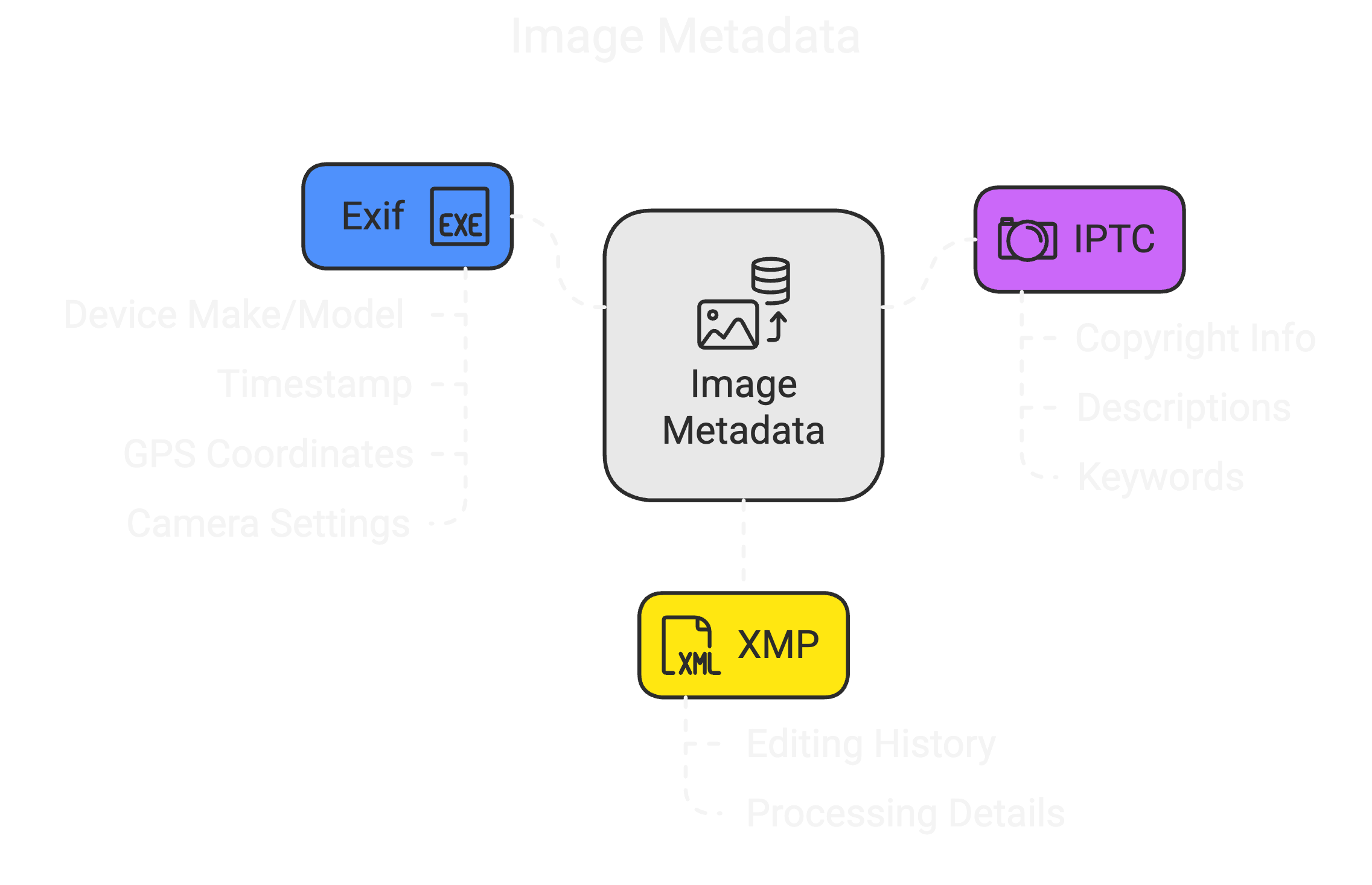
Your average photo contains three types of metadata tags:
The FBI and other agencies regularly extract this crap with specialized tools like ExifTool, EnCase, or FTK Imager. One command, and they can see every detail about when, where, and how your photo was taken. In court cases, they’ve specifically cited metadata as “critical evidence” that’s “very difficult to alter” without detection.
Geotagging is by far the most dangerous element. Those innocent vacation photos contain precise GPS coordinates indicating exactly where you were standing. Exactly, latitude, and longitude. For carders and scammers, this is essentially drawing a map of your doorstep for law enforcement.
Don’t be fooled by social media platforms. While Telegram, Imgur, and Facebook do strip metadata from publicly available images, the companies themselves retain access to the original files (and metadata) on their servers. One court order, and they hand that crap over to investigators.
Screenshots are a little safer than camera photos because they usually don't contain GPS data, but they still contain information about your device, screen resolution, operating system, and an accurate timestamp. Enough to narrow down suspects in many cases.
How to Manually Remove Metadata
Here's how to remove that incriminating metadata without getting caught like an idiot:
Online Tools (Quick and Easy)
Software by OS
Command line (correct way)
Always double-check that your metadata has actually been removed by checking the file again before sharing it. Many tools claim to clean metadata, but they leave traces.
Beyond OPSEC
Metadata isn’t just an OPSEC issue — it has legitimate uses in verification systems that you should be aware of:
When you send documents to places like Amazon or financial institutions, their automated systems often check metadata to confirm authenticity. They look for:
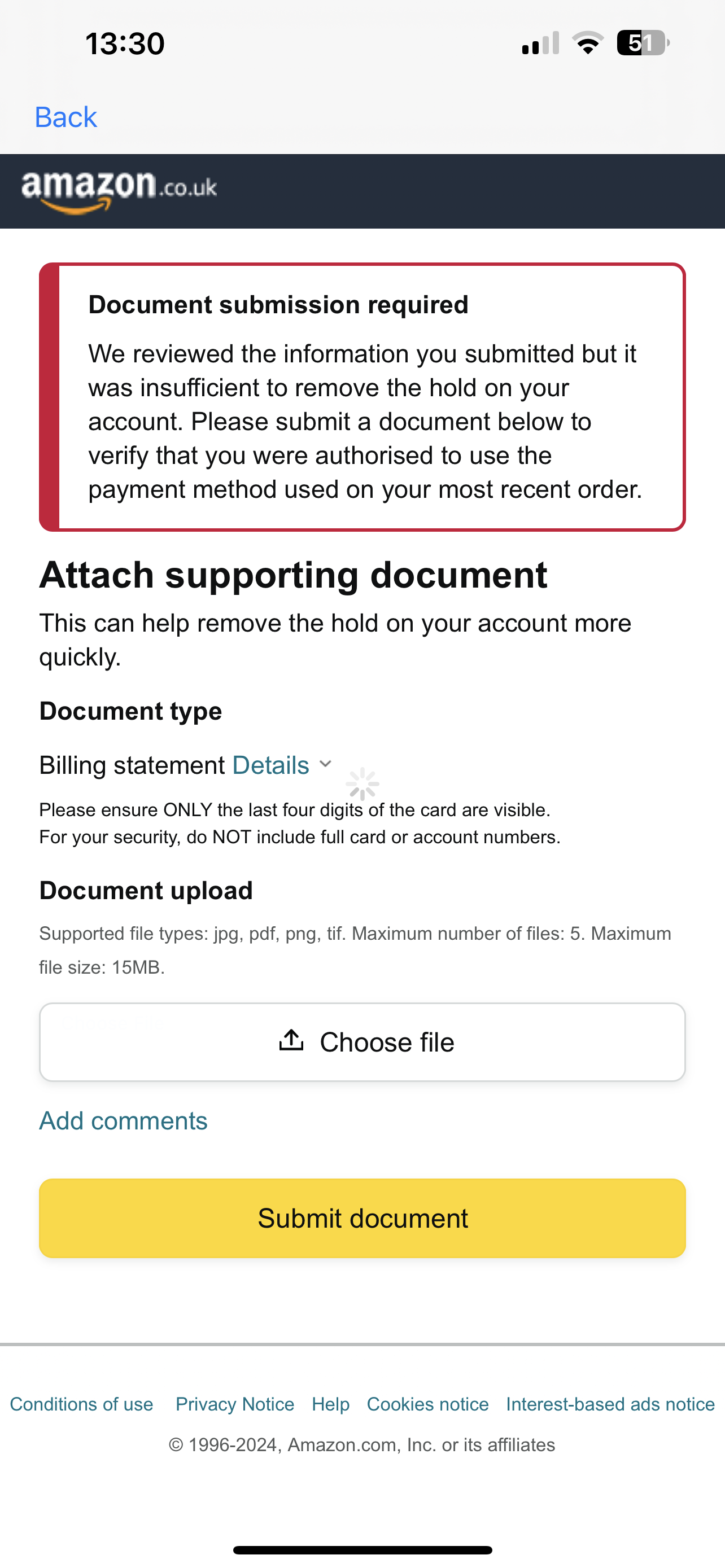
If you’re trying to approve a transaction with documentation, metadata inconsistencies can trigger an automatic rejection. For example, if your check says March 2023, but the photo metadata says it was taken in 2022, that’s an instant sign of fraud. Verification systems automatically check for these inconsistencies.
Morons Caught
Think I’m exaggerating the risks of metadata? History is littered with the digital corpses of people who thought they were too smart to get caught with something as simple as image data.
These aren’t hypothetical scenarios — these are real-life losers who have sent people to prison or blown their cover because they couldn’t be bothered to take 30 seconds to clean up their metadata:
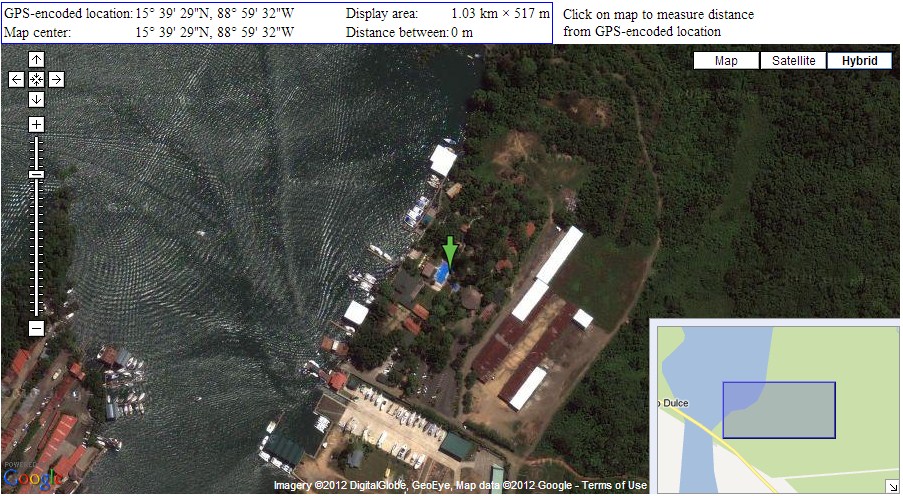
John McAfee: I like that motherfucker. The legend-turned-international fugitive was on the run from murder charges in 2012 when a Vice reporter published a photo of him. The genius reporter forgot to remove the EXIF data, which contained precise GPS coordinates pointing to Guatemala. Local authorities arrested McAfee within hours. A fucking tech legend caught because of one metadata error.

Higinio Ochoa (w0rmer): This Anonymous-affiliated hacker broke into several police databases in 2012. To taunt authorities, he posted a photo of his girlfriend holding a sign that read “PwNd by w0rmer & CabinCr3w.” The problem was that he hadn’t removed the EXIF data. The iPhone photo contained GPS coordinates leading to Wantirna South, Australia, his girlfriend’s home. The FBI extracted the coordinates, matched it to Facebook, and arrested him in Texas. He received 27 months in federal prison.
Darknet drug dealers: In 2016, two Harvard researchers analyzed 223,000 images from darknet marketplaces and found 229 photos with intact GPS coordinates. These coordinates directly pointed to dealers’ homes or stash houses. Despite operating on the "anonymous" Tor networks, these idiots were broadcasting their physical location via photos of their products.

Conclusion
Every image you share is potentially a digital snitch containing more identifying information than your driver’s license. One careless upload can undo months of careful OPSEC work and lead investigators right to your doorstep.
The solution is simple but critical: remove ALL metadata before sharing ANY image. It takes seconds, but could save you years behind bars. Don’t be the next jerk in a criminal case where the prosecution’s star witness is a JPEG file.
For carders and scammers especially, image metadata hygiene is not optional — it’s survival. Assume that every image is out to get you unless you’ve personally verified that it’s clean. In the digital underground, paranoia is not a mental disorder — it’s a damn life skill.
(c) Telegram: d0ctrine
Our Telegram chat: BinX Labs
Image Metadata
Every digital image you take carries invisible baggage — metadata that records exactly what device you were using, when you were using it, and often where you were standing when you pressed the shutter.
Your average photo contains three types of metadata tags:
- Exif: Automatically added by your camera/phone - device make/model, exact timestamp, GPS coordinates, camera settings, sometimes even your device's serial number.
- IPTC: usually added by photographers - copyright information, descriptions, keywords.
- XMP: Adobe format - tracks editing and processing history
The FBI and other agencies regularly extract this crap with specialized tools like ExifTool, EnCase, or FTK Imager. One command, and they can see every detail about when, where, and how your photo was taken. In court cases, they’ve specifically cited metadata as “critical evidence” that’s “very difficult to alter” without detection.
Geotagging is by far the most dangerous element. Those innocent vacation photos contain precise GPS coordinates indicating exactly where you were standing. Exactly, latitude, and longitude. For carders and scammers, this is essentially drawing a map of your doorstep for law enforcement.
Don’t be fooled by social media platforms. While Telegram, Imgur, and Facebook do strip metadata from publicly available images, the companies themselves retain access to the original files (and metadata) on their servers. One court order, and they hand that crap over to investigators.
Screenshots are a little safer than camera photos because they usually don't contain GPS data, but they still contain information about your device, screen resolution, operating system, and an accurate timestamp. Enough to narrow down suspects in many cases.
How to Manually Remove Metadata
Here's how to remove that incriminating metadata without getting caught like an idiot:
Online Tools (Quick and Easy)
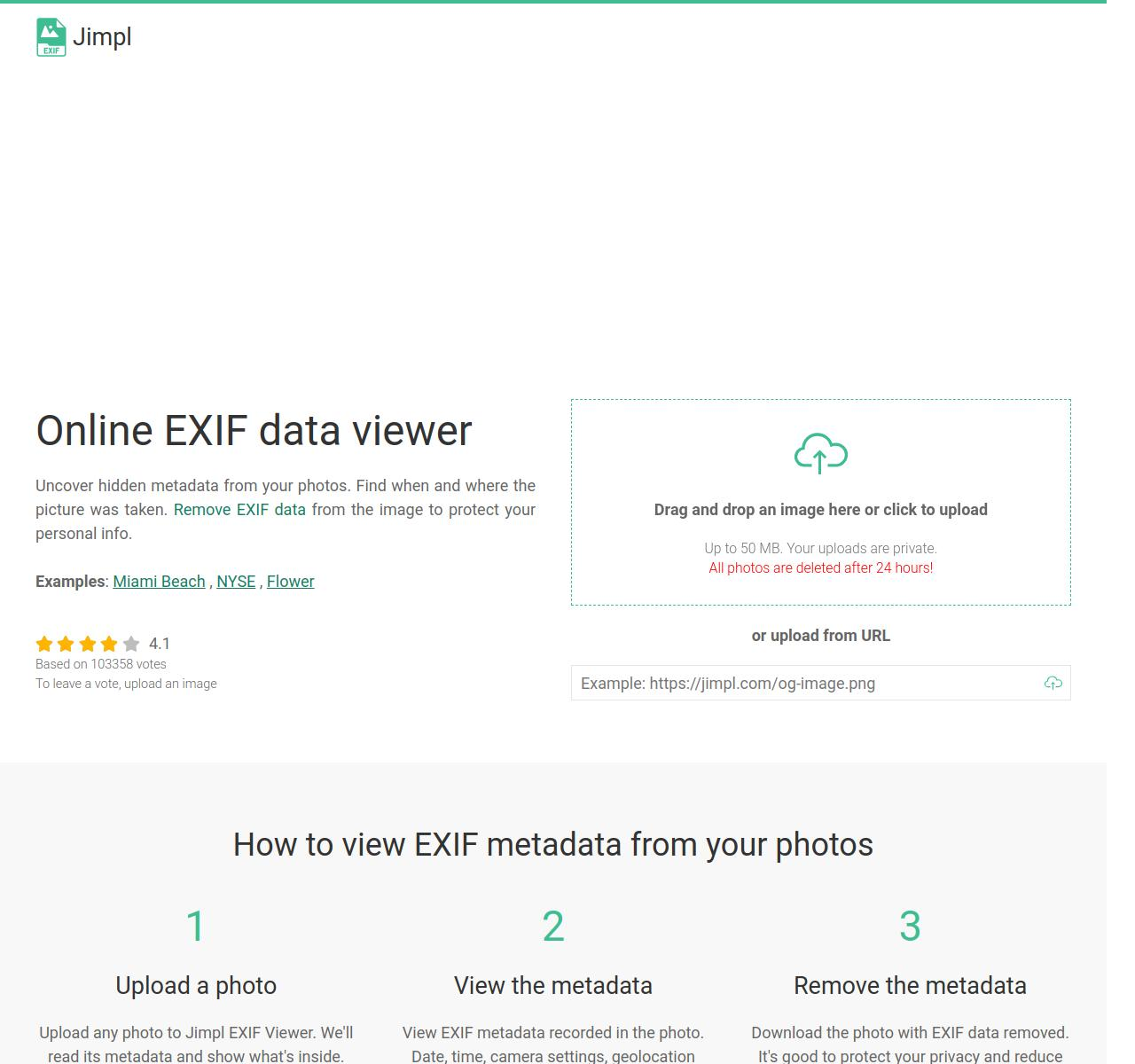
- VerExif or Metadata2Go or Jimp: Upload image, click "remove metadata", upload clean version
- But remember, you are trusting a third party with your potentially confidential file.
Software by OS
- Windows: Built-in (Properties → Details → "Remove Properties"), FileMind QuickFix (drag and drop), EXIF Purge (batch processing)
- Mac: ImageOptim (free, drag & drop), Exif Metadata (native app), Preview Export (limited)
- Linux: ExifTool, ImageMagick, GIMP (with export options)
- Android: Photo Metadata Remover, ExifEraser (with a focus on privacy), Photo Exif Editor
- iOS: Metapho, Exif Metadata, Remove Metadata from Photos and Videos
Command line (correct way)
- ExifTool: exiftool -all= image.jpg destroys ALL metadata
- ImageMagick: mogrify -strip image.jpg removes most metadata
Always double-check that your metadata has actually been removed by checking the file again before sharing it. Many tools claim to clean metadata, but they leave traces.
Beyond OPSEC
Metadata isn’t just an OPSEC issue — it has legitimate uses in verification systems that you should be aware of:
When you send documents to places like Amazon or financial institutions, their automated systems often check metadata to confirm authenticity. They look for:
- Timestamps match the stated dates
- Image source (camera, screenshots, Photoshop)
- Signs of manipulation in the editing history
If you’re trying to approve a transaction with documentation, metadata inconsistencies can trigger an automatic rejection. For example, if your check says March 2023, but the photo metadata says it was taken in 2022, that’s an instant sign of fraud. Verification systems automatically check for these inconsistencies.
Morons Caught
Think I’m exaggerating the risks of metadata? History is littered with the digital corpses of people who thought they were too smart to get caught with something as simple as image data.
These aren’t hypothetical scenarios — these are real-life losers who have sent people to prison or blown their cover because they couldn’t be bothered to take 30 seconds to clean up their metadata:
John McAfee: I like that motherfucker. The legend-turned-international fugitive was on the run from murder charges in 2012 when a Vice reporter published a photo of him. The genius reporter forgot to remove the EXIF data, which contained precise GPS coordinates pointing to Guatemala. Local authorities arrested McAfee within hours. A fucking tech legend caught because of one metadata error.
Higinio Ochoa (w0rmer): This Anonymous-affiliated hacker broke into several police databases in 2012. To taunt authorities, he posted a photo of his girlfriend holding a sign that read “PwNd by w0rmer & CabinCr3w.” The problem was that he hadn’t removed the EXIF data. The iPhone photo contained GPS coordinates leading to Wantirna South, Australia, his girlfriend’s home. The FBI extracted the coordinates, matched it to Facebook, and arrested him in Texas. He received 27 months in federal prison.
Darknet drug dealers: In 2016, two Harvard researchers analyzed 223,000 images from darknet marketplaces and found 229 photos with intact GPS coordinates. These coordinates directly pointed to dealers’ homes or stash houses. Despite operating on the "anonymous" Tor networks, these idiots were broadcasting their physical location via photos of their products.
Conclusion
Every image you share is potentially a digital snitch containing more identifying information than your driver’s license. One careless upload can undo months of careful OPSEC work and lead investigators right to your doorstep.
The solution is simple but critical: remove ALL metadata before sharing ANY image. It takes seconds, but could save you years behind bars. Don’t be the next jerk in a criminal case where the prosecution’s star witness is a JPEG file.
For carders and scammers especially, image metadata hygiene is not optional — it’s survival. Assume that every image is out to get you unless you’ve personally verified that it’s clean. In the digital underground, paranoia is not a mental disorder — it’s a damn life skill.
(c) Telegram: d0ctrine
Our Telegram chat: BinX Labs