

Our iPhone guide showed that mobile devices are a gold mine for carding — they blend in with regular traffic and slip past antifraud systems like ghosts. But what if you’re broke as hell or just hate Apple’s overpriced crap? Don’t worry, there’s another option that’s gaining serious traction: mobile antidetects. These services are changing the game by giving you access to real, physical devices without having to spend thousands on hardware. And unlike traditional antidetects that just pretend to be phones, this crap actually works because you’re controlling real mobile devices remotely.
What is Mobile Antidetects?
Let’s be crystal clear about what we’re talking about here, because there’s a lot of nonsense floating around about mobile antidetects. First, let’s get out what we’re NOT talking about:
We're talking about a new technology: services that give you direct remote access to REAL physical phones sitting in data centers. These aren't emulators or virtual machines - these are real smartphones that you can control via the cloud.
The main players in this space are:
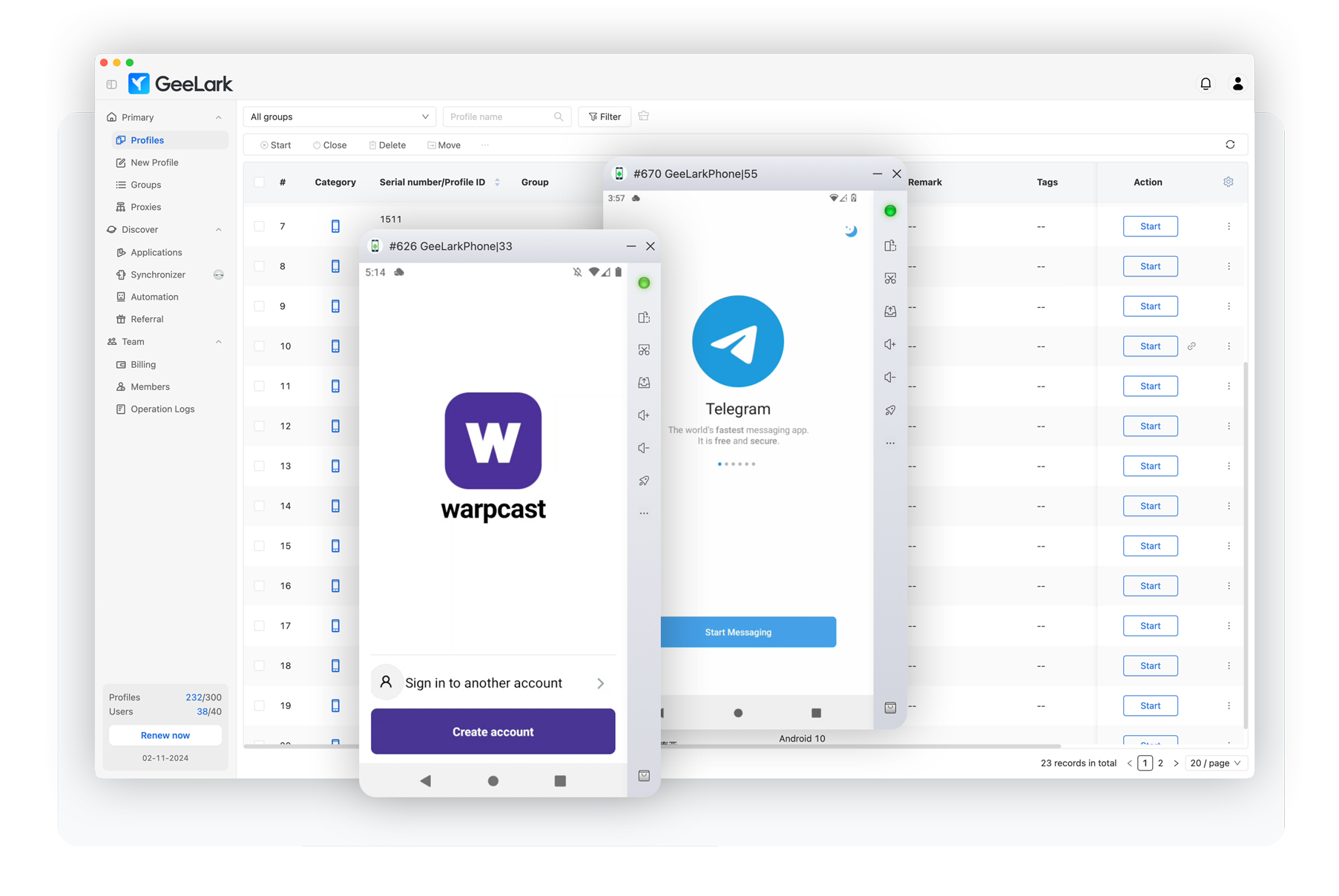

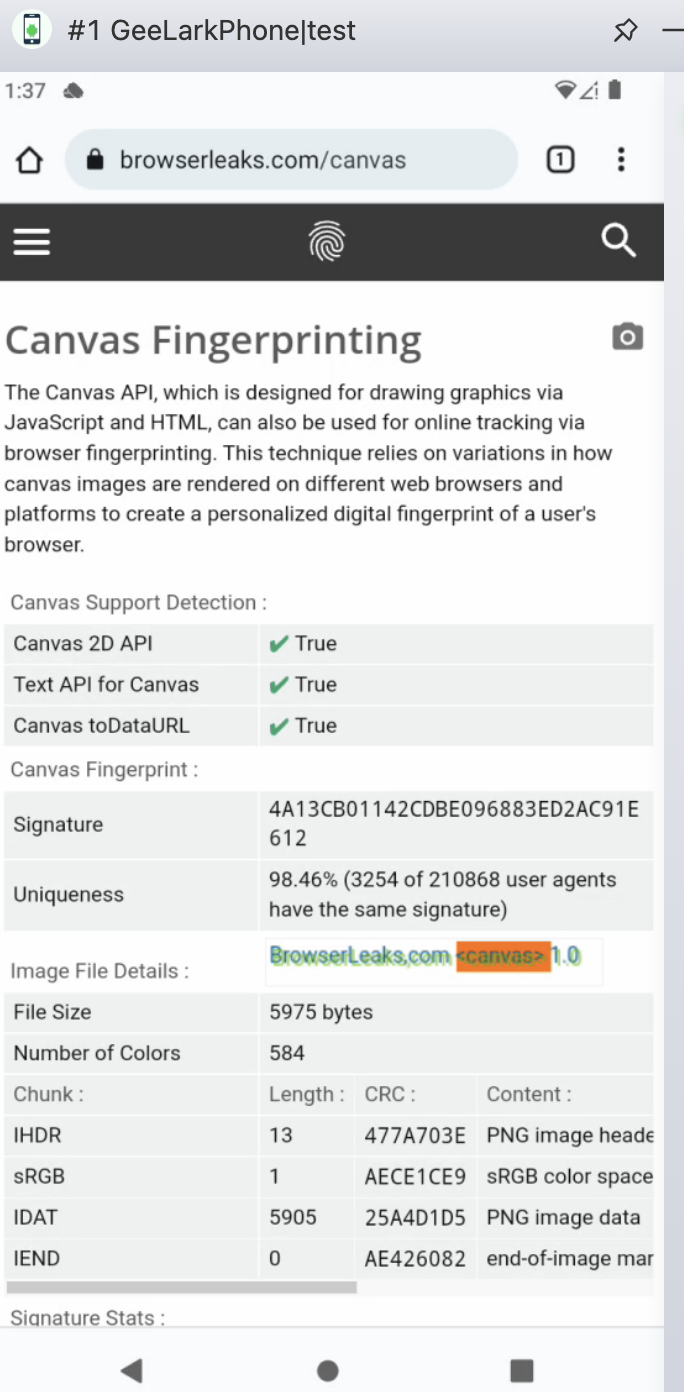
Critical warning: I've done extensive testing with GeeLark and Cloud Phone, and they share Canvas device fingerprints, making them potentially discoverable. Don't use their browsers for carding. The real power of these services is running native mobile apps - that's where you get the advantage. If you're only planning on using them for the browser, the iPhone remains your best bet. But for these services, use them for in-app carding.
How effective are they?
Consider why iPhones work so well, as we discussed earlier – they blend in perfectly with normal traffic. Mobile antidetects works on the same principle. When you remotely control a popular phone configuration (using an app instead of a browser), you become just another face in the crowd – completely indistinguishable from thousands of regular users. Fraud protection systems cannot flag you because your device signature matches what they expect to see from legitimate customers.
The real magic happens with native apps. While PayPal or Cash App banking sites and booking sites have turned their websites into impenetrable fortresses with advanced fingerprinting that makes browser antidetects obsolete, their mobile apps remain much more vulnerable. The native app environment simply does not have the same level of sophisticated detection.
Since you do not touch the browser at all, you bypass the fingerprinting arms race entirely. Traditional antidetects can fake all they want, but they will never match the real hardware. Cloud phones give you legitimacy because you control real physical devices and stick to your own apps — no browser fingerprinting to worry about.
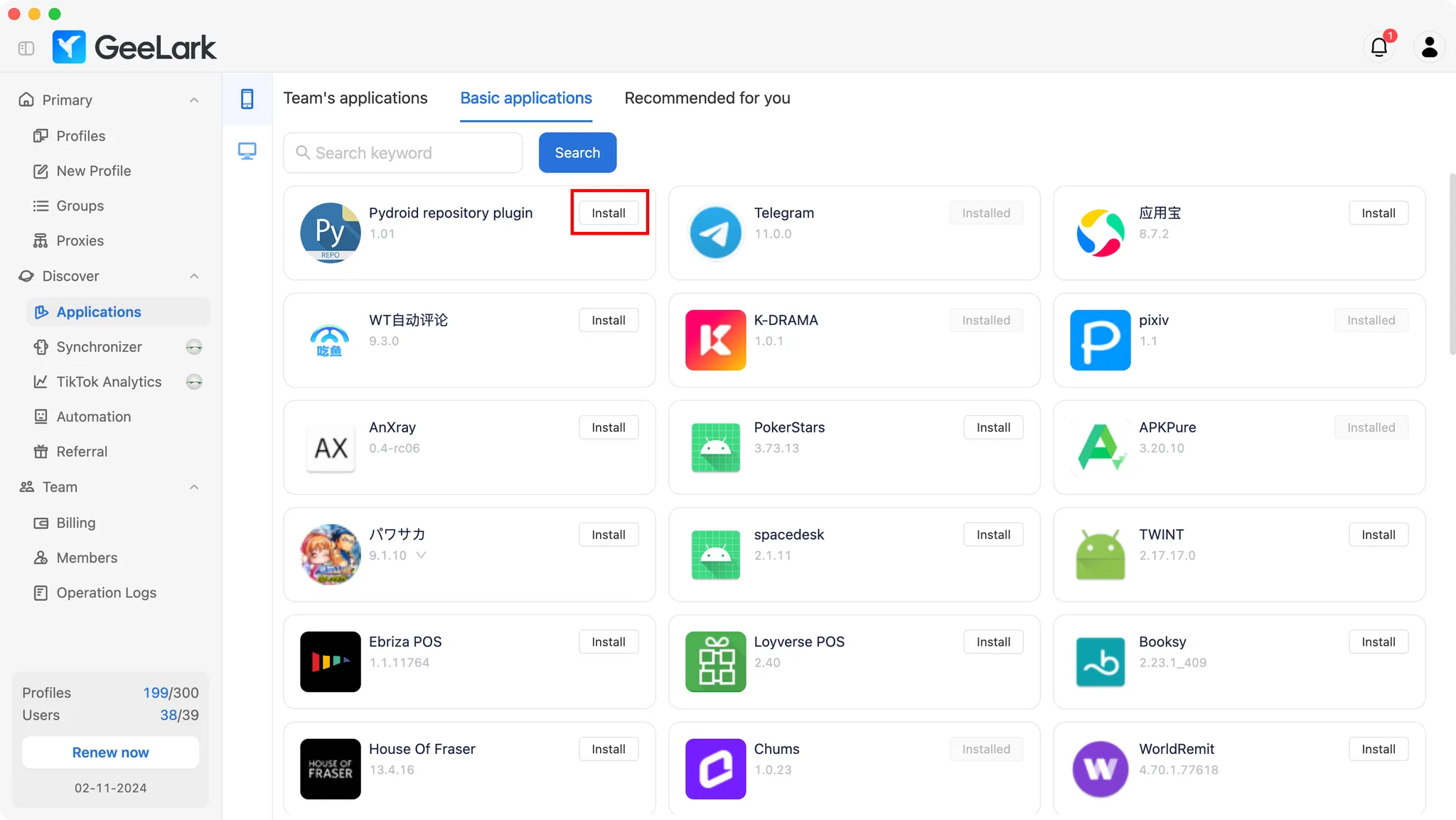
When you run mobile antidetect, you get direct access to installing and running apps just like you would on a regular phone. No more struggling with browser detection — you use apps exactly as they were designed to be used. Your device looks legitimate because it is, in fact, legitimate hardware, making it virtually impossible for apps to distinguish your session from that of any other phone user.
Best Practices

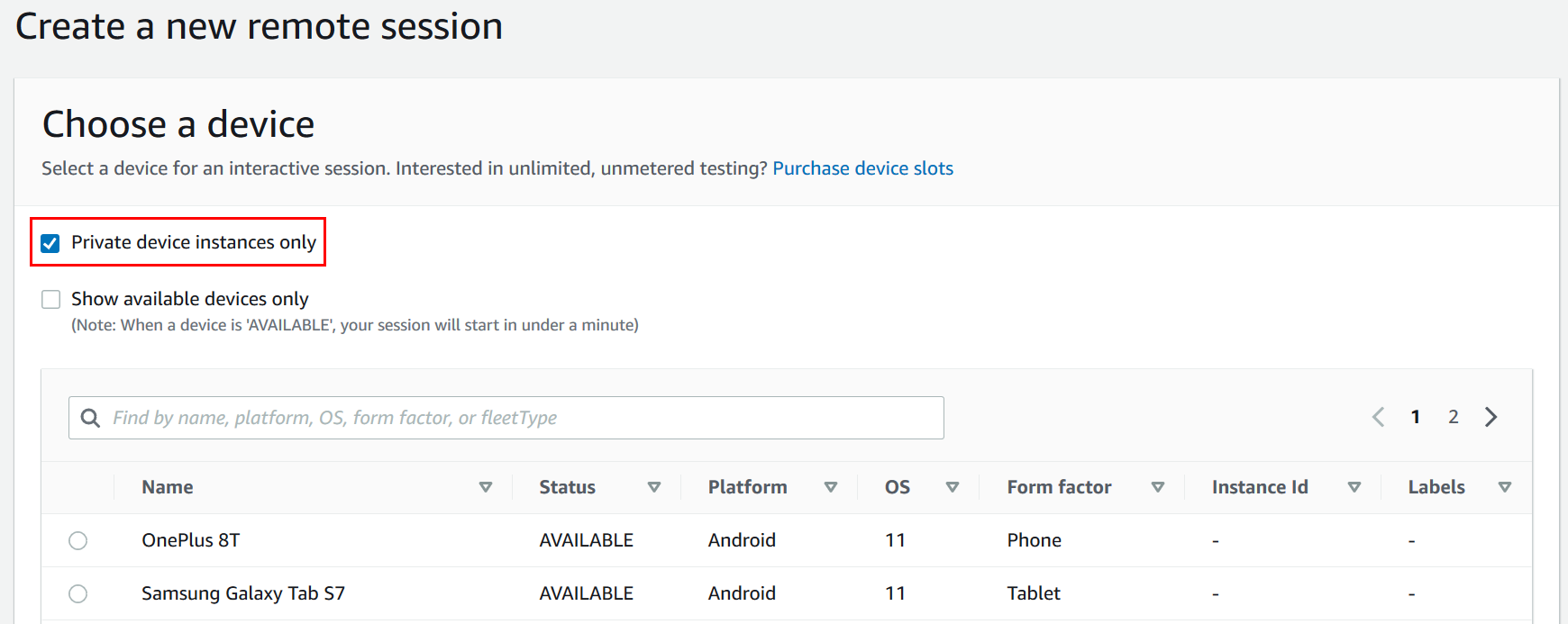
Let's talk about device selection. For GeeLark and Cloud Phone, just select the latest configuration - they manage the device specifications for optimal performance. On the AWS farm, Samsung and popular Chinese phones are ideal - they disappear into the crowd of ordinary users. Some unknown phones that no one needs, like Xperia or LG? They won't work for long, because sooner or later you will be matched.
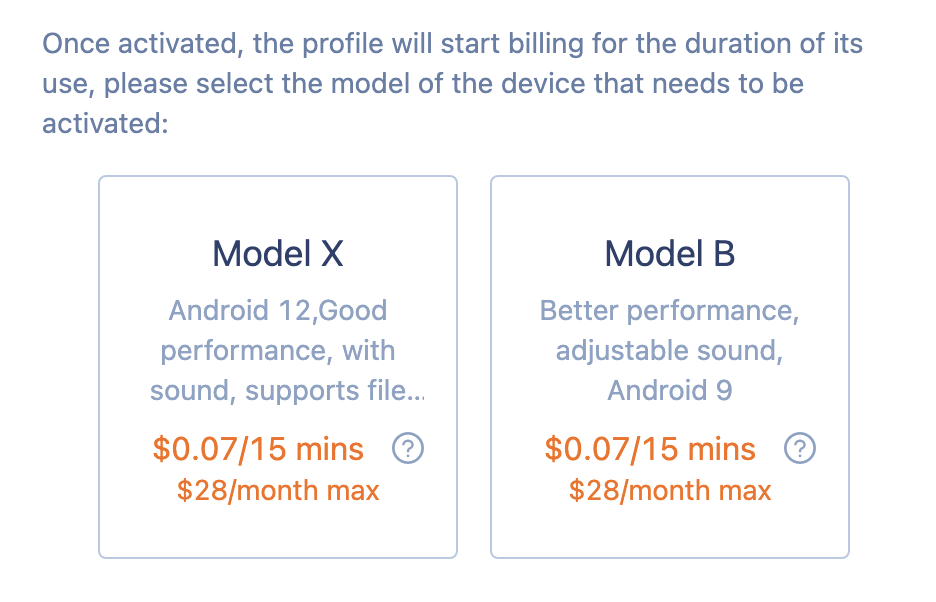
Your OS version should match the version that normal people are running. Most users update their phones pretty quickly these days, but there’s always a sweet spot — about 2-3 months after the latest version. That’s where you need to be to fit in perfectly.
Now for the mistake I see all the time: messing with system settings. Every time you toggle some obscure Android setting or tweak a system option, you’re making your device stand out like a sore thumb. Default is fine. Default is safe. The more your setup looks like it came out of the box, the better.
Your proxy setup should also make sense. The whole point of using mobile antidetects is to look legitimate, so don’t taint it with irrelevant data. Always use MOBILE PROXIES. If your IP says you’re in Nebraska, but your carrier information says T-Mobile Miami, you’ve just wasted all the effort verifying your device’s authenticity.

Finally, here’s what makes these services truly powerful: they work on a per-minute basis. This means you can treat your devices like burner phones, constantly rotating them. Orders getting cancelled left and right? Create a new one. Something’s wrong? Switch. New devices mean new device fingerprints, and this constant rotation keeps you one step ahead.
Mobile Antidetects: Not Quite There Yet
Let’s be real: Mobile antidetects shows promise, but it’s not crap yet. While running real hardware with native apps is a step up from browser-based nonsense, they still can’t match the reliability of a properly configured iPhone, especially when it comes to using the browser to card items.
The technology itself is robust: spinning up new devices on demand and running native apps does give you legitimacy. But don’t fall for the hype. Browser operations are still pretty flaky with generic device fingerprints, and you’re limited to specific apps that work well with these services.
For now, keep your iPhone as your primary device and use mobile antidetects as a secondary tool where they make sense — for testing specific apps or when you need a quick rotation. And remember — even with real hardware, being careless with OPSEC will still get you burned. Match those proxies, stick to the default settings, and stay paranoid. The antifraud game never sleeps.
(c) Telegram: d0ctrine
What is Mobile Antidetects?
Let’s be crystal clear about what we’re talking about here, because there’s a lot of nonsense floating around about mobile antidetects. First, let’s get out what we’re NOT talking about:
- Mobile browsers with built-in antidetects features (such as "private" or "simulated" modes) are unreliable garbage that still reveal information about your real device via WebRTC Canvas device fingerprints and sensor data.
- Traditional antidetects like AdsPower, Dolphin or GoLogin that pretend to be phones are pure garbage that are instantly flagged. Their mobile emulation is a joke - incorrect screen ratios, broken sensors and fingerprints of devices that are flagged by a half-decent antifraud system.
- Android Emulators with Spoofing Tools - Don't even get me started on this one. If you use Nox or BlueStacks for work, you deserve to get caught.
We're talking about a new technology: services that give you direct remote access to REAL physical phones sitting in data centers. These aren't emulators or virtual machines - these are real smartphones that you can control via the cloud.
The main players in this space are:
- Geelark is a popular cloud-based phone service that does a great job of running native mobile apps. Browser fingerprints are less unique, so focus on app-based operations.
- MoreLogin Cloud Phone - Similar to Geelark with native app support. Both services use browser fingerprinting, making using apps the best approach.
- AWS Device Farm is an enterprise device cloud with extensive app testing capabilities. Requires technical expertise but offers unmatched device diversity.
- Stacks Real Device Cloud Browser is another enterprise solution focused on app testing. It's a bit of a hassle to set up, but it provides genuine device access for your own apps.
Critical warning: I've done extensive testing with GeeLark and Cloud Phone, and they share Canvas device fingerprints, making them potentially discoverable. Don't use their browsers for carding. The real power of these services is running native mobile apps - that's where you get the advantage. If you're only planning on using them for the browser, the iPhone remains your best bet. But for these services, use them for in-app carding.
How effective are they?
Consider why iPhones work so well, as we discussed earlier – they blend in perfectly with normal traffic. Mobile antidetects works on the same principle. When you remotely control a popular phone configuration (using an app instead of a browser), you become just another face in the crowd – completely indistinguishable from thousands of regular users. Fraud protection systems cannot flag you because your device signature matches what they expect to see from legitimate customers.
The real magic happens with native apps. While PayPal or Cash App banking sites and booking sites have turned their websites into impenetrable fortresses with advanced fingerprinting that makes browser antidetects obsolete, their mobile apps remain much more vulnerable. The native app environment simply does not have the same level of sophisticated detection.
Since you do not touch the browser at all, you bypass the fingerprinting arms race entirely. Traditional antidetects can fake all they want, but they will never match the real hardware. Cloud phones give you legitimacy because you control real physical devices and stick to your own apps — no browser fingerprinting to worry about.
When you run mobile antidetect, you get direct access to installing and running apps just like you would on a regular phone. No more struggling with browser detection — you use apps exactly as they were designed to be used. Your device looks legitimate because it is, in fact, legitimate hardware, making it virtually impossible for apps to distinguish your session from that of any other phone user.
Best Practices
Let's talk about device selection. For GeeLark and Cloud Phone, just select the latest configuration - they manage the device specifications for optimal performance. On the AWS farm, Samsung and popular Chinese phones are ideal - they disappear into the crowd of ordinary users. Some unknown phones that no one needs, like Xperia or LG? They won't work for long, because sooner or later you will be matched.
Your OS version should match the version that normal people are running. Most users update their phones pretty quickly these days, but there’s always a sweet spot — about 2-3 months after the latest version. That’s where you need to be to fit in perfectly.
Now for the mistake I see all the time: messing with system settings. Every time you toggle some obscure Android setting or tweak a system option, you’re making your device stand out like a sore thumb. Default is fine. Default is safe. The more your setup looks like it came out of the box, the better.
Your proxy setup should also make sense. The whole point of using mobile antidetects is to look legitimate, so don’t taint it with irrelevant data. Always use MOBILE PROXIES. If your IP says you’re in Nebraska, but your carrier information says T-Mobile Miami, you’ve just wasted all the effort verifying your device’s authenticity.
Finally, here’s what makes these services truly powerful: they work on a per-minute basis. This means you can treat your devices like burner phones, constantly rotating them. Orders getting cancelled left and right? Create a new one. Something’s wrong? Switch. New devices mean new device fingerprints, and this constant rotation keeps you one step ahead.
Mobile Antidetects: Not Quite There Yet
Let’s be real: Mobile antidetects shows promise, but it’s not crap yet. While running real hardware with native apps is a step up from browser-based nonsense, they still can’t match the reliability of a properly configured iPhone, especially when it comes to using the browser to card items.
The technology itself is robust: spinning up new devices on demand and running native apps does give you legitimacy. But don’t fall for the hype. Browser operations are still pretty flaky with generic device fingerprints, and you’re limited to specific apps that work well with these services.
For now, keep your iPhone as your primary device and use mobile antidetects as a secondary tool where they make sense — for testing specific apps or when you need a quick rotation. And remember — even with real hardware, being careless with OPSEC will still get you burned. Match those proxies, stick to the default settings, and stay paranoid. The antifraud game never sleeps.
(c) Telegram: d0ctrine
