


So you have a stack of cards and you have no idea what to do with them? Welcome to the club. Traditional carding is slowly dying — online stores have figured out our tricks, and now you’re sitting with plastic that’s getting colder by the minute.
Listen up: direct withdrawal methods are the way it is now. And I’m about to release a method that most carders completely ignore: GitHub Sponsors. This platform moves millions in legitimate transactions every day, and the security is surprisingly weak if you know what you’re doing.
The Process
The GitHub Sponsors was created for nerdy developers to get paid for their open source work. What GitHub didn’t expect was how perfectly this system suits our purposes.
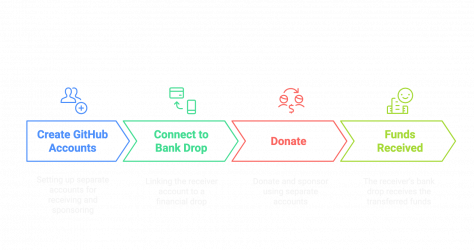
The setup is extremely simple:
Stripe Connect
Behind the scenes, GitHub runs on Stripe Connect for all payment processing. This is important because GitHub doesn’t process any transactions themselves — they’ve outsourced their entire financial pipeline to Stripe.
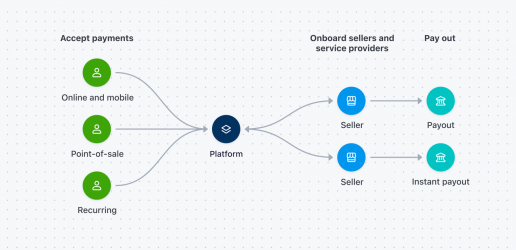
Your cards should pass through Stripe Radar’s detection system with minimal friction. Stripe Radar isn’t some basic security theater, it’s a sophisticated fraud detection engine that analyzes hundreds of signals in real time to determine whether your transaction is life or death.
What this means for your operation:
For this method to actually work, you need clean cards with a clean history.
Trial Period
The most important part of this method is understanding GitHub's mandatory 60-day hold period for new sponsor accounts. This is their first line of defense against what we do.
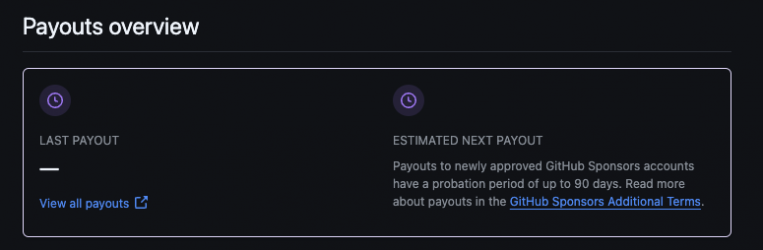
During those 60 days, everything you've contributed so far is on probation. Obviously, this won't work, since cards typically refund the payment in the first month. That's why, for this approach to work, you'll need to contribute $5 of your own money (via prepaid cards) to start the clock.
Start by submitting small, legitimate $5 donations to the system into a few recipient accounts. As day 50 or 60 approaches, you pull out the big guns — those premium cards with fat limits.
Your shopping list
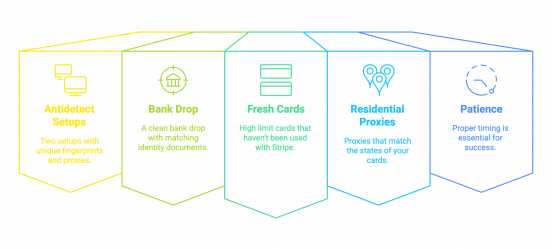
You need two completely separate anti-detect profiles with different device fingerprints and proxies. A reliable drop bank account or prepaid card with the appropriate SSN and documents are essential. Fresh cards with fat limits that haven’t been touched by Stripe will work best. Get US residential proxies that match the states of your card. And perhaps most importantly, you need patience.
Setting up your payee
Your payee account needs to look legitimate. Start with a professional email domain when you sign up for Github — no gmail garbage.
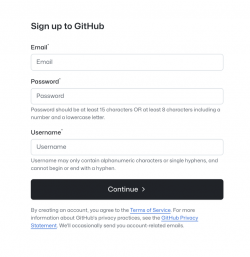
Fill your profile with repositories containing real code. If you are not a coder, use AI to generate one. Create a commit history that looks like the work of a real developer. Make sure your full profile matches your drop bank ID down to the last detail.
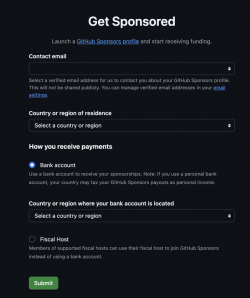
When applying to become a GitHub Sponsor, you will need to provide the drop's full name, date of birth, the last four digits of their Social Security Number (SSN) that match those on their documents, and bank account information.
Your Sponsor Persona
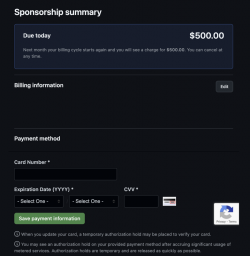
This account should be completely separate from your recipient. Use a different device, a different proxy, a different email, and a different identity. Don’t waste time creating a complicated profile – this account just needs to last long enough to make payments. Make sure all card details match perfectly. International cards are best here, as it takes about a month for a chargeback to be processed.
Money Time Scale
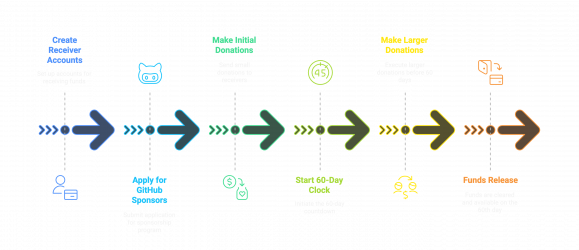
The process looks like this:
This method works because most chargebacks happen between 7 and 21 days after the transaction. By the time your money gets past the 60-day hold period, you’re well past the danger zone for most mainstream fraud detection methods.
Scaling
One account can get you a quick payday, but managing multiple recipient accounts is the way to build an empire.
If you manage 3-5 accounts, spread them out strategically. That way, instead of one big payday, you’ll get a steady stream of cash every week or two.
Keep your accounts active during the 60-day hold period. Leave random commit comments on open source projects and act like a real developer who’s just starting to get some love from backers.
As you approach the 60-day mark, spread your high-limit cards across multiple recipient accounts. GitHub fraud detection isn’t designed to consolidate multiple developer accounts if you’ve spread your OPSEC correctly.
When the funds finally arrive, act quickly. Withdraw funds from all mature accounts within the same 24-hour window and funnel that money directly into your money laundering channels.
(c) Contact the author here: d0ctrine
Listen up: direct withdrawal methods are the way it is now. And I’m about to release a method that most carders completely ignore: GitHub Sponsors. This platform moves millions in legitimate transactions every day, and the security is surprisingly weak if you know what you’re doing.
The Process
The GitHub Sponsors was created for nerdy developers to get paid for their open source work. What GitHub didn’t expect was how perfectly this system suits our purposes.
The setup is extremely simple:
- Create two separate GitHub accounts - one recipient, one sponsor
- Connect your recipient to the drop's bank account through their Sponsors program
- Use your sponsor account to reset payments from these hot cards
- Watch as GitHub transfers 100% of the money directly to your recipient account.
Stripe Connect
Behind the scenes, GitHub runs on Stripe Connect for all payment processing. This is important because GitHub doesn’t process any transactions themselves — they’ve outsourced their entire financial pipeline to Stripe.
Your cards should pass through Stripe Radar’s detection system with minimal friction. Stripe Radar isn’t some basic security theater, it’s a sophisticated fraud detection engine that analyzes hundreds of signals in real time to determine whether your transaction is life or death.
What this means for your operation:
- Cards previously used at other Stripe merchants have been compromised.
- The cards that caused 3D Secure problems are dead ends.
- Cards with existing scam flags are useless.
For this method to actually work, you need clean cards with a clean history.
Trial Period
The most important part of this method is understanding GitHub's mandatory 60-day hold period for new sponsor accounts. This is their first line of defense against what we do.
During those 60 days, everything you've contributed so far is on probation. Obviously, this won't work, since cards typically refund the payment in the first month. That's why, for this approach to work, you'll need to contribute $5 of your own money (via prepaid cards) to start the clock.
Start by submitting small, legitimate $5 donations to the system into a few recipient accounts. As day 50 or 60 approaches, you pull out the big guns — those premium cards with fat limits.
Your shopping list
You need two completely separate anti-detect profiles with different device fingerprints and proxies. A reliable drop bank account or prepaid card with the appropriate SSN and documents are essential. Fresh cards with fat limits that haven’t been touched by Stripe will work best. Get US residential proxies that match the states of your card. And perhaps most importantly, you need patience.
Setting up your payee
Your payee account needs to look legitimate. Start with a professional email domain when you sign up for Github — no gmail garbage.
Fill your profile with repositories containing real code. If you are not a coder, use AI to generate one. Create a commit history that looks like the work of a real developer. Make sure your full profile matches your drop bank ID down to the last detail.
When applying to become a GitHub Sponsor, you will need to provide the drop's full name, date of birth, the last four digits of their Social Security Number (SSN) that match those on their documents, and bank account information.
Your Sponsor Persona
This account should be completely separate from your recipient. Use a different device, a different proxy, a different email, and a different identity. Don’t waste time creating a complicated profile – this account just needs to last long enough to make payments. Make sure all card details match perfectly. International cards are best here, as it takes about a month for a chargeback to be processed.
Money Time Scale
The process looks like this:
- Create recipient accounts and apply to participate in the GitHub Sponsors program
- Once approved, use your own prepaid cards (or purchased ones that won't trigger chargebacks) to donate about $5 to each of your recipients.
- This small donation starts a 60-day clock on every account
- As you get closer to day 60 — the timing depends on how long you think your cards will last before they get charged back — unleash a flurry of larger donations
- After the holding period ends, the funds will be transferred to the drop's bank account.
This method works because most chargebacks happen between 7 and 21 days after the transaction. By the time your money gets past the 60-day hold period, you’re well past the danger zone for most mainstream fraud detection methods.
Scaling
One account can get you a quick payday, but managing multiple recipient accounts is the way to build an empire.
If you manage 3-5 accounts, spread them out strategically. That way, instead of one big payday, you’ll get a steady stream of cash every week or two.
Keep your accounts active during the 60-day hold period. Leave random commit comments on open source projects and act like a real developer who’s just starting to get some love from backers.
As you approach the 60-day mark, spread your high-limit cards across multiple recipient accounts. GitHub fraud detection isn’t designed to consolidate multiple developer accounts if you’ve spread your OPSEC correctly.
When the funds finally arrive, act quickly. Withdraw funds from all mature accounts within the same 24-hour window and funnel that money directly into your money laundering channels.
(c) Contact the author here: d0ctrine
 Warning: If Stripe flags the account during onboarding, GitHub will reject your Sponsors application. There’s no second chance without burning the identity.
 Why this works: Most card issuers file chargebacks within 21 days. By Day 60, the transaction is often beyond dispute from the merchant’s perspective — even if the cardholder complains later, GitHub/Stripe may deem it “buyer’s remorse” and deny the chargeback.