


Many people ask me, “How do you find these sites?” “Why do you always have a new site to card?” and other such nonsense. The answer is simple: research.
We’ve already covered Deep Research, and it’s essentially a more general approach, but diving deeper with the tools at your disposal is what separates consistent success from random luck. Master this methodology and you’ll never run out of goals.
Google Dorks
One undeniable fact about everything on the internet is that it all starts with a Google search. This is especially true when finding sites to card.
Google search operators are gold for finding easy-to-card e-commerce platforms. These aren’t some black hat secret – they’re built right into the search engine, but 99% of people are too lazy to learn them.
For Shopify sites:
This brings up thousands of stores running on the Shopify platform. Many smaller businesses don’t even set up their URLs, making them easy to identify.
WooCommerce sites are another tempting target:
These WordPress-based stores often have outdated plugins and poor security settings.
Want to learn more about the products? Try:
Replace “luxury watches” with whatever you’re looking for. This will narrow down the sites that sell specific products, while also revealing the vulnerabilities of their platform.
The beauty of dorks is that you can stack them like LEGO bricks. Add [-site:amazon.com -site:ebay.com] to filter out the major marketplaces and focus on individual stores with fewer security measures.
Buy Locally
Another powerful tool is Google Maps, paired with Google Shopping on your card's proxy to get location-based recommendations.
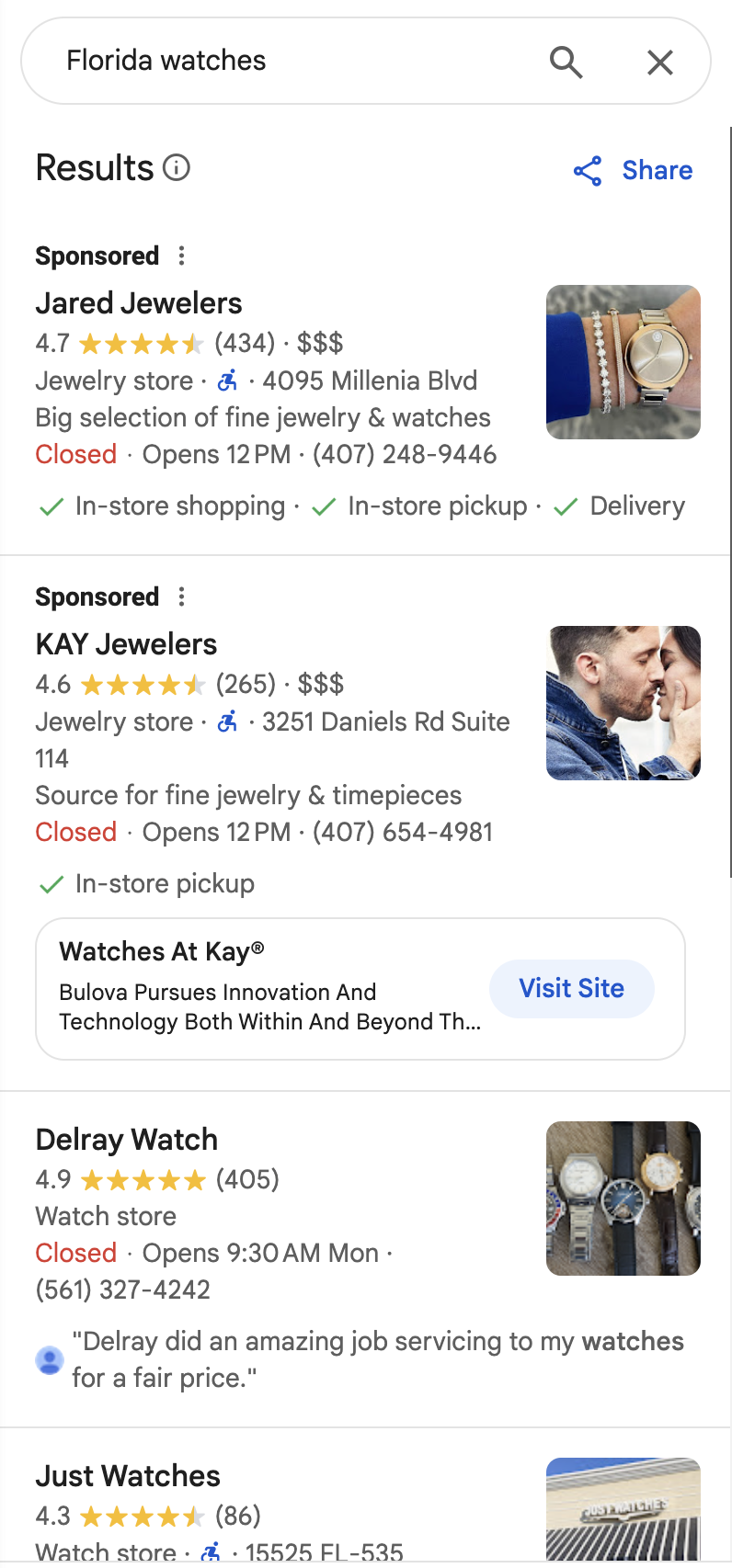
Let’s say your card BIN is in Florida. Set up a VPN to match that location, then search for “boutique jewelry stores Florida” or “designer handbags Tampa.” This will bring up dozens of local businesses with their own websites.
The happy medium? Medium-sized businesses. Too small (less than $500,000 in revenue per year) and they will personally check every order. Too big (over $50,000,000) and they will have industrial-strength fraud detection systems.
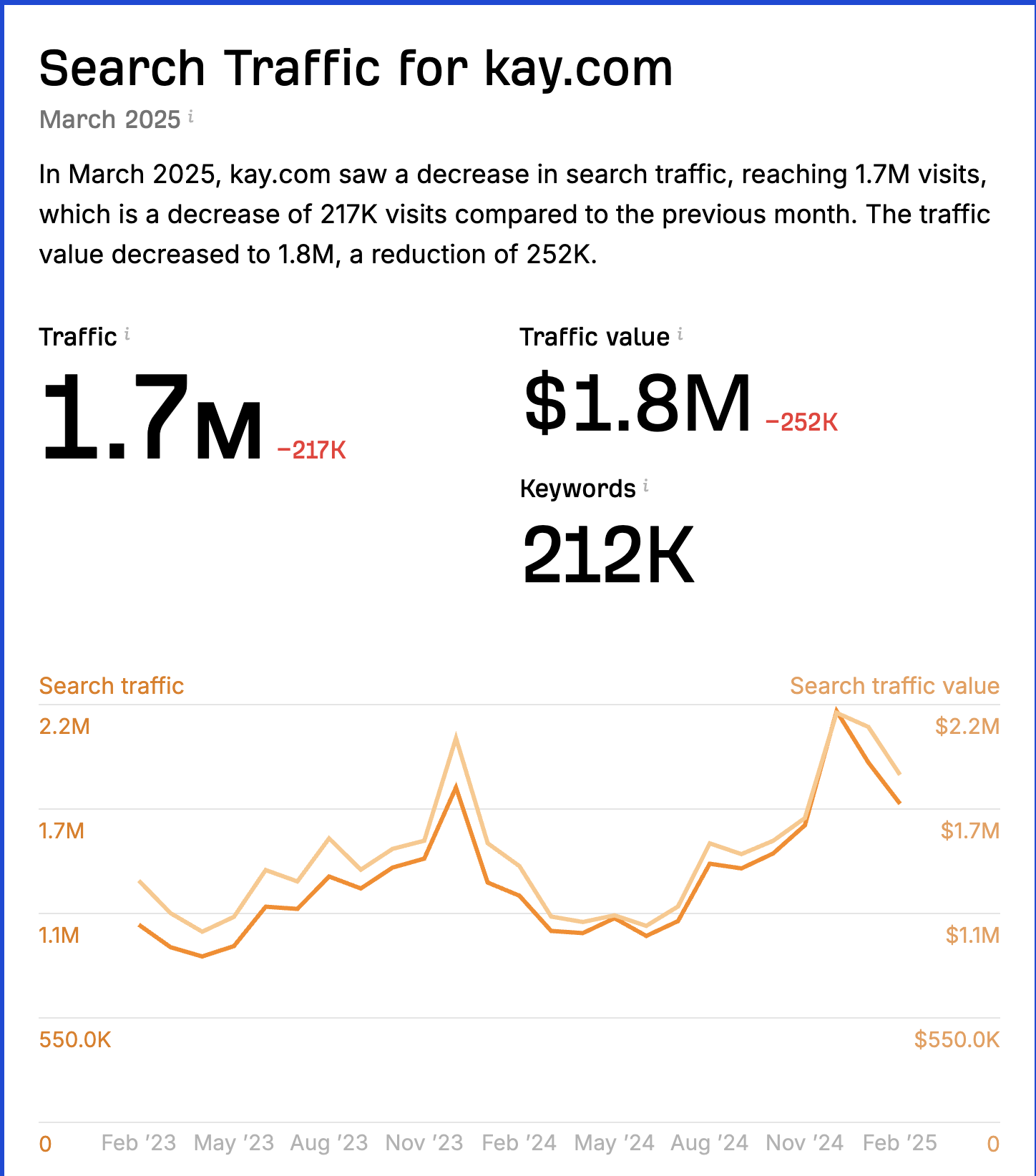
Check their traffic on ahrefs.com – ideally between 5,000 and 50,000 visitors per month. This is the Goldilocks zone, where they are legitimate, thriving businesses that can easily accept your hits, but can’t afford sophisticated fraud detection.
 Important: Don’t card small mom-and-pop businesses. These are regular people trying to make a living, and one chargeback could ruin them. Stick to businesses large enough to withstand the hit. Don’t be a jerk.
Ebay and Amazon
These huge marketplaces are teeming with legitimate businesses that also maintain their own storefronts, which tend to have far weaker protections.
On eBay, look for sellers with professional business names, not personal usernames. “LuxTimeWatches” is probably a real business; “John_Sells_Stuff” is probably not.
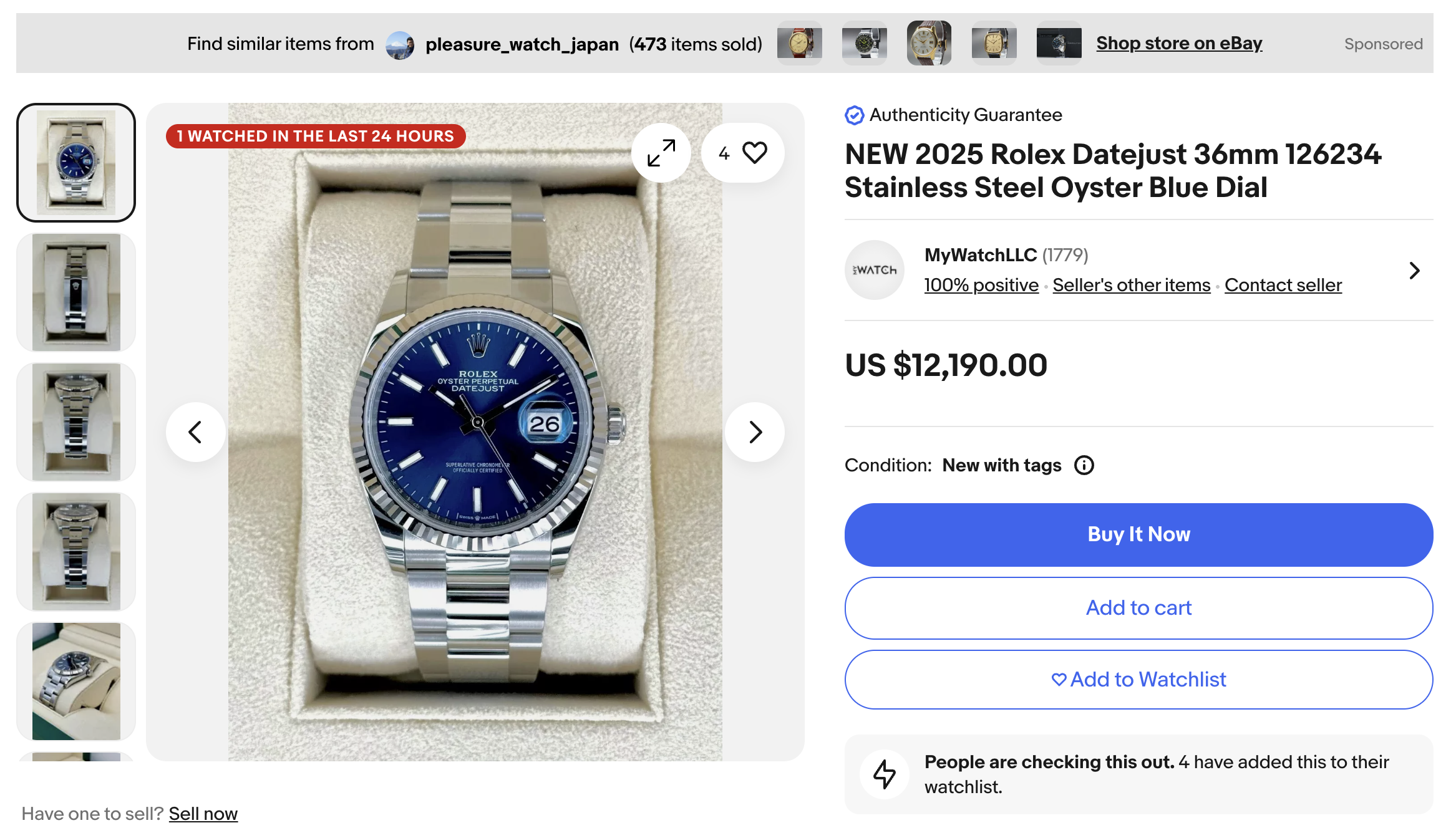
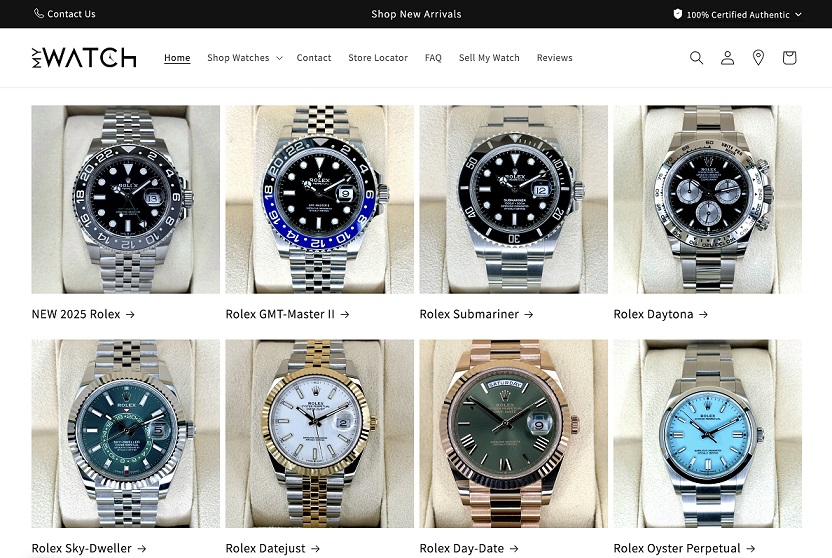
Once you spot a professional seller, Google their company name plus "official website" or check their profile for direct links. Many proudly advertise their own separate websites.
Amazon works similarly, with professional sellers often listing “Sold by [Business Name]” underneath their product listings. Google that name to find their independent site.
These independent sites are often powered by Shopify or similar platforms with minimal security compared to the marketplace giants. They’re established enough to have inventory, but not sophisticated enough to have robust fraud detection.
Shop App
We’ve covered this before, but Shopify’s Shop app deserves a special mention. It’s a treasure trove of millions of Shopify sellers in a single searchable database.
Oddly enough, many people get order cancellations through the app itself, but they forget something important: every store listed there has its own direct Shopify website.
Once you find a store you like in the app, simply visit its own storefront. You’ll bypass the centralized security of Shopify’s app while still having access to the same inventory.
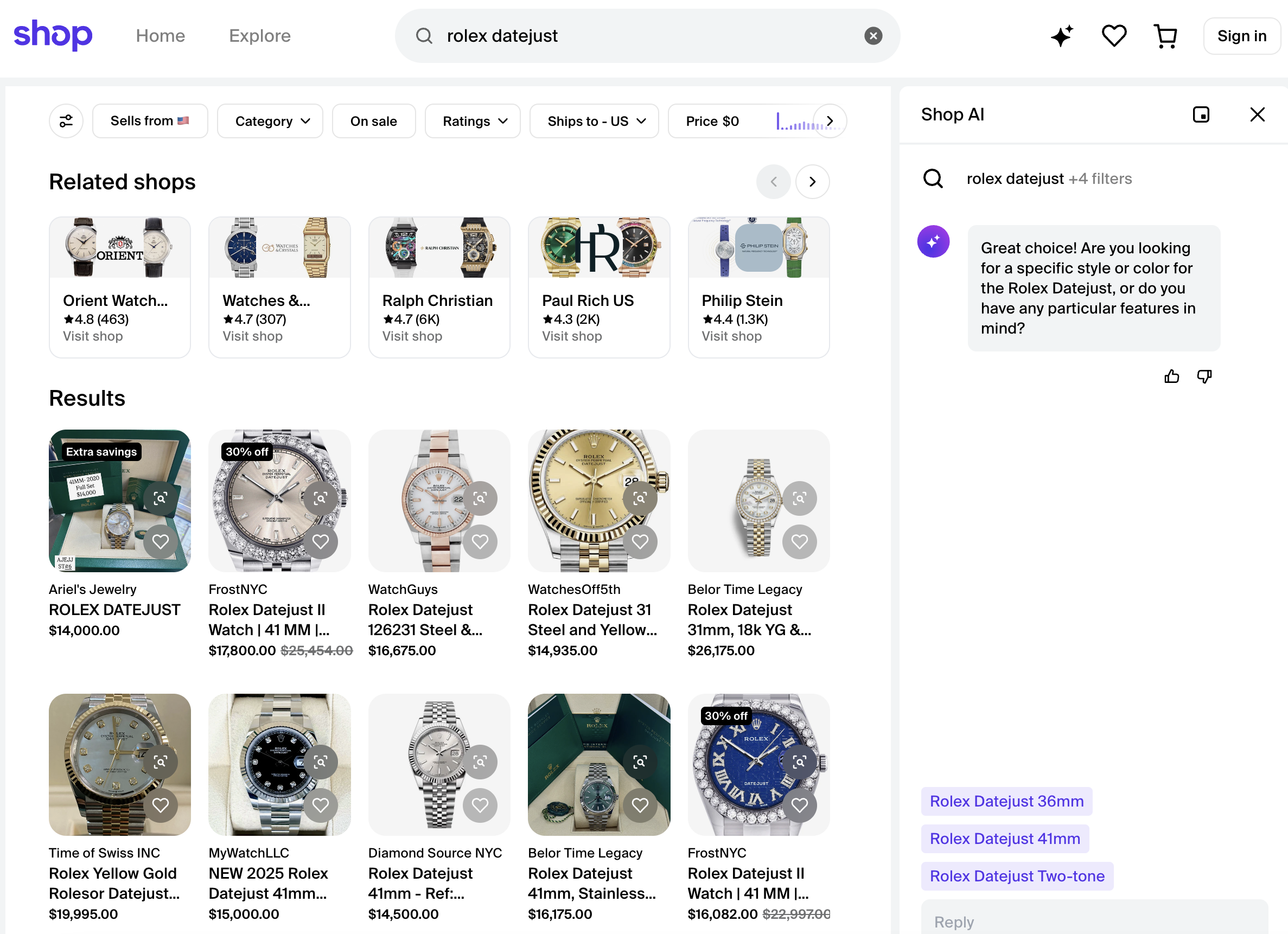
This obviously doesn’t work for the very large stores, as the Shop App’s security is weaker than their main site, as the Shop App doesn’t have customizable fraud protection. But for mid-tier merchants? It’s perfect.
The app even has AI search now — just describe what you want and it will return potential targets. Download it from your app store or visit shop.app.
Review Sites
Use review aggregators like resellerratings.com for the wrong reason — instead of helping consumers find reputable sellers, you’re looking for ones with security holes.
Sites with 2-3 star ratings but minimal reviews are prime targets. Why? Because they’re well-known enough to be listed, but not sophisticated enough to have robust protection.
These review sites will sometimes even tell you about their verification methods: “This store keeps asking for my ID” or “They helped me resolve the issue and changed my shipping address without question” — that’s a green light for your targets.
Other review sites like Trustpilot and SiteJabber offer similar intelligence-gathering capabilities — the reviews themselves are security audits in plain text.
Tools for Analysis
Technical intelligence is critical, but you don’t have to be a damn programmer to do it.
Browser extensions like Wappalyzer and sites like BuiltWith instantly show you what tech stack a site is using. They show you payment processor CMS platforms, security tools, and everything else under the hood.
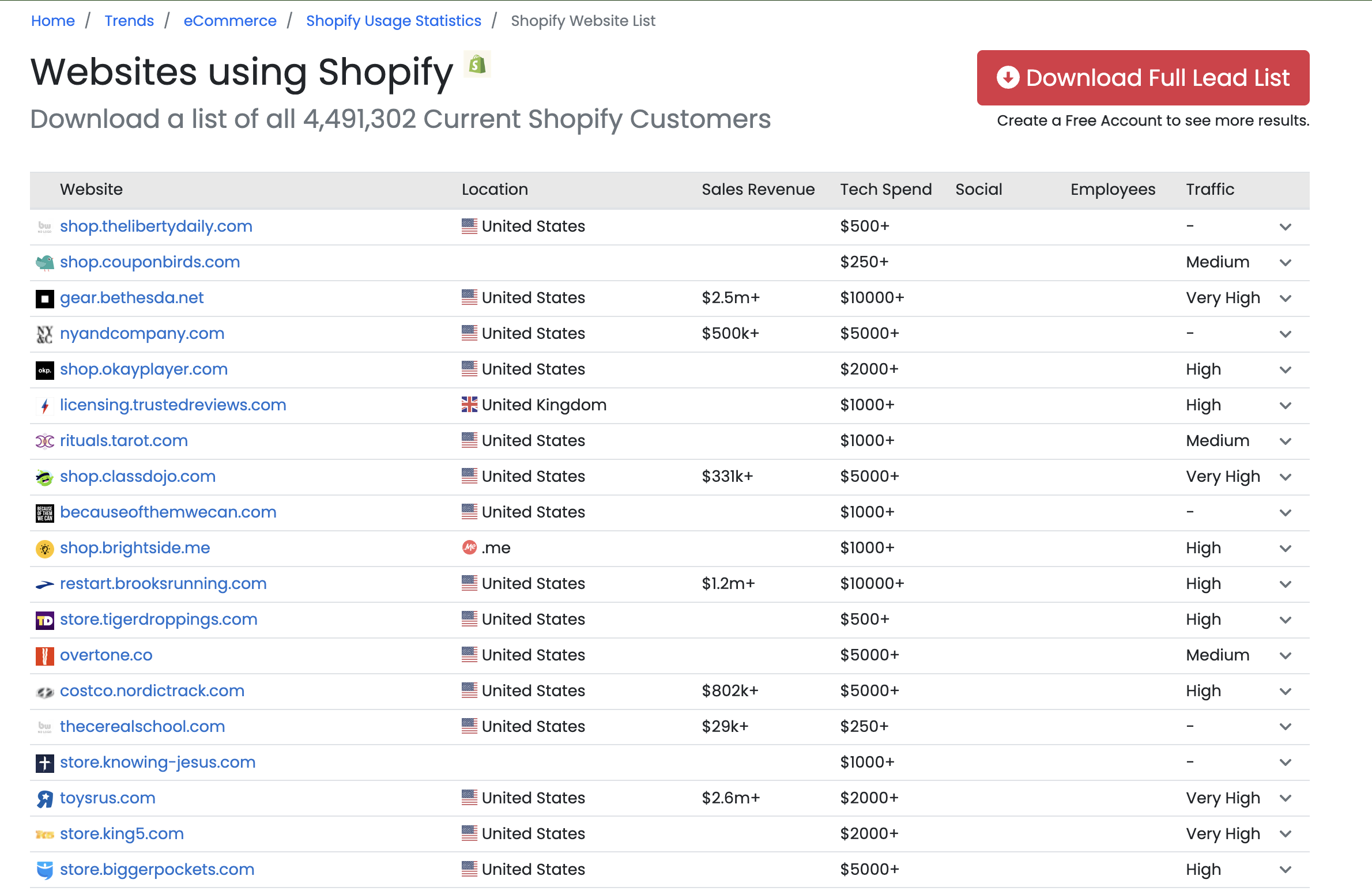
Once you find a site that works well for you, analyze it with these tools, then find other sites that use the same combination of technologies. Similar tech stacks often have similar weaknesses.
SimilarWeb and SimilarSites let you find sites in the same category with comparable traffic levels. If you successfully carding one niche electronics store, these tools will find twenty more with matching profiles.
TheirStack is another great paid service I recently discovered that digs deep into each site and their platforms. Avoid sites that show Signifyd Riskified or other corporate fraud detection tools.
Now what?
Finding cardable sites that are suitable for carding doesn’t rely on random luck — it’s methodical research using publicly available tools. The ideal target is in that middle ground: legitimate business, decent inventory, but security is an afterthought.
Remember, every site you carded represents real people on the other end. Target companies large enough to withstand the hit, rather than individuals or small family businesses where your actions could cause serious damage.
The techniques here work because most companies prioritize sales over security — they focus on getting customers through the checkout line rather than preventing sophisticated attacks. Their mistake, your opportunity.
(c) Contact the author here: d0ctrine
We’ve already covered Deep Research, and it’s essentially a more general approach, but diving deeper with the tools at your disposal is what separates consistent success from random luck. Master this methodology and you’ll never run out of goals.
Google Dorks
One undeniable fact about everything on the internet is that it all starts with a Google search. This is especially true when finding sites to card.
Google search operators are gold for finding easy-to-card e-commerce platforms. These aren’t some black hat secret – they’re built right into the search engine, but 99% of people are too lazy to learn them.
For Shopify sites:
Code:
inurl:myshopify.com "add to cart"This brings up thousands of stores running on the Shopify platform. Many smaller businesses don’t even set up their URLs, making them easy to identify.
WooCommerce sites are another tempting target:
Code:
inurl:wp-content/plugins/woocommerce "checkout"These WordPress-based stores often have outdated plugins and poor security settings.
Want to learn more about the products? Try:
Code:
inurl:product "add to cart" "woocommerce" "luxury watches"Replace “luxury watches” with whatever you’re looking for. This will narrow down the sites that sell specific products, while also revealing the vulnerabilities of their platform.
The beauty of dorks is that you can stack them like LEGO bricks. Add [-site:amazon.com -site:ebay.com] to filter out the major marketplaces and focus on individual stores with fewer security measures.
Buy Locally
Another powerful tool is Google Maps, paired with Google Shopping on your card's proxy to get location-based recommendations.
Let’s say your card BIN is in Florida. Set up a VPN to match that location, then search for “boutique jewelry stores Florida” or “designer handbags Tampa.” This will bring up dozens of local businesses with their own websites.
The happy medium? Medium-sized businesses. Too small (less than $500,000 in revenue per year) and they will personally check every order. Too big (over $50,000,000) and they will have industrial-strength fraud detection systems.
Check their traffic on ahrefs.com – ideally between 5,000 and 50,000 visitors per month. This is the Goldilocks zone, where they are legitimate, thriving businesses that can easily accept your hits, but can’t afford sophisticated fraud detection.
Important: Don’t card small mom-and-pop businesses. These are regular people trying to make a living, and one chargeback could ruin them. Stick to businesses large enough to withstand the hit. Don’t be a jerk.Ebay and Amazon
These huge marketplaces are teeming with legitimate businesses that also maintain their own storefronts, which tend to have far weaker protections.
On eBay, look for sellers with professional business names, not personal usernames. “LuxTimeWatches” is probably a real business; “John_Sells_Stuff” is probably not.
Once you spot a professional seller, Google their company name plus "official website" or check their profile for direct links. Many proudly advertise their own separate websites.
Amazon works similarly, with professional sellers often listing “Sold by [Business Name]” underneath their product listings. Google that name to find their independent site.
These independent sites are often powered by Shopify or similar platforms with minimal security compared to the marketplace giants. They’re established enough to have inventory, but not sophisticated enough to have robust fraud detection.
Shop App
We’ve covered this before, but Shopify’s Shop app deserves a special mention. It’s a treasure trove of millions of Shopify sellers in a single searchable database.
Oddly enough, many people get order cancellations through the app itself, but they forget something important: every store listed there has its own direct Shopify website.
Once you find a store you like in the app, simply visit its own storefront. You’ll bypass the centralized security of Shopify’s app while still having access to the same inventory.
This obviously doesn’t work for the very large stores, as the Shop App’s security is weaker than their main site, as the Shop App doesn’t have customizable fraud protection. But for mid-tier merchants? It’s perfect.
The app even has AI search now — just describe what you want and it will return potential targets. Download it from your app store or visit shop.app.
Review Sites
Use review aggregators like resellerratings.com for the wrong reason — instead of helping consumers find reputable sellers, you’re looking for ones with security holes.
Sites with 2-3 star ratings but minimal reviews are prime targets. Why? Because they’re well-known enough to be listed, but not sophisticated enough to have robust protection.
These review sites will sometimes even tell you about their verification methods: “This store keeps asking for my ID” or “They helped me resolve the issue and changed my shipping address without question” — that’s a green light for your targets.
Other review sites like Trustpilot and SiteJabber offer similar intelligence-gathering capabilities — the reviews themselves are security audits in plain text.
Tools for Analysis
Technical intelligence is critical, but you don’t have to be a damn programmer to do it.
Browser extensions like Wappalyzer and sites like BuiltWith instantly show you what tech stack a site is using. They show you payment processor CMS platforms, security tools, and everything else under the hood.
Once you find a site that works well for you, analyze it with these tools, then find other sites that use the same combination of technologies. Similar tech stacks often have similar weaknesses.
SimilarWeb and SimilarSites let you find sites in the same category with comparable traffic levels. If you successfully carding one niche electronics store, these tools will find twenty more with matching profiles.
TheirStack is another great paid service I recently discovered that digs deep into each site and their platforms. Avoid sites that show Signifyd Riskified or other corporate fraud detection tools.
Now what?
Finding cardable sites that are suitable for carding doesn’t rely on random luck — it’s methodical research using publicly available tools. The ideal target is in that middle ground: legitimate business, decent inventory, but security is an afterthought.
Remember, every site you carded represents real people on the other end. Target companies large enough to withstand the hit, rather than individuals or small family businesses where your actions could cause serious damage.
The techniques here work because most companies prioritize sales over security — they focus on getting customers through the checkout line rather than preventing sophisticated attacks. Their mistake, your opportunity.
(c) Contact the author here: d0ctrine
 1. Google Dorks: Your First Line of Recon
 roduct "add to cart" "woocommerce" "luxury watches" -site:amazon.com -site:ebay.com filters out giants and hones in on niche, vulnerable stores selling exactly what you want.
 2. Geo-Targeting via Local Search & Proxies
 3. The “Goldilocks Zone” of Target Selection
 4. Exploiting Marketplace Seller Ecosystems
 5. The Shopify Shop App: An Overlooked Vector
 6. Weaponizing Review Sites as OSINT
 7. Tech Stack Fingerprinting
 Final Note: Ethics & Sustainability