


Tired of spending money every month on junk residential proxies that constantly reject and reverse your transactions? Frustrated by constant IP blocks and fraud flags that ruin your carding operations? Meet iCloud Private Relay, Apple’s gift to privacy lovers and our secret weapon for smooth transactions.
This isn’t some hyped VPN nonsense or a shady proxy service from some dude’s basement. We’re talking enterprise-grade anonymity built right into your iPhone and Mac. And the best part? It’s already included with your iCloud subscription.
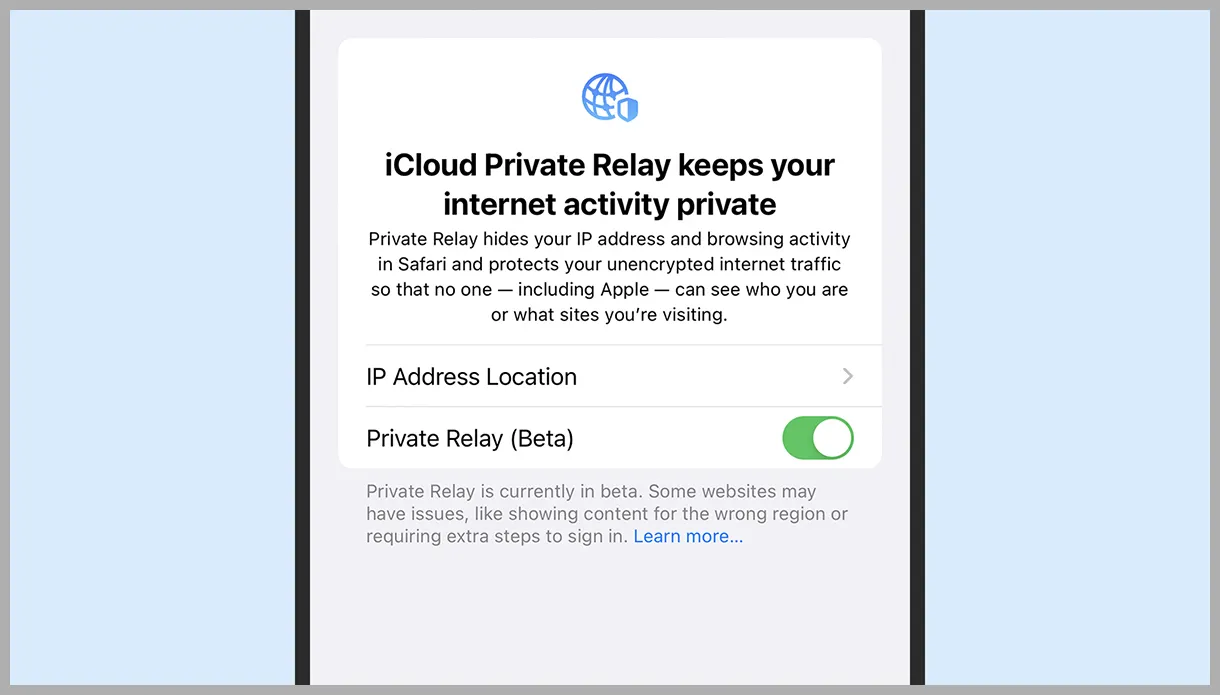
In this guide, we’ll take a detailed look at how Private Relay works, what makes it a carder’s dream, and how to use it to maximize your success rate. Forget everything you thought you knew about residential proxies. It’s time to unleash the power of Apple’s walled garden and turn it into your personal carding playground.
So put down your Android burner and pay attention. Classes are in session, and today’s lesson could save your ass from another cancellation.
What is iCloud Private Relay?
iCloud Private Relay is Apple’s sneaky way of giving the middle finger to the data-hungry bastards who try to track your every move online. It’s like a VPN, but with Apple’s special sauce slathered all over it.
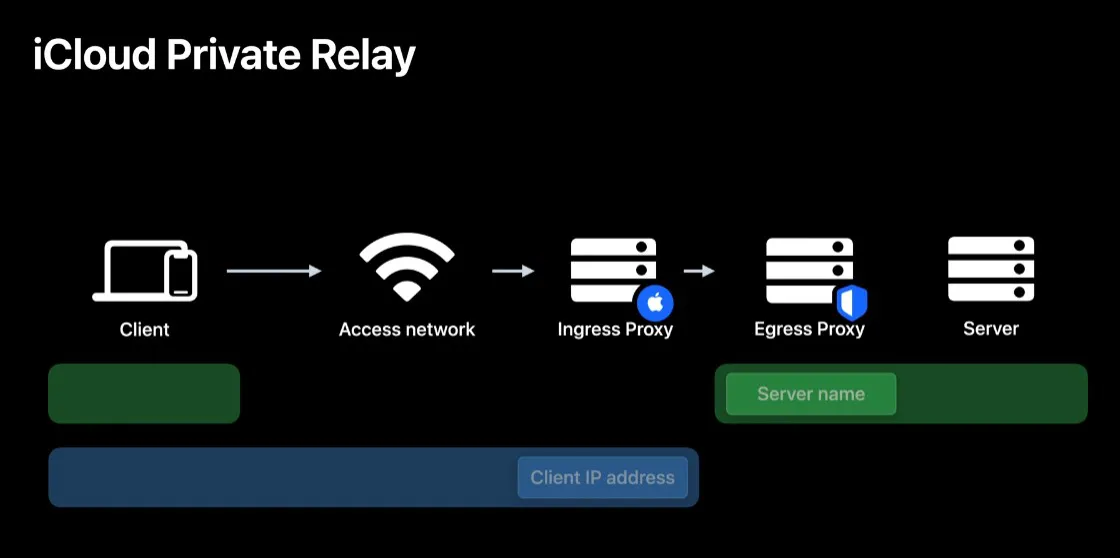
Here’s how it works:
The best thing about Apple’s whole fight for people’s privacy is that they tend to always come up with better tools for us carders. Thanks, Apple!
Why is iCloud Relay good for carding?
Because it’s a gold mine waiting to be discovered. Millions of legitimate customers share the same pool of IP addresses, creating a sea of anonymity that’s perfect for our needs.
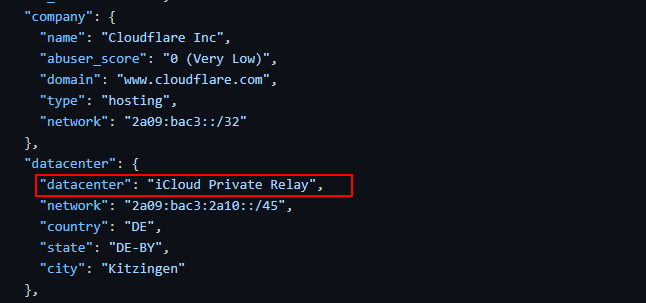
Here's why anti-fraud systems are panicking over iCloud Relay:
Fraud protection systems are backed into a corner. They can’t completely ban iCloud Relay without risking legitimate business, and Apple isn’t making it easy to detect. It’s a perfect storm for carders.
While other carders are burning proxy lists, you’re passing security checks with ease. It’s time to put that overpriced iPhone to work and start reaping the benefits of Apple’s privacy crusade.
Requirements
To milk this cow, you first have to feed it. Setting up iCloud Relay is no walk in the park, but it’s nothing we can’t handle. Make sure you’ve got all this crap sorted out before moving on:
Get all of this sorted out, and you’ll be ready to turn your Apple device into a carding powerhouse. Skip any of these steps, and you’re just setting yourself up for failure. Do it right, or don’t do it at all.
How to Get Started
The setup process will vary depending on your access point device, but the basic principles are the same. For this guide, we’ll be using an ASUS router as an example. If you’re using something different, you’ll need to adapt these steps to your hardware, but the general flow should be similar.
Here’s a step-by-step breakdown:
Remember, this isn't a "set it and forget it" kind of thing. You'll need to monitor the settings regularly to make sure everything is working as intended. iCloud Private Relay can be finicky, so be prepared to troubleshoot.

Set it up correctly and you’ll have a top-notch proxy setup that will connect with millions of legitimate users for free! Just don’t get complacent – even the best tools can fail if you’re not careful.
Final Thoughts
We’ve just handed you the keys to the carding kingdom, and it won’t cost you a dime beyond your iCloud subscription. You’re tapping into a pool of clean IP addresses that are practically worshiped by fraud protection systems. No more wasting cash on proxies that burn out faster than a snitch in prison.
This is next-level. You’re not just hiding behind another proxy, you’re becoming part of Apple’s golden herd. Clean, trusted IP addresses are automatically rotated, and it’s all free. It’s as if Apple accidentally created the perfect carding tool with privacy in mind.
But remember – with great power comes great responsibility. To avoid screwing up, use it wisely, keep OPSEC tight, and you'll pass security checks smoother than a greased eel. Now go and put that overpriced iPhone to work. With good cards and successful entries, earn lots of real money for your own needs.
This isn’t some hyped VPN nonsense or a shady proxy service from some dude’s basement. We’re talking enterprise-grade anonymity built right into your iPhone and Mac. And the best part? It’s already included with your iCloud subscription.
In this guide, we’ll take a detailed look at how Private Relay works, what makes it a carder’s dream, and how to use it to maximize your success rate. Forget everything you thought you knew about residential proxies. It’s time to unleash the power of Apple’s walled garden and turn it into your personal carding playground.
So put down your Android burner and pay attention. Classes are in session, and today’s lesson could save your ass from another cancellation.
What is iCloud Private Relay?
iCloud Private Relay is Apple’s sneaky way of giving the middle finger to the data-hungry bastards who try to track your every move online. It’s like a VPN, but with Apple’s special sauce slathered all over it.
Here’s how it works:
- Your device encrypts your traffic and sends it to Apple's proxy server.
- This first proxy removes your IP address but keeps your general location
- The encrypted crap is then forwarded to a second proxy server run by some big company like Akamai or Cloudflare.
- This second proxy server attaches a temporary IP address to your traffic, decrypts it, and sends it on its way.
The best thing about Apple’s whole fight for people’s privacy is that they tend to always come up with better tools for us carders. Thanks, Apple!
Why is iCloud Relay good for carding?
Because it’s a gold mine waiting to be discovered. Millions of legitimate customers share the same pool of IP addresses, creating a sea of anonymity that’s perfect for our needs.
Here's why anti-fraud systems are panicking over iCloud Relay:
- Huge base of legitimate users: You are part of such a large group that finding a scammer becomes like finding a needle in a haystack.
- Apple-approved purity: Apple has effectively vouched for its private relay users. It's like having a VIP pass to every online store. These anti-fraud systems can't do anything dirty that would anger Apple.
- You Can't Ban Them All: Blocking transactions from iCloud Relay IP addresses means potentially losing a huge chunk of Apple customers. No site wants to commit financial suicide.
- High-quality IPs: We're talking clean IPs from big players like Akamai. Not your typical run-down residential proxies.
- Consistent Geolocation: Unlike cheap VPNs, iCloud Relay keeps you in your general area. No more SUS flags when ordering across continents.
- Automatic rotation: Regularly fresh IP addresses without any effort on your part. This is an endless supply of clean connections.
Fraud protection systems are backed into a corner. They can’t completely ban iCloud Relay without risking legitimate business, and Apple isn’t making it easy to detect. It’s a perfect storm for carders.
While other carders are burning proxy lists, you’re passing security checks with ease. It’s time to put that overpriced iPhone to work and start reaping the benefits of Apple’s privacy crusade.
Requirements
To milk this cow, you first have to feed it. Setting up iCloud Relay is no walk in the park, but it’s nothing we can’t handle. Make sure you’ve got all this crap sorted out before moving on:
- Apple device: iPhone, iPad, or Mac. No offense, Sherlock. iCloud Relay only works on Apple devices, so leave your Android in the drawer.
- iCloud+ Subscription: Don't have one? Create a disposable Apple ID and sign up. It's a pittance compared to what you'll earn.
- Intermediate Device: Router, access point, whatever. You need something to attach a VPN or proxy to. Why? Because Apple assigns IP addresses based on your location. Want to shop in New York City from Cali? You need to trick your device into thinking it’s in the Big Apple.
- A decent VPN or proxy: Get something with servers in the target locations. We don't use this directly for carding, but to trick iCloud Relay and get the correct geo-located IP addresses.
- Basic networking knowledge: You don't need to be a certified network administrator, but you should know how to work with IP settings and Wi-Fi configuration.
- Patience: This setup takes time to get right. Don't rush it or you'll screw up before you even start.
- A working brain: If you've read this far, you probably have one. Use it. It's not just plug and play.
Get all of this sorted out, and you’ll be ready to turn your Apple device into a carding powerhouse. Skip any of these steps, and you’re just setting yourself up for failure. Do it right, or don’t do it at all.
How to Get Started
The setup process will vary depending on your access point device, but the basic principles are the same. For this guide, we’ll be using an ASUS router as an example. If you’re using something different, you’ll need to adapt these steps to your hardware, but the general flow should be similar.
Here’s a step-by-step breakdown:
- Set up your router
- Log in to your router's admin panel.
- Go to the VPN section (or proxy connection if you plan to use residential proxies)
- Set up a VPN client connection using the VPN service of your choice.
- Be sure to select a server in your target location (eg. New York if you are targeting New York IP addresses).
- Prepare your Apple device
- Go to Settings > Wi-Fi.
- Forget about any existing networks that can connect automatically.
- Turn off cellular data to prevent dropouts.
- Connect to your VPN
- Connect to the network you set up with VPN.
- Check if your IP address has changed to the correct one using a site such as ipleak.net
- Turn on iCloud Private Relay
- Go to Settings > Apple ID > iCloud.
- Enable private relay.
- Select "Save General Location" to specify the exact city where your proxy server will operate.
- Check your setup
- Try visiting a site that shows detailed IP information (eg ipqualityscore.com, scamalytics.com)
- Make sure the location you specify matches your target area.
- Make sure that fingerprint data from other devices appears to be common.
- Block him
- Go back to your router settings.
- Consider setting up MAC address filtering to allow access only to your Apple device.
- This prevents other devices from potentially polluting your clean IP address pool.
Remember, this isn't a "set it and forget it" kind of thing. You'll need to monitor the settings regularly to make sure everything is working as intended. iCloud Private Relay can be finicky, so be prepared to troubleshoot.
Set it up correctly and you’ll have a top-notch proxy setup that will connect with millions of legitimate users for free! Just don’t get complacent – even the best tools can fail if you’re not careful.
Final Thoughts
We’ve just handed you the keys to the carding kingdom, and it won’t cost you a dime beyond your iCloud subscription. You’re tapping into a pool of clean IP addresses that are practically worshiped by fraud protection systems. No more wasting cash on proxies that burn out faster than a snitch in prison.
This is next-level. You’re not just hiding behind another proxy, you’re becoming part of Apple’s golden herd. Clean, trusted IP addresses are automatically rotated, and it’s all free. It’s as if Apple accidentally created the perfect carding tool with privacy in mind.
But remember – with great power comes great responsibility. To avoid screwing up, use it wisely, keep OPSEC tight, and you'll pass security checks smoother than a greased eel. Now go and put that overpriced iPhone to work. With good cards and successful entries, earn lots of real money for your own needs.
Last edited by a moderator: