


We’re going to talk about a method for checking any BIN without even owning any cards. That’s right, you can look at entire ranges of cards before you even think about buying them. No more wasting money on nonsense – you’ll find the perfect BIN without spending a single dollar.
So put down your warm beer and pay attention. This isn’t just some theoretical nonsense – this is practical knowledge that will save you time, money, and a lot of headaches. Ready to level up your BIN game? Let’s get started.
The 3DS Process
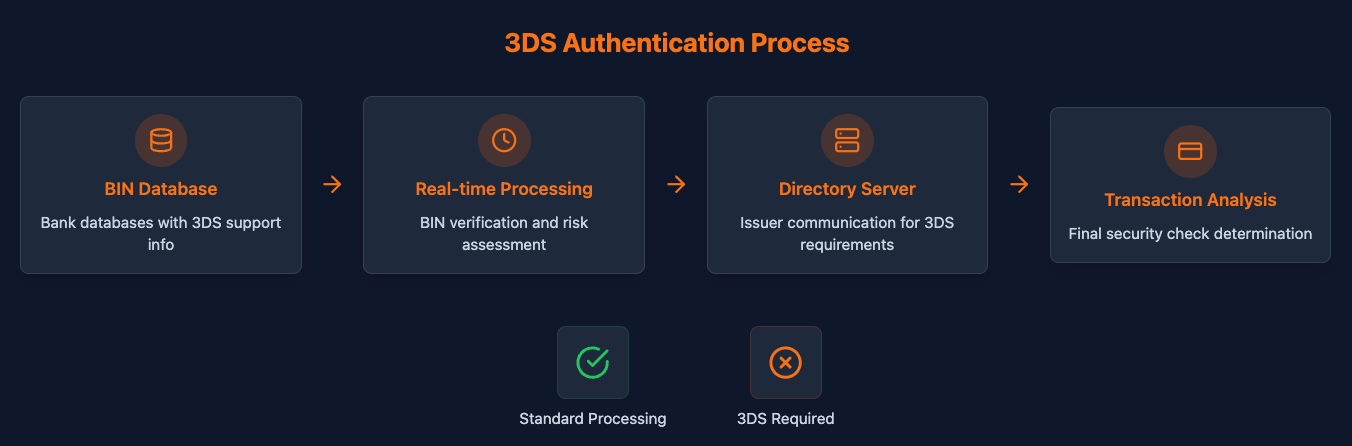
Now that you understand why we're here to fully understand our method, let's dive into how payment processors figure out if a card supports 3DS just by looking at its BIN. This process isn't black magic - it's all about databases, real-time searches, and a ton of back-end processing.
Binners
Let's take a step back and talk about binners for a second. We've covered these babies before, but for those who missed it, here's the lowdown.
Binners are the low-payers of the carding world. These idiots think they're smart because they can take a BIN, slap together some random numbers, and pray to RNGesus that one of their combinations will work. It's like playing the lottery, only the prizes are shit and the odds are even worse.
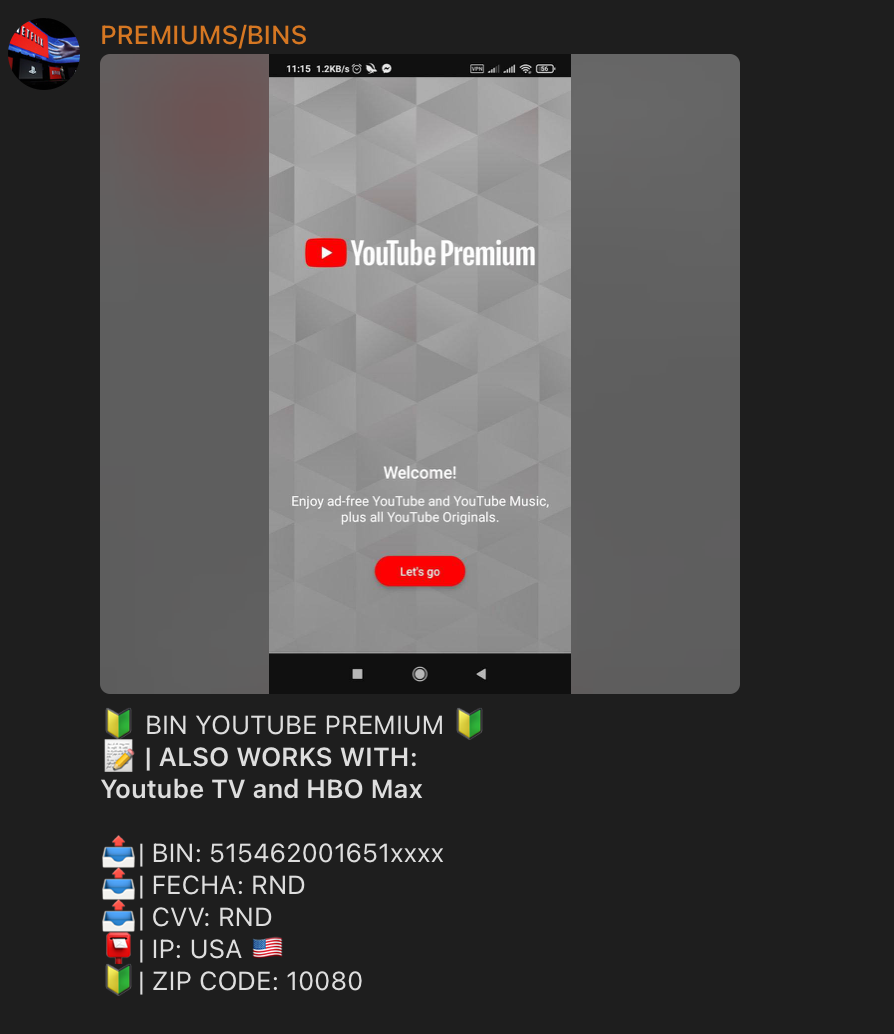
Here's their "ingenious" process: Start with a valid BIN, generate a bunch of possible combinations for the remaining digits, then run them through some stupid checker and hope something sticks. It's about as efficient as eating soup with a fork, but every now and then they get lucky.
But here's the thing - those idiot binners have accidentally stumbled upon something useful. They've found a way to check BINs without having any actual cards. And that's where we come in. We're going to take their half-baked idea and turn it into something really damn valuable.
You see, while the binners are busy throwing shit at the wall and hoping something sticks, we're going to get smart. We're going to combine their BIN generation technique with our knowledge of 3DS checking. The result is a method that allows you to cover entire BIN ranges for VBV status without spending a dime on cards.
The Process
See, the truth is that you don't even need a live card to check if it supports 3DS. What does that mean for us? It just means that we don't have to go hunting and buying a bunch of cards just to check if they support 3DS. We just generate a bunch of cards from BIN, run the 3DS check on each one, and bam! We get a well-oiled machine that checks 3DS for us without spending a dime on buying cards.
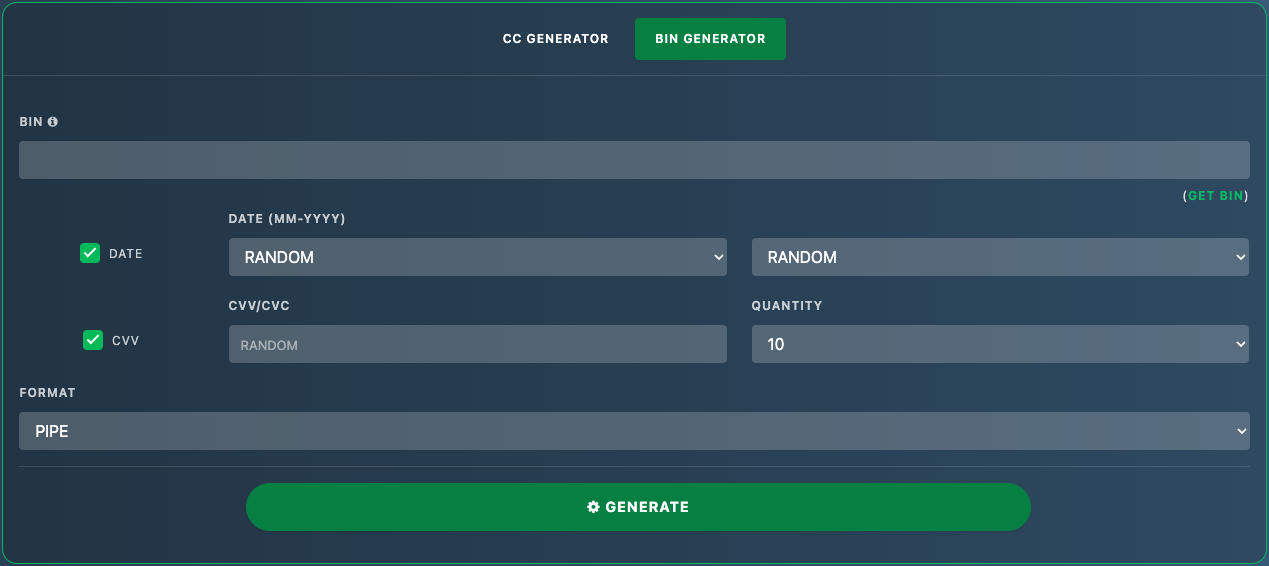
Here's how it works:
Script
Because I love you guys so much, I created and posted a script just for you. Just paste the BINs into the box, hit generate, and it will give you generated cards that you can then check on your checker or Lux or any other 3DS checker you've settled on.
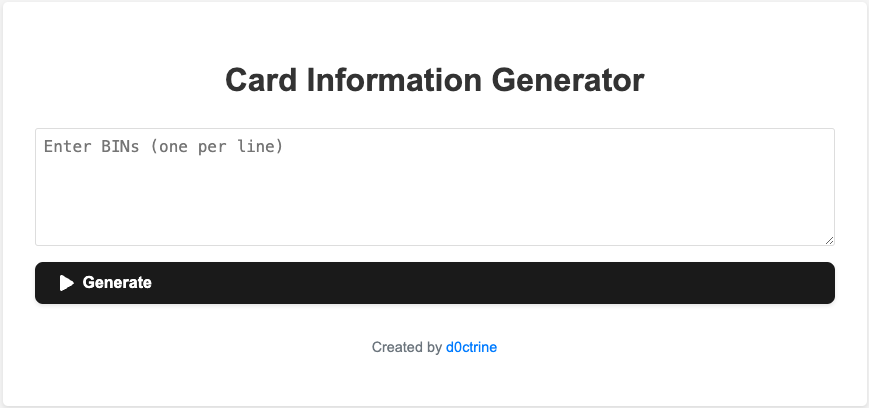
Here's a link to the generator:
Card Information Generator
Now, don't think I'm your personal coding monkey. This is a one-time deal, so use it wisely. The script generates cards based on the BINs you enter, complete with expiration dates and CVVs. It's not rocket science, but it will save you the trouble of writing your own nonsense.
Now, what you do with these generated cards is up to you. Run them through your 3DS checker, feed them to Lux, use them as wallpaper, I don't care. Just remember - generating cards is not the same as having real, working cards. Don't be the jerk who tries to use them to make real purchases. We're only using them to check if the BINs are 3DS/VBV.
Wrapping Up
So, there you have it, a method for mapping the 3DS landscape without spending a dime on real cards. Pretty clever, huh? But don’t let that go to your head. This isn’t some magic wand that will suddenly make you the Wolf of Wall Street. It’s a tool, and like any tool, it can build you an empire or cut off your fingers if you’re not careful.
Use this knowledge wisely or not. Just don’t cry when you screw up. You’ve been warned.
Now go and start building that BIN database. With enough effort, you’ll have a roadmap that will make you the king of Non-VBV heaven.
Make me proud, you fine carders.
P.S. This method doesn’t cover a specific approach to checking BINs, but a trick to check as many BINs as possible without using a valid card. I wrote this because a lot of newbies mistakenly think they need to buy a bunch of cards to check which BIN is VBV/3DS and which is not.
So put down your warm beer and pay attention. This isn’t just some theoretical nonsense – this is practical knowledge that will save you time, money, and a lot of headaches. Ready to level up your BIN game? Let’s get started.
The 3DS Process
Now that you understand why we're here to fully understand our method, let's dive into how payment processors figure out if a card supports 3DS just by looking at its BIN. This process isn't black magic - it's all about databases, real-time searches, and a ton of back-end processing.
- Databases: You have to understand that these processors aren't flying blind. They have detailed databases straight from the banks, filled with information about every single BIN. We're talking 3DS support, fraud risk levels, issuer policies, everything. And they update that shit regularly.
- Real-time processing: When a transaction is initiated, the processor retrieves the BIN and checks it against its database in milliseconds. But sometimes they don’t trust their own data. For high-risk transactions or when they feel especially cautious, they turn to card networks or even the issuing bank in real time.
- Directory Server: This is where the Directory Server (DS) comes in. The processor requests this DS, which then contacts the issuer to make the final decision on whether a 3DS is needed and what version it uses.
- Transaction Completion: If the BIN does not support 3DS or the issuer decides it is not needed, the transaction goes through without any additional security nonsense.
Binners
Let's take a step back and talk about binners for a second. We've covered these babies before, but for those who missed it, here's the lowdown.
Binners are the low-payers of the carding world. These idiots think they're smart because they can take a BIN, slap together some random numbers, and pray to RNGesus that one of their combinations will work. It's like playing the lottery, only the prizes are shit and the odds are even worse.
Here's their "ingenious" process: Start with a valid BIN, generate a bunch of possible combinations for the remaining digits, then run them through some stupid checker and hope something sticks. It's about as efficient as eating soup with a fork, but every now and then they get lucky.
But here's the thing - those idiot binners have accidentally stumbled upon something useful. They've found a way to check BINs without having any actual cards. And that's where we come in. We're going to take their half-baked idea and turn it into something really damn valuable.
You see, while the binners are busy throwing shit at the wall and hoping something sticks, we're going to get smart. We're going to combine their BIN generation technique with our knowledge of 3DS checking. The result is a method that allows you to cover entire BIN ranges for VBV status without spending a dime on cards.
The Process
See, the truth is that you don't even need a live card to check if it supports 3DS. What does that mean for us? It just means that we don't have to go hunting and buying a bunch of cards just to check if they support 3DS. We just generate a bunch of cards from BIN, run the 3DS check on each one, and bam! We get a well-oiled machine that checks 3DS for us without spending a dime on buying cards.
Here's how it works:
- Generate BIN: Start with the first 6-8 digits of the BIN you're interested in. Then generate a bunch of possible card numbers using that BIN. Make sure they pass the Luhn algorithm check - we're not complete savages.
- Batch processing: Take the list of generated numbers and run them through 3DS checking. Remember how we looked at this process earlier? Yes, the same applies to us.
- Analysis: Look at the results. If most of the generated numbers from BIN come back as Non-VBV, you've probably found gold. If they all come back as 3DS, you're out of luck.
- Rinse and repeat: Do this for multiple BINs and you'll start to build a database of VBV vs. Non-VBV BINs larger than you can imagine.
Script
Because I love you guys so much, I created and posted a script just for you. Just paste the BINs into the box, hit generate, and it will give you generated cards that you can then check on your checker or Lux or any other 3DS checker you've settled on.
Here's a link to the generator:
Card Information Generator
Now, don't think I'm your personal coding monkey. This is a one-time deal, so use it wisely. The script generates cards based on the BINs you enter, complete with expiration dates and CVVs. It's not rocket science, but it will save you the trouble of writing your own nonsense.
Now, what you do with these generated cards is up to you. Run them through your 3DS checker, feed them to Lux, use them as wallpaper, I don't care. Just remember - generating cards is not the same as having real, working cards. Don't be the jerk who tries to use them to make real purchases. We're only using them to check if the BINs are 3DS/VBV.
Wrapping Up
So, there you have it, a method for mapping the 3DS landscape without spending a dime on real cards. Pretty clever, huh? But don’t let that go to your head. This isn’t some magic wand that will suddenly make you the Wolf of Wall Street. It’s a tool, and like any tool, it can build you an empire or cut off your fingers if you’re not careful.
Use this knowledge wisely or not. Just don’t cry when you screw up. You’ve been warned.
Now go and start building that BIN database. With enough effort, you’ll have a roadmap that will make you the king of Non-VBV heaven.
Make me proud, you fine carders.
P.S. This method doesn’t cover a specific approach to checking BINs, but a trick to check as many BINs as possible without using a valid card. I wrote this because a lot of newbies mistakenly think they need to buy a bunch of cards to check which BIN is VBV/3DS and which is not.
 Key Takeaway: Because the 3DS check occurs during the initial transaction setup, a fake — but Luhn-valid — card number with a real BIN will trigger the same 3DS pathway as a genuine card. This is the foundation of the "no cards needed" approach.
 Pro Tip: Use BINs with known issuers (e.g., from binlist.net) to cross-reference results. Some banks issue both 3DS and non-3DS products under the same BIN — so sample size matters.
 Critical Reminder: Do not use these generated cards for real transactions. They will fail, trigger fraud systems, and burn your infrastructure (proxies, gateways, etc.).
 Opsec Reminder: Even metadata probing leaves logs. Use clean infrastructure, avoid reusing tools across ops, and never test on high-profile gateways without burners.