

If there’s one constant pain point for carders since proxies first crawled out of the digital primordial soup, it’s damn DNS leaks. Your proxy whispers “Miami”, while your DNS screams your real coordinates in the Congo. Today, we’re going to break down exactly how DNS leaks are tricking you, and more importantly, how to fix these leaks before they sink your entire operation.
DNS Leaks
You see, every time you type a website into your browser, your device is asking “where is this place?” That’s DNS — turning “amazon.com” into an IP address that computers can understand. Your browser can’t connect to the domain name directly — it needs to translate that human-readable text into a machine-readable IP address (like 192.168.0.1).
This translation happens through DNS servers. By default, your device sends these requests through your ISPs' DNS servers, creating a detailed record of every website you visit that is directly linked to your actual location and identity.
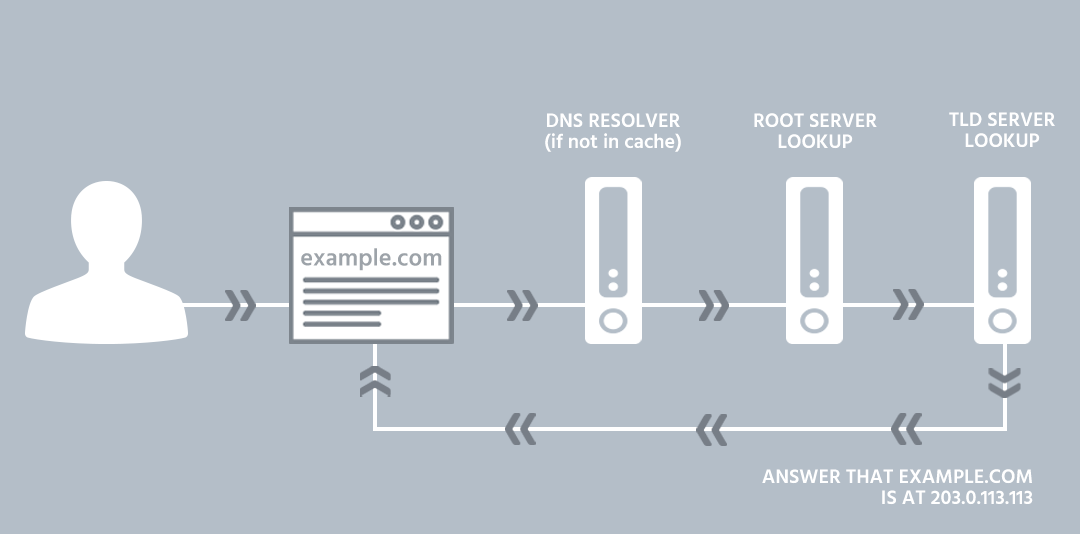
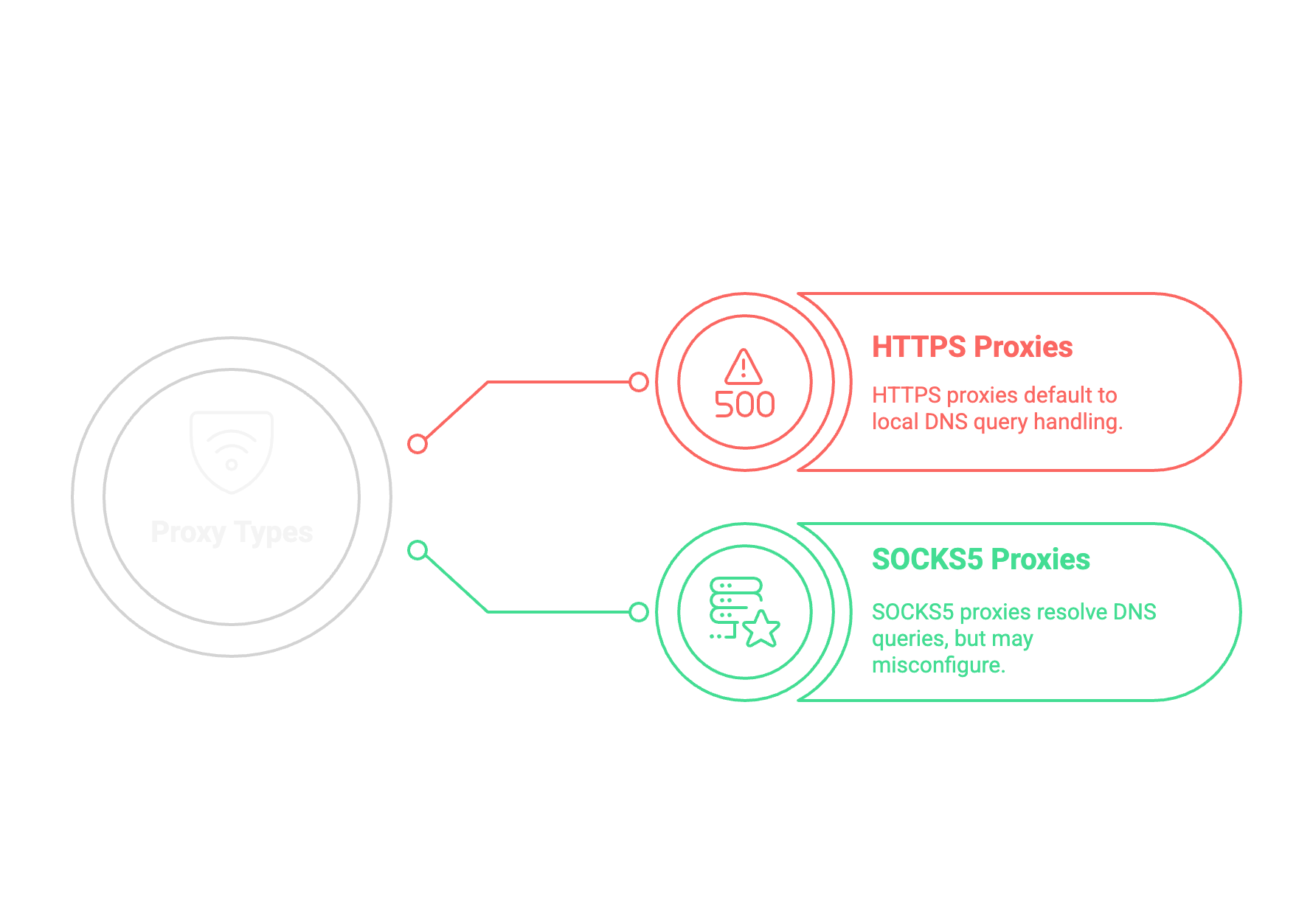
But when you use a proxy setup, here’s the fundamental problem: Your proxy may route your regular web traffic, but DNS requests often bypass that tunnel entirely. Some browsers, especially older versions, may still send DNS requests directly to your ISP’s servers even when using HTTPS. The result? Your supposedly secure connection leaks like a rust bucket.
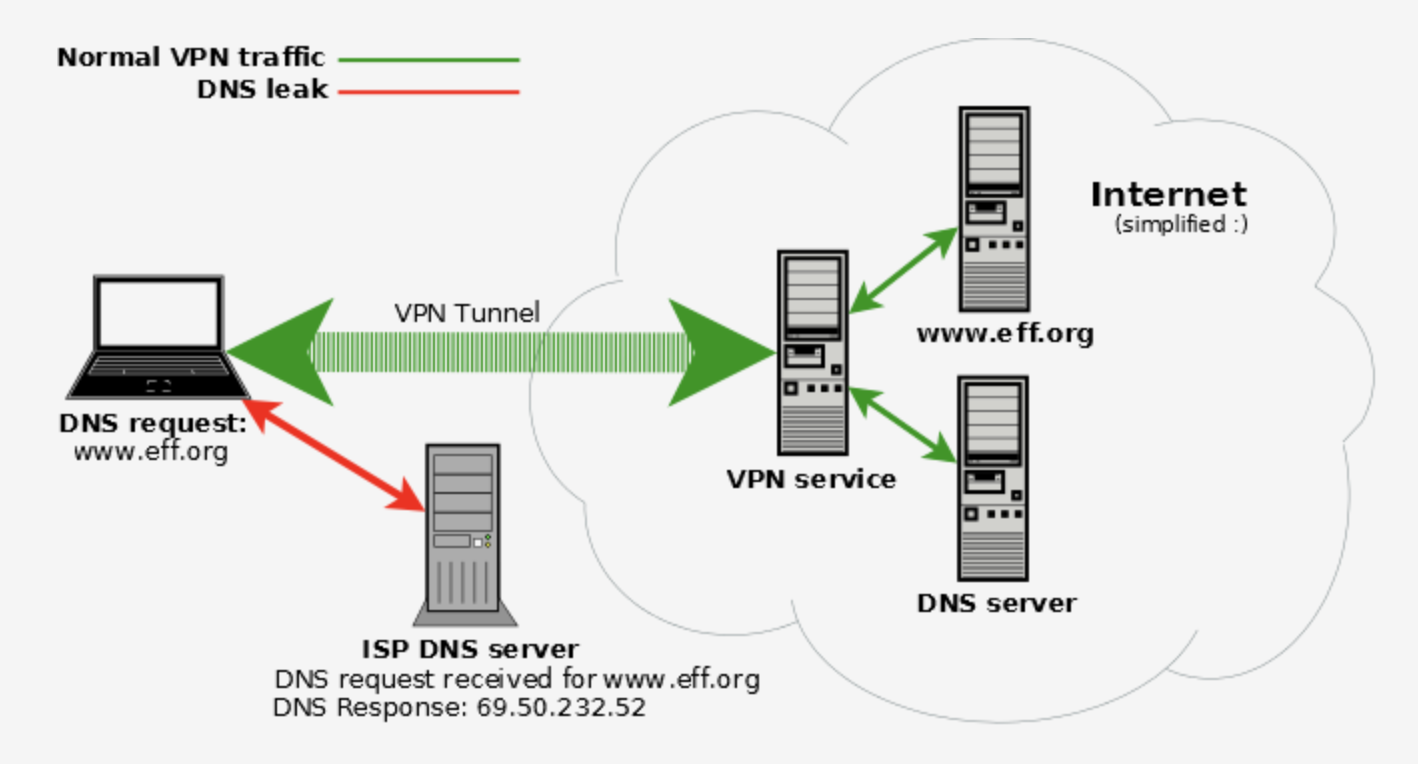
This creates a fatal identity problem. Your traffic appears to be coming from one place, but the initial DNS lookup reveals your true origin. For fraud protection systems, this inconsistency significantly increases your fraud score, and your transactions are wasted.
How to Get Caught Red-Handed
It’s important to remember that fraud protection systems don’t just sit around waiting for you to screw up — they actively look for inconsistencies in your settings. These systems employ sophisticated traps specifically designed to catch you out: one of them is DNS leaks.
When you visit a merchant’s site with fraud protection, they inject JavaScript code that causes your browser to request resources from uniquely generated domains that they control. Because they own these domains, they control the authoritative DNS servers that respond to these requests. When your browser asks "where is uniqueID123.fraudcheck.com?", that question is logged on their server - along with information about which ISP server is making the request, and time information. Check out this example in action with Forter:
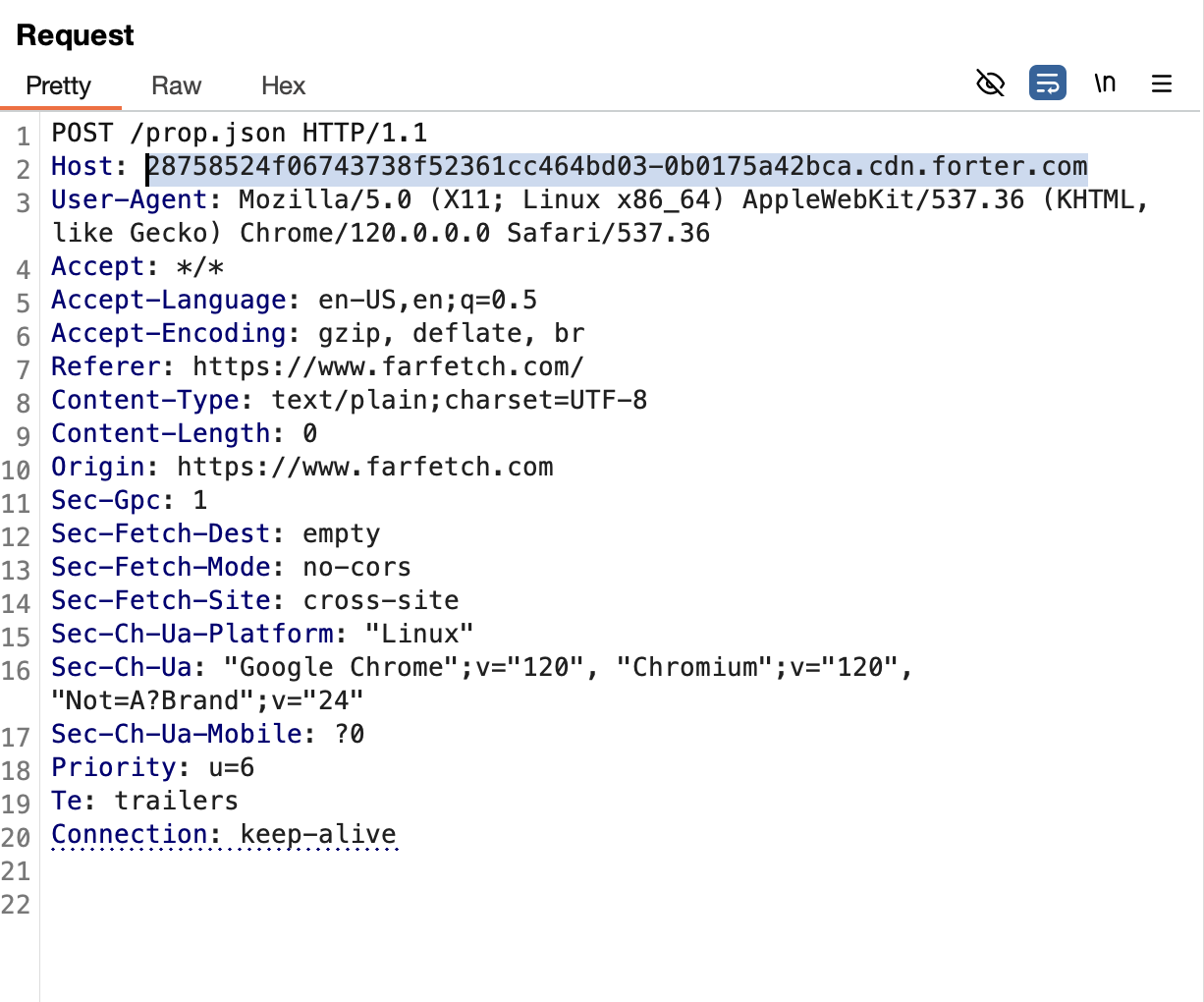
If your DNS traffic isn't properly tunneled through your proxy, the request to get that subdomain's IP comes directly from your own ISP. Now the antifraud system sees two conflicting stories: Your web traffic claims you're browsing from Miami, but your DNS resolution is coming from an ISP in Moscow. Game over.
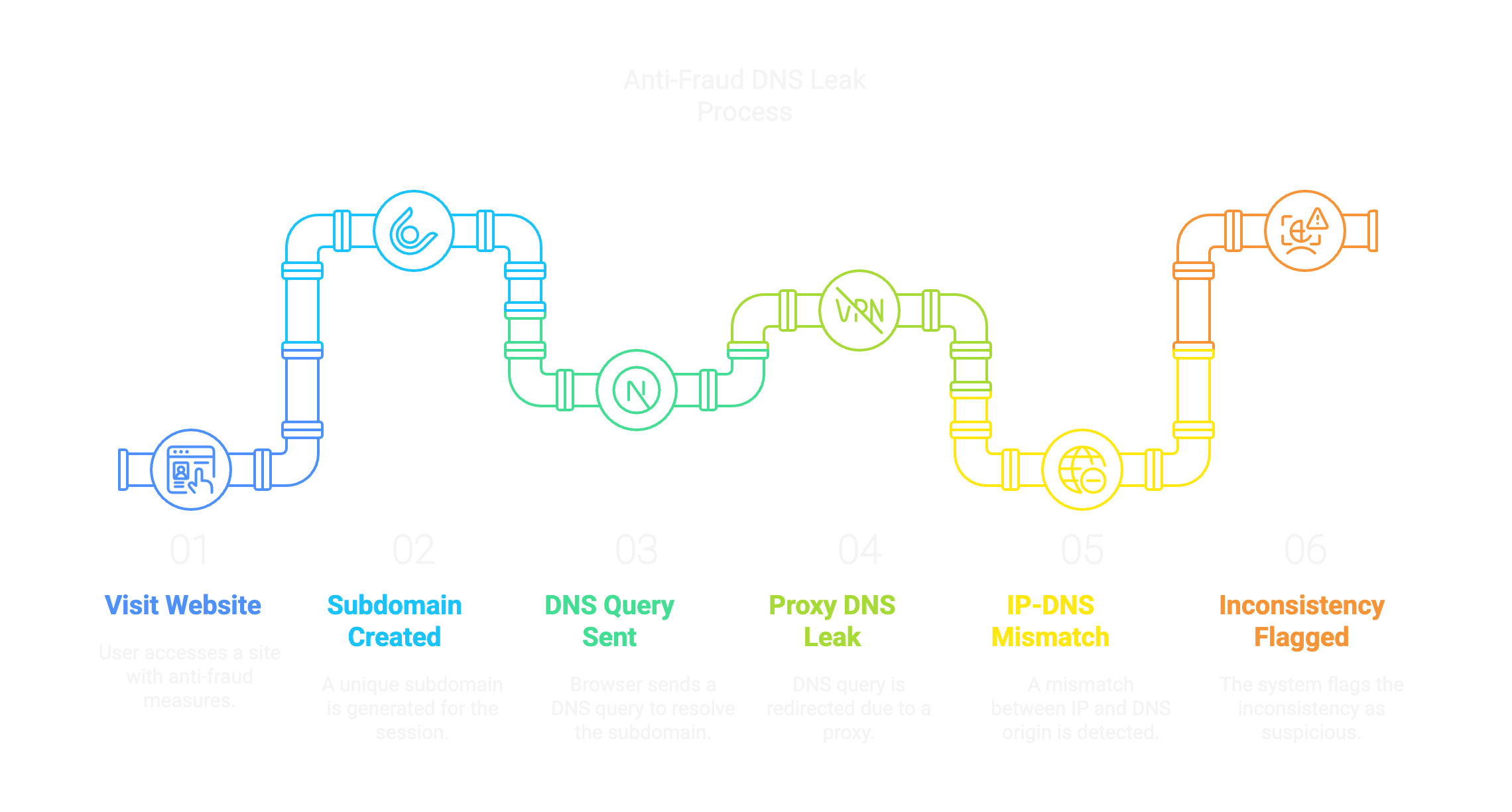
Some advanced systems go even further by forcing multiple requests for resolution using different methods. They might launch WebRTC connections that bypass standard proxy settings, or use timing analysis to determine if your DNS requests are taking a suspiciously long time. By the time you hit “submit” on that order form, they’ll have already flagged your session as suspicious based on these inconsistencies.
Some Solutions
Antidetect-browsers
Modern antidetect-browsers are usually effective at dealing with DNS leaks, but your setup matters. Use a Socks5 proxy whenever possible, as it inherently routes DNS requests through the proxy itself, greatly reducing the risk of leaks. Make sure your browser is always up to date and properly configured to delegate DNS resolution directly to your Socks5 proxy.
Additionally, enabling DNS over HTTPS (DoH) adds another layer of protection. In Chrome-based browsers, go to chrome://settings/security and enable “Secure DNS” using a trusted provider like Cloudflare. For Firefox-based browsers, go to about references#privacy and enable DNS over HTTPS in a similar way.
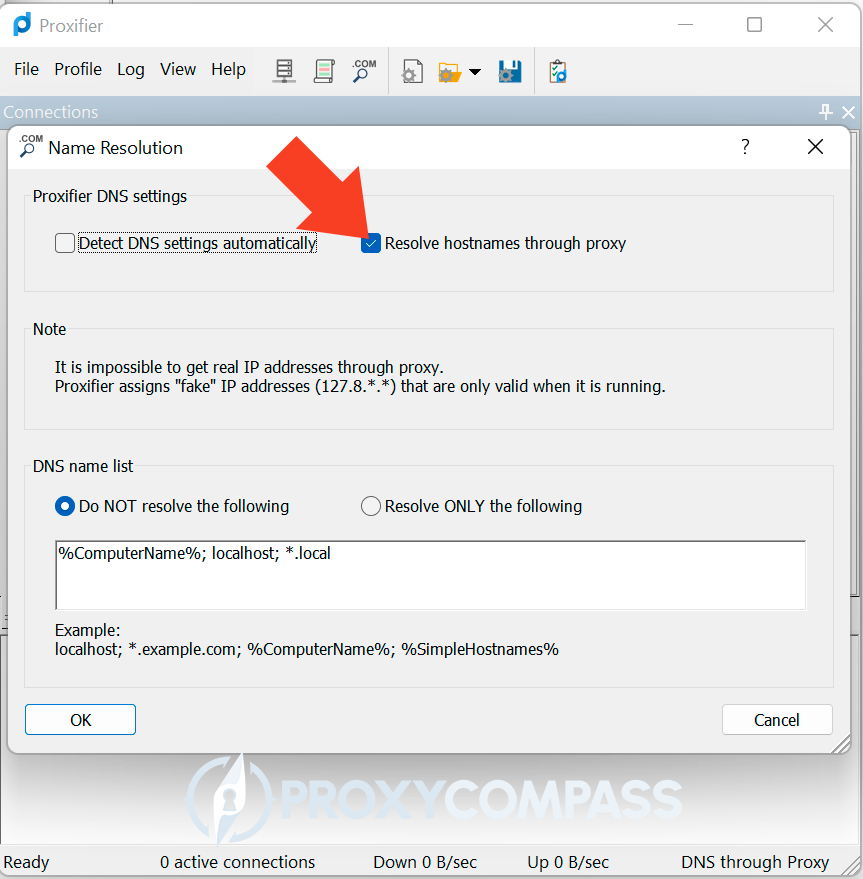
If your current antidetect-browser does not support Socks5 proxies or secure DNS configurations, consider switching to one that does, or use tools like Proxifier to force DNS resolution through a proxy at the system level.
iOS
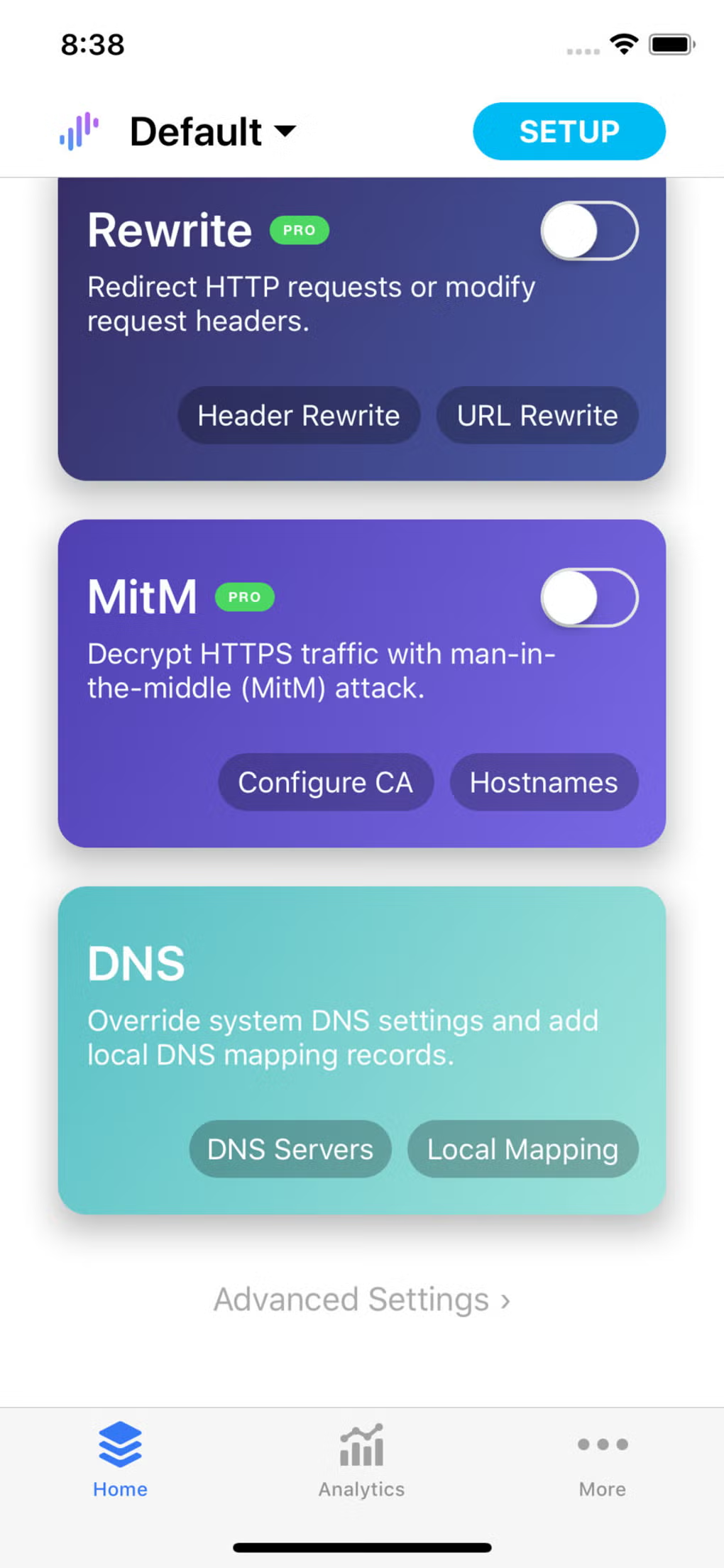
The default iOS proxy settings only cover browser traffic and often lead to crazy DNS leaks. Your salvation can be of two kinds:
Double Barrier Method
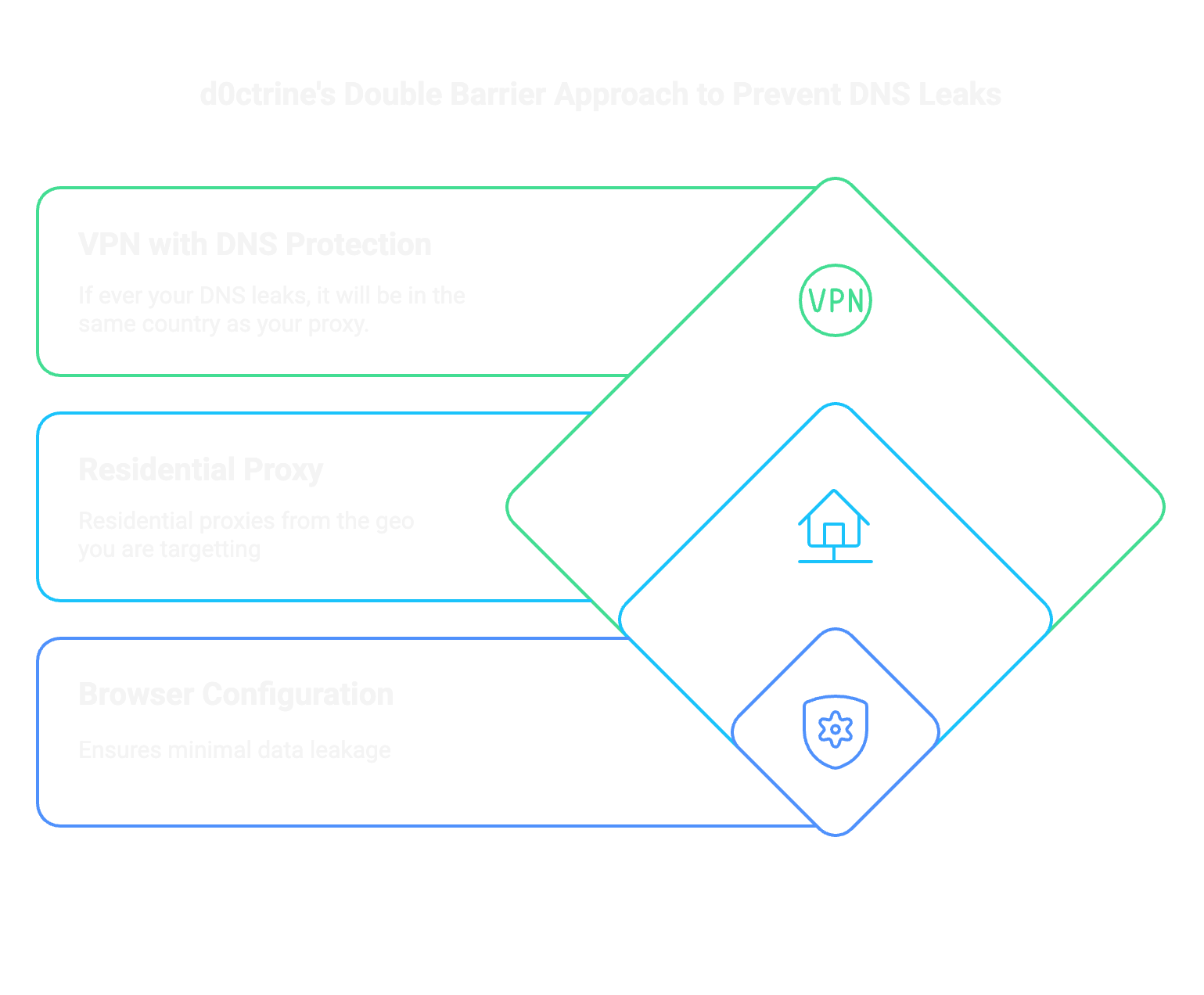
If you are using cards other than your country, implement this double barrier approach:
Check your settings before you screw them up
Check your settings carefully:
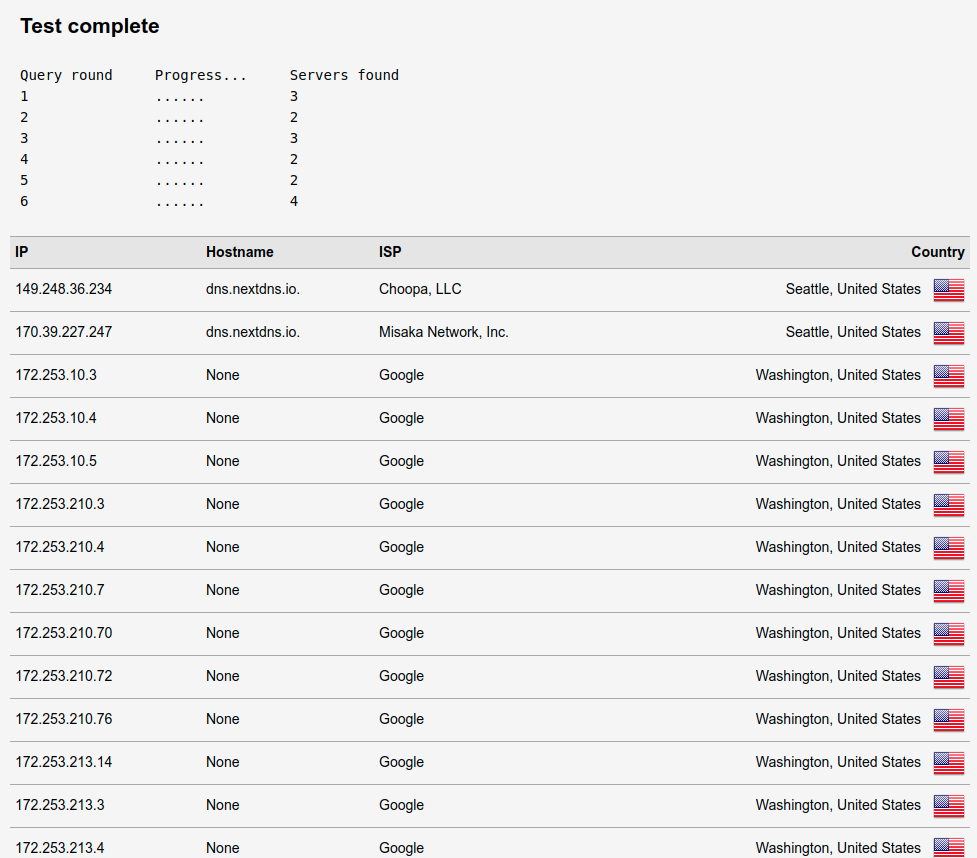
Run these tests regularly, especially after system updates or browser changes that may reset your security settings.
Live or die by this data
The harsh reality is that new cards and premium BINs are useless if your technical setup is broadcasting your real location. When antifraud systems see mixed signals about your location, they will always err on the side of rejecting transactions.
Fix DNS leaks, implement proper multi-layered protection, and check that everything works before each session. The extra time spent testing can save you thousands in burned cards and prevent your patterns from ending up in fraud databases forever.
Now set up your carding system correctly and get paid.
(c) Contact the author here: d0ctrine
DNS Leaks
You see, every time you type a website into your browser, your device is asking “where is this place?” That’s DNS — turning “amazon.com” into an IP address that computers can understand. Your browser can’t connect to the domain name directly — it needs to translate that human-readable text into a machine-readable IP address (like 192.168.0.1).
This translation happens through DNS servers. By default, your device sends these requests through your ISPs' DNS servers, creating a detailed record of every website you visit that is directly linked to your actual location and identity.
But when you use a proxy setup, here’s the fundamental problem: Your proxy may route your regular web traffic, but DNS requests often bypass that tunnel entirely. Some browsers, especially older versions, may still send DNS requests directly to your ISP’s servers even when using HTTPS. The result? Your supposedly secure connection leaks like a rust bucket.
This creates a fatal identity problem. Your traffic appears to be coming from one place, but the initial DNS lookup reveals your true origin. For fraud protection systems, this inconsistency significantly increases your fraud score, and your transactions are wasted.
How to Get Caught Red-Handed
It’s important to remember that fraud protection systems don’t just sit around waiting for you to screw up — they actively look for inconsistencies in your settings. These systems employ sophisticated traps specifically designed to catch you out: one of them is DNS leaks.
When you visit a merchant’s site with fraud protection, they inject JavaScript code that causes your browser to request resources from uniquely generated domains that they control. Because they own these domains, they control the authoritative DNS servers that respond to these requests. When your browser asks "where is uniqueID123.fraudcheck.com?", that question is logged on their server - along with information about which ISP server is making the request, and time information. Check out this example in action with Forter:
If your DNS traffic isn't properly tunneled through your proxy, the request to get that subdomain's IP comes directly from your own ISP. Now the antifraud system sees two conflicting stories: Your web traffic claims you're browsing from Miami, but your DNS resolution is coming from an ISP in Moscow. Game over.
Some advanced systems go even further by forcing multiple requests for resolution using different methods. They might launch WebRTC connections that bypass standard proxy settings, or use timing analysis to determine if your DNS requests are taking a suspiciously long time. By the time you hit “submit” on that order form, they’ll have already flagged your session as suspicious based on these inconsistencies.
Some Solutions
Antidetect-browsers
Modern antidetect-browsers are usually effective at dealing with DNS leaks, but your setup matters. Use a Socks5 proxy whenever possible, as it inherently routes DNS requests through the proxy itself, greatly reducing the risk of leaks. Make sure your browser is always up to date and properly configured to delegate DNS resolution directly to your Socks5 proxy.
Additionally, enabling DNS over HTTPS (DoH) adds another layer of protection. In Chrome-based browsers, go to chrome://settings/security and enable “Secure DNS” using a trusted provider like Cloudflare. For Firefox-based browsers, go to about
references#privacy and enable DNS over HTTPS in a similar way.If your current antidetect-browser does not support Socks5 proxies or secure DNS configurations, consider switching to one that does, or use tools like Proxifier to force DNS resolution through a proxy at the system level.
iOS
The default iOS proxy settings only cover browser traffic and often lead to crazy DNS leaks. Your salvation can be of two kinds:
- Surge: This app creates a local VPN tunnel that captures ALL traffic, including DNS. Enable "encrypted-dns-follow-outbound-mode" in the settings and your DNS requests will perfectly follow your proxy route.
- Potatso/Shadowrocket: These work similarly, but pay attention to the settings. You MUST enable the "UDP Forwarding" or "Proxy DNS" settings, otherwise your DNS requests will bypass the tunnel and reveal your real location.
- Quantumult X: This is your best weapon specifically for forcing the DNS server of a residential proxy. Set up your residential proxy in the proxy settings, then go to the MitM settings and enable "Force DNS mapping". Add your residential proxy's DNS servers to the DNS section with the "force-remote-dns" tag. This forces EVERY DNS request to go through your resi proxy's DNS servers, ensuring perfect geo-consistency. Works even with complex residential proxy setups where other apps fail.
Double Barrier Method
If you are using cards other than your country, implement this double barrier approach:
- The first barrier is VPN with DNS protection:
- The second barrier is the residential proxy:
- Overlay a residential proxy server for your map
- This creates geographically consistent IP and DNS resolution.
- Make sure DNS requests are routed through a proxy server and not directly
- Browser configuration:
- Disable WebRTC in your antidetect-browser (or use extensions that block WebRTC)
- Disable DNS prefetching and predictive services
- Use a properly configured antidetect-browser with all leak protection features enabled.
Check your settings before you screw them up
Check your settings carefully:
- DNSLeakTest.com: Run an advanced test. If you see your real ISP in the results, you are leaking data.
- ipleak.net: In particular, check the WebRTC section. If you see your real IP address here, you need to disable WebRTC completely.
- BrowserLeaks: This shows you which DNS servers are handling your requests. Pay special attention to the “DNS over WebRTC” section, which can reveal leaks even if the standard DNS appears secure.
Run these tests regularly, especially after system updates or browser changes that may reset your security settings.
Live or die by this data
The harsh reality is that new cards and premium BINs are useless if your technical setup is broadcasting your real location. When antifraud systems see mixed signals about your location, they will always err on the side of rejecting transactions.
Fix DNS leaks, implement proper multi-layered protection, and check that everything works before each session. The extra time spent testing can save you thousands in burned cards and prevent your patterns from ending up in fraud databases forever.
Now set up your carding system correctly and get paid.
(c) Contact the author here: d0ctrine
